

Alternatives to Open User Map
Open User Map lets you create an interactive WordPress map where visitors can add locations, with approval workflows and no coding required.
Explore 20 alternatives to Open User Map. Compare features, pricing, and find the best fit for your needs.

HostCrafter
Fast, reliable Managed WordPress Hosting with NVMe storage, worldwide servers, free migration, live chat, and no setup fees.

Shopeasy.ai
Shopeasy.ai is an AI-native Commerce OS unifying storefront, payments, logistics, and POS into one platform for modern merchants.

Built2WinWeb
MCP, A2A, and llms.txt generation. Custom PHP websites built for AI agent discovery and indexing — flat‑fee, full ownership, no monthly fees.

IntelDif
IntelDif monitors competitors' public pages and alerts you only to strategic moves with AI-driven insight.
Unifyca
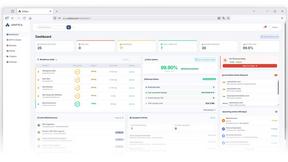
Unifyca centralizes documentation, credentials, maintenance, and backups for all your agency's WordPress sites.
blauwdruk.
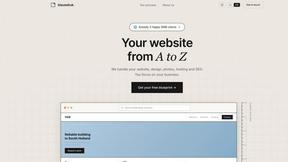
Blauwdruk builds your entire website from design to SEO, so you can focus on your business with zero hassle.
Huebert
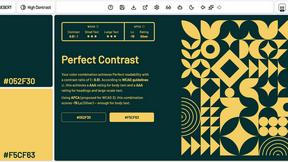
Huebert helps web creatives build stunning color palettes and UI themes in seconds with professional tools and AI assistance.

Shadcn Examples
Shadcn Examples offers reusable React and Tailwind UI kits with extensive components for building web apps effortlessly.
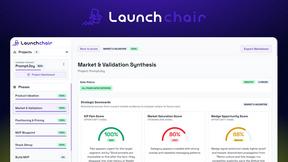
LaunchChair
LaunchChair turns vague ideas into validated MVP specs and build prompts so founders ship faster with less guessing.
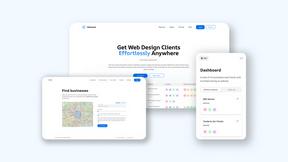
Webleadr
Webleadr helps you effortlessly find and contact web design leads and businesses without websites in just a few clicks from anywhere.


FilexHost
Effortlessly host and share any file with instant URLs using FilexHost's simple drag-and-drop interface.

Crawlkit
Crawlkit is a seamless API that extracts structured data and screenshots from any website in one simple request.

Best Boilerplates
Discover and compare top SaaS boilerplates to accelerate your app launch with tailored features and tech stacks.

Shadcn UI Kit
Build faster with production-ready UI components and templates for Shadcn and React.

Clio Websites
Clio Websites creates custom websites that boost conversions, enhance brand presence, and drive business growth.
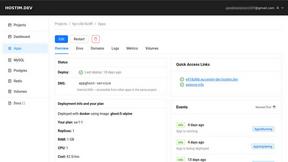
Hostim.dev
Hostim.dev deploys Docker apps with built-in databases on simple EU infrastructure.

About Open User Map Alternatives
Open User Map is a lightweight WordPress plugin designed to turn any website into an interactive, crowd-sourced mapping platform. It falls under the web development category, specifically as a user-generated content tool that allows site owners to collect and display location-based submissions directly from visitors. While its no-code setup and frontend submission features are strong selling points, users often look for alternatives due to specific needs like advanced moderation controls, more granular permission settings, or integration with third-party CRM and membership systems. Others may require a different pricing model, support for additional map tile providers, or a solution that scales better for high-traffic community projects. When evaluating alternatives, focus on the core functionality that matters most for your use case: the ease of frontend submissions, the flexibility of approval workflows, and the level of customization for map markers and popups. Consider whether the tool offers built-in spam protection, user role management, and export capabilities for your data. Also, assess the learning curve and whether the plugin supports your preferred map service without requiring an API key. The right choice will balance simplicity with the specific control you need over how your community interacts with your map.
FAQs about Open User Map Alternatives
What is Open User Map?
Open User Map is an interactive maps plugin for WordPress that lets you create a map your visitors can contribute to. It enables frontend submissions, allowing users to add markers and locations without needing backend access. The plugin includes approval workflows for moderating submissions and offers powerful customization options, all without requiring coding, a Google Maps API key, or complex setup.
Who is Open User Map for?
Open User Map is designed for WordPress site owners who want to build a community-driven map, such as local business directories, event maps, or neighborhood guides. It is ideal for non-developers, small business owners, and organizations that need a simple, no-code solution for collecting and displaying user-submitted locations. It also suits developers looking for a lightweight, customizable plugin that avoids reliance on external API keys.
Is Open User Map free?
Open User Map offers a free version with core features, including frontend submissions, approval workflows, and basic customization. For advanced functionality, such as additional map styles, premium support, or extended submission fields, a paid pro version is available. The free tier is fully functional for many common use cases, making it accessible for small projects and startups.
What are the main features of Open User Map?
The main features include an interactive map with frontend submission capabilities, allowing visitors to add markers directly from the site. It provides approval workflows to moderate submissions before they appear publicly. The plugin offers powerful customization options for marker colors, icons, and popup content, and it works without any coding, Google Maps API key, or complex setup. It is designed to be lightweight and fast, integrating seamlessly with any WordPress theme.