

Unifyca
Unifyca centralizes documentation, credentials, maintenance, and backups for all your agency's WordPress sites.
AI tool Details
Explore More
Alternatives

About Unifyca
Unifyca is a centralized WordPress website management platform designed specifically for agencies, freelancers, and IT professionals who maintain multiple client websites. Instead of logging into dozens of separate WordPress dashboards, Unifyca provides a single workspace where you can manage every aspect of your client sites. The platform combines two critical functions into one system: comprehensive website maintenance and centralized website documentation. On the maintenance side, Unifyca allows you to connect your client WordPress sites, run automated audits to detect outdated plugins, themes, and core versions, apply safe fixes remotely, create manual or scheduled backups, monitor uptime, and generate white-label maintenance reports. On the documentation side, Unifyca centralizes all website operational details including hosting accounts, domains, FTP and SSH access, email settings, SSL certificates, credentials, brand assets, project notes, and technical information. This eliminates the need to search through scattered emails, spreadsheets, and chat messages for critical information. The result is a complete operational platform that helps agencies reduce manual work, improve consistency, document every client website thoroughly, and deliver professional maintenance services at scale. Unifyca replaces reactive maintenance with a proactive, predictable workflow that covers every client site in one consistent cycle.
Features
Centralized Website Documentation
Store every operational detail for each client website in one secure location. This includes WordPress credentials, FTP and SSH access, hosting account information, domain registrations, SSL certificate details, database credentials, email account settings, plugin and theme licenses, custom scripts, integrations, and important website files. Every piece of information is linked to the correct client and website, so your entire team always works with complete context. No more credentials, technical notes, or project knowledge hidden in emails, WhatsApp conversations, or personal files.
Automated WordPress Audits and Fixes
Connect your WordPress sites using the Unifyca Audit Connector and run comprehensive automated audits across all client websites. The platform scans for outdated plugins, themes, and WordPress core versions, security risks, configuration issues, uptime problems, and SEO warnings. You wake up knowing exactly which sites need attention. From the Fix Center, you can review and apply WordPress updates and safe maintenance actions remotely, in bulk, across multiple sites, without ever entering a single wp-admin dashboard.
Manual and Scheduled Backups
Create reliable backups for your client WordPress sites on demand or set up automated schedules. Unifyca maintains a clear backup history so you always know which sites are protected before applying updates or fixes. This gives you confidence when performing maintenance tasks, knowing you have a recent restore point available. The backup system is designed to integrate seamlessly with your maintenance workflow, ensuring every site is backed up according to your preferred schedule.
White-Label Client Reports
Automatically compile every update applied, every issue fixed, and every uptime check into clean, professional maintenance reports. These reports feature your own branding, including your logo and colours, with zero Unifyca branding visible. One click turns the month's maintenance log into a client-friendly document that proves the value of your work. This is the easiest way to justify recurring maintenance fees and renew contracts year after year.
Use Cases
Managing Multiple Client WordPress Sites Efficiently
Agencies and freelancers responsible for 10, 50, or 100+ WordPress sites can eliminate the chaos of logging into each site individually. Unifyca provides a single dashboard where you audit all sites, apply bulk updates, schedule backups, and monitor uptime. Instead of spending hours each week navigating between dashboards and spreadsheets, you complete maintenance cycles in a fraction of the time. This consistency reduces errors and ensures no client site falls through the cracks.
Onboarding New Clients with Complete Context
When taking on a new client, you often receive credentials, hosting details, and technical notes scattered across emails and documents. Unifyca lets you immediately centralize all this information into one organized workspace. You document domains, DNS settings, SSL certificates, server details, plugins, themes, premium licenses, and custom code from day one. This creates a single source of truth that your entire team can access, making onboarding faster and reducing the risk of missing critical information.
Delivering Professional Maintenance Services
IT professionals and agencies that charge recurring maintenance fees need to demonstrate clear value to clients. Unifyca automates the entire maintenance workflow from audits to fixes to backups. The white-label reporting feature then compiles all this activity into branded reports your clients can understand. You prove exactly what work was done, when, and why it matters. This transparency builds trust and makes it easy to justify and renew maintenance contracts.
Team Collaboration on Client Websites
When multiple team members work on the same client websites, information often gets siloed. One person knows the FTP credentials, another remembers the hosting login, and technical notes are buried in personal files. Unifyca ensures everyone works from the same reliable information. Team members can access credentials, technical documentation, maintenance history, and project notes all in one place. This eliminates bottlenecks, reduces mistakes from outdated information, and speeds up troubleshooting.
Frequently Asked Questions
How does Unifyca connect to my client WordPress sites?
You install the Unifyca Audit Connector plugin on each WordPress site you want to manage. This plugin links the site to your Unifyca account. The setup process is designed to be bulk-friendly, so agencies onboarding many sites at once can do it efficiently. Once connected, you can run audits, apply fixes, create backups, and monitor uptime all from your central Unifyca workspace without logging into each site individually.
Is my client data secure in Unifyca?
Yes. Unifyca stores all credentials, including WordPress, FTP, SSH, hosting, domain, database, and email account information, in a secure credentials vault. Each credential is linked to the correct client and website, ensuring proper access control. The platform is designed for professional use by agencies and IT teams who handle sensitive client information. All data is stored with security best practices in mind.
Can I brand the maintenance reports with my own logo?
Absolutely. The white-label reporting feature is built specifically for this purpose. Every maintenance report you generate can include your own branding, including your logo and your company colours. There is zero Unifyca branding on these reports. This allows you to present professional, client-friendly documents that prove the value of your work and help justify your recurring maintenance fees.
Does Unifyca offer a free plan to get started?
Yes. Unifyca offers a free plan that requires no credit card to sign up. You can organize your first website in minutes and start exploring the platform's capabilities. This allows you to test the centralized documentation, maintenance, and backup features before committing to a paid plan. The free plan is designed to give you a real experience of how Unifyca can transform your client website management workflow.
Similar to Unifyca
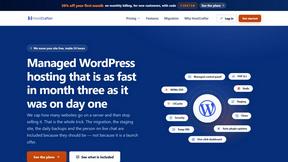
HostCrafter
Fast, reliable Managed WordPress Hosting with NVMe storage, worldwide servers, free migration, live chat, and no setup fees.
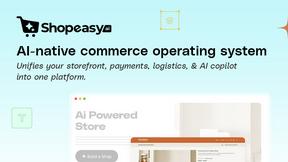
Shopeasy.ai
Shopeasy.ai is an AI-native Commerce OS unifying storefront, payments, logistics, and POS into one platform for modern merchants.

Built2WinWeb
MCP, A2A, and llms.txt generation. Custom PHP websites built for AI agent discovery and indexing — flat‑fee, full ownership, no monthly fees.
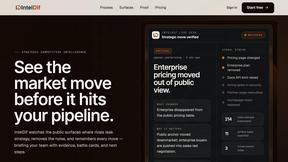
IntelDif
IntelDif monitors competitors' public pages and alerts you only to strategic moves with AI-driven insight.
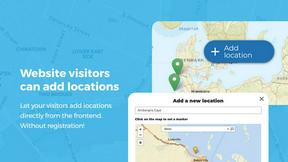
Open User Map
Open User Map lets you create an interactive WordPress map where visitors can add locations, with approval workflows and no coding required.
blauwdruk.
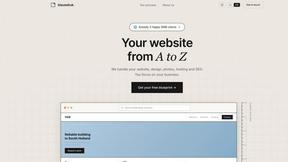
Blauwdruk builds your entire website from design to SEO, so you can focus on your business with zero hassle.
Huebert
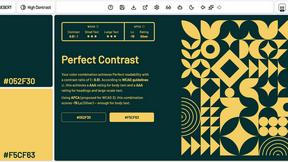
Huebert helps web creatives build stunning color palettes and UI themes in seconds with professional tools and AI assistance.

Shadcn Examples
Shadcn Examples offers reusable React and Tailwind UI kits with extensive components for building web apps effortlessly.