
Never Drop vs Quickfix AI
Side-by-side comparison to help you choose the right AI tool.

Never Drop
NeverDrop captures contacts and sends personalized follow-ups instantly, transforming every handshake into a deal.
Last updated: February 28, 2026

Quickfix AI
Quickfix AI provides instant, clear diagnostics of your computer's performance and health in plain English.
Last updated: February 28, 2026
Visual Comparison
Never Drop

Quickfix AI
Feature Comparison
Never Drop
Instant Business Card Scanning
Never Drop allows users to scan any business card in seconds using their smartphone. Our AI-powered OCR technology extracts crucial contact details such as name, company, title, phone number, and email instantly, eliminating the need for manual entry.
Automatic Email Enrichment
Often, business cards contain generic or missing email addresses. Never Drop automatically enriches contact profiles by finding verified work emails based on the name and company, ensuring that users have accurate information without manual searching.
AI-Powered Follow-Up Drafting
Never Drop generates personalized follow-up emails based on users' voice notes and conversation context. This feature allows users to review and tweak the email before sending it, all in under two minutes, making follow-ups efficient and tailored to each lead.
Team Collaboration Dashboard
Never Drop offers a collaborative workspace where sales teams can organize scanned contacts by event, reassign leads among team members, and monitor team activities. This ensures that everyone stays aligned and that no lead falls through the cracks during busy events.
Quickfix AI
AI-Powered Response Automation
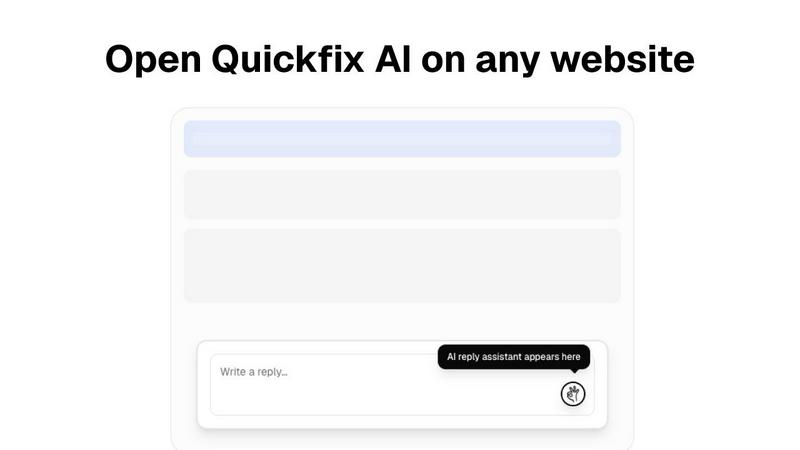
This feature allows users to generate quick, context-aware replies for various platforms with a single click. By eliminating manual typing, it significantly speeds up communication across emails, social media, support tickets, and chats.
Comprehensive System Diagnostics
Quickfix AI provides an extensive analysis of your computer's performance metrics, including CPU usage, memory pressure, storage health, and battery status. Users can easily monitor their system's health and performance levels through a user-friendly dashboard.
Integrated AI Assistant
The AI assistant interprets complex technical data and presents it in plain English. This feature ensures that users, regardless of their technical background, can understand diagnostic reports and receive actionable recommendations.
Instant Performance Insights
With Quickfix AI, users receive real-time insights into their system's performance and potential issues. The tool analyzes critical areas such as CPU, memory, and network status, helping users identify and resolve problems quickly.
Use Cases
Never Drop
Trade Shows
At trade shows, sales representatives can quickly scan business cards of potential clients, add contextual notes about conversations, and initiate personalized follow-ups, all while engaging with other prospects.
Conferences
During conferences, where networking is key, Never Drop helps attendees capture leads efficiently. Users can collect contacts, enrich profiles with verified emails, and keep track of interactions for effective follow-ups.
Networking Events
In fast-paced networking events, sales teams can utilize Never Drop to ensure they capture every lead. The app enables quick data entry and immediate follow-up drafting, maximizing conversion potential.
Business Dinners
Never Drop is also beneficial for more intimate settings like business dinners. Users can scan cards, take notes about discussions, and prepare personalized follow-ups, ensuring that every connection is nurtured.
Quickfix AI
Troubleshooting System Issues
When users experience performance problems but lack technical knowledge, Quickfix AI diagnoses the issues and provides clear explanations. This enables users to understand their system and take appropriate actions.
Enhancing Productivity in Communication
Professionals can leverage Quickfix AI to streamline their communication processes. By automating responses, they can save time and focus on more critical tasks, significantly increasing overall productivity.
IT Support Simplification
For IT teams, Quickfix AI offers a seamless way to diagnose and troubleshoot systems remotely. By sharing a link and code, IT professionals can gain instant visibility into the performance of any machine, facilitating faster issue resolution.
Empowering Tech Enthusiasts
Gamers, developers, and power users can utilize Quickfix AI to gain deep insights into their system's performance. This knowledge allows them to optimize their setups for better efficiency and performance.
Overview
About Never Drop
Never Drop is a cutting-edge lead-capture app crafted specifically for sales teams engaged in fast-paced environments like trade shows, conferences, and networking events. This innovative solution streamlines the process of collecting and managing leads by enabling users to scan business cards using their smartphones. After scanning, users can enhance the captured data with voice notes or text to capture essential details about each lead. The app leverages advanced AI technology to generate personalized follow-up emails within two minutes, ensuring no leads are overlooked. With seamless integration into popular CRMs like HubSpot, Never Drop keeps your sales pipeline organized and efficient. Say farewell to lost leads and embrace a new era of prompt and streamlined follow-ups that convert leads into closed deals.
About Quickfix AI
Quickfix AI is a dual-purpose productivity and diagnostic tool meticulously crafted to enhance efficiency and provide clarity. It serves as an AI-powered browser extension that automates writing replies across any website, allowing users to generate context-aware responses for emails, social media, support tickets, and chats with just a single click. This functionality eliminates the need for manual typing and tab-switching, streamlining communication for professionals. In addition to this, Quickfix AI functions as a comprehensive system diagnostics tool for both Windows and macOS. It delivers instant insights into the computer's performance, health, and security, analyzing key metrics such as CPU, memory, storage, battery, and network status. Users receive this information through an intuitive dashboard, accompanied by an integrated AI assistant that explains technical details in plain English while offering specific recommendations. Quickfix AI is designed for professionals seeking to enhance their communication efficiency and for a wide range of users, from casual computer operators to IT teams needing to troubleshoot system performance without requiring technical expertise.
Frequently Asked Questions
Never Drop FAQ
What is Never Drop?
Never Drop is a lead-capture app designed for sales teams at events. Users can scan business cards, add voice or text context, and receive a personalized follow-up email generated in under two minutes, enriching contacts with verified emails.
How does business card scanning work?
Users take a photo of any business card within the Never Drop app. The app utilizes AI-powered OCR technology to quickly extract essential information such as the contact's name, company, title, phone number, and email.
What types of events is Never Drop suitable for?
Never Drop is ideal for trade shows, conferences, networking events, meetups, and business dinners. The app allows users to organize scans by event, making it easier to manage and track leads.
Is my data secure with Never Drop?
Yes, Never Drop prioritizes data security. The app is developed by SCOPEO, a French company. User data is hosted in the EU, complies with GDPR, and is encrypted both in transit and at rest, ensuring privacy and security.
Quickfix AI FAQ
Is Quickfix AI free?
Yes, Quickfix AI offers a free version that allows users to access its core features, including the AI-powered response automation and system diagnostics. Premium features may require a subscription.
Is my data secure?
Quickfix AI prioritizes user data security and confidentiality. It employs advanced encryption and data protection measures to ensure that your information remains secure during scans and interactions.
Do I need technical knowledge to use Quickfix AI?
No, Quickfix AI is designed for users of all technical backgrounds. Its user-friendly interface and integrated AI assistant provide clear explanations and recommendations, eliminating the need for technical expertise.
What information does Quickfix AI collect?
Quickfix AI collects performance metrics and diagnostic data relevant to your system's health and performance. This information is used solely for analysis and to provide actionable insights, adhering to privacy standards.
Alternatives
Never Drop Alternatives
Never Drop is a cutting-edge lead-capture application tailored for sales teams in dynamic environments like trade shows, conferences, and networking events. By facilitating the scanning of business cards, it streamlines the process of managing leads and ensures that no opportunities are missed. Users often seek alternatives to Never Drop for various reasons, including pricing, specific feature sets, or compatibility with their existing platforms and tools. When considering an alternative to Never Drop, it's essential to look for features that enhance lead management, ease of use, and integration capabilities with existing customer relationship management systems. Furthermore, evaluate the pricing structure to ensure it aligns with your budget and offers value for the features you require.
Quickfix AI Alternatives
Quickfix AI is a dual-purpose productivity and diagnostic tool designed for users who want to enhance their communication efficiency and understand their computer's performance. As a browser extension, it automates the process of generating context-aware replies across various platforms while also providing comprehensive system diagnostics for both Windows and macOS. Users often seek alternatives to Quickfix AI due to various reasons such as pricing, specific feature sets, platform compatibility, or personal preferences in user experience. When choosing an alternative, consider the essential features that meet your unique needs. Look for tools that provide similar productivity enhancements and diagnostic capabilities, as well as user-friendly interfaces and robust support. It's also important to evaluate the pricing structure and ensure it fits within your budget while delivering the expected value.