
conceptviz vs Dokie AI
Side-by-side comparison to help you choose the right AI tool.

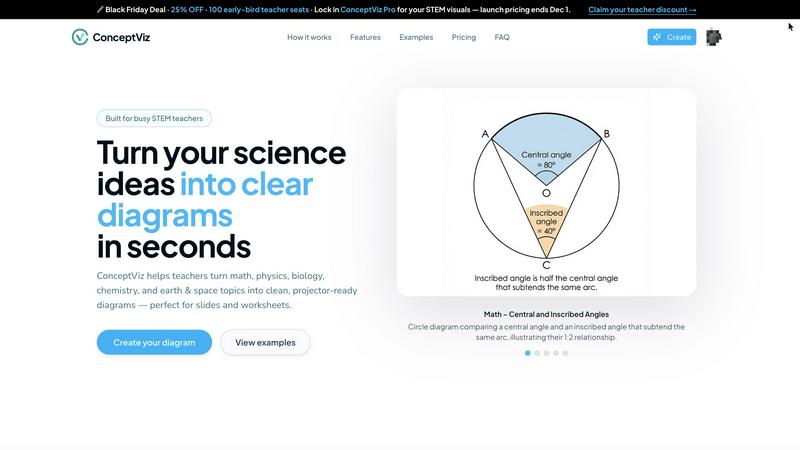
ConceptViz creates clear, science-ready diagrams in three easy steps for teachers, students, and researchers.
Last updated: March 1, 2026

Dokie AI
Dokie AI empowers users to create stunning professional PPT slides in minutes, leveraging advanced AI technology for effortless presentation design.
Last updated: March 19, 2026
Visual Comparison
conceptviz
Dokie AI

Feature Comparison
conceptviz
User-Friendly Interface
ConceptViz boasts an intuitive interface, allowing users to create diagrams effortlessly. By simply signing in and describing their desired visuals in plain English, users can generate diagrams quickly, making it accessible for all skill levels.
Subject and Grade Presets
The platform includes quick presets tailored for various STEM subjects, including physics, biology, chemistry, earth & space, and math. These presets are designed for specific U.S. grade bands, ensuring that diagrams are appropriate for elementary, middle, or high school students.
Projector-Ready Clarity
Diagrams created with ConceptViz are designed for high visibility in classrooms. The tool prioritizes thick, legible lines and simple backgrounds, ensuring that visuals remain clear and effective in any teaching environment.
High-Resolution Exports
Users can download their generated diagrams in high-resolution PNG format, making it easy to incorporate visuals into presentations or printed materials. This feature ensures that educators can seamlessly integrate diagrams into PowerPoint, Google Slides, or worksheets.
Dokie AI
AI Generate PPT
The AI Generate PPT feature allows users to simply describe their presentation topic in plain text. In seconds, Dokie AI creates a complete slide deck that includes professional layouts, engaging charts, and compelling content tailored to your needs. This feature eliminates the stress of starting from scratch, making it ideal for time-constrained professionals.
AI Beautify PPT
With the AI Beautify PPT tool, users can upload existing presentations for automatic enhancement. Dokie AI analyzes the content and improves the design, fixing layouts and applying professional styling to ensure your slides look polished and visually cohesive. This feature is perfect for those who want to upgrade their presentations without extensive design knowledge.
Speech Notes Generation
Dokie AI's Speech Notes Generation feature automatically produces detailed speaker notes for each slide. This helps presenters articulate their thoughts clearly and confidently during presentations. The notes provide key talking points that enhance the delivery, making it easier for users to engage with their audience.
Multi-format Conversion
Dokie AI supports various conversions, including PDF to PPT, Word to PPT, and even YouTube to PPT. This feature allows users to transform different content formats into professional slide presentations seamlessly. It saves time and enhances flexibility, ensuring that users can easily integrate any relevant material into their presentations.
Use Cases
conceptviz
Classroom Instruction
Educators can use ConceptViz to create engaging visual aids for their lessons. By generating diagrams that illustrate complex concepts, teachers can enhance student understanding and retention during lectures.
Student Projects
Students can leverage ConceptViz for their projects, allowing them to create professional-looking diagrams that effectively communicate their research findings. This tool encourages creativity and improves presentation quality.
Lab Reports
Researchers and students conducting experiments can utilize ConceptViz to generate clear diagrams that represent their methodologies and results. This aids in creating visually appealing lab reports that are easy to understand.
Homework Assignments
ConceptViz can assist students in completing homework assignments by providing them with the means to create accurate diagrams that support their answers. This feature helps students articulate their understanding of complex topics.
Dokie AI
Business Presentations
Professionals can use Dokie AI to create engaging business presentations for meetings, pitches, or reports. The AI's ability to generate high-quality slides quickly allows users to focus on their content and strategy without getting bogged down in design details.
Educational Lectures
Educators can leverage Dokie AI to craft visually appealing lecture slides. By generating presentations from lesson plans or topics, teachers can create dynamic and interactive learning materials that enhance student engagement and comprehension.
Marketing Campaigns
Marketers can utilize Dokie AI to develop compelling presentations for campaigns, product launches, or client pitches. The ability to beautify existing slides ensures that marketing materials remain current and visually impactful, helping to capture the attention of stakeholders.
Startup Pitches
Startup founders can benefit significantly from Dokie AI when preparing for investor pitches. With the AI's capability to generate professional slide decks from basic ideas, founders can present their concepts clearly and effectively, increasing their chances of securing funding.
Overview
About conceptviz
ConceptViz is an innovative diagramming tool specifically crafted for educators, students, and researchers within STEM education. This platform is designed to simplify the creation of accurate and visually appealing diagrams, making complex scientific concepts more accessible and understandable. Ideal for K-12 and higher education environments, ConceptViz streamlines the process of transforming intricate ideas into clear, classroom-ready visuals. Users can quickly generate high-quality diagrams simply by describing their needs in plain English, eliminating the need for design skills. With a focus on clarity and usability, ConceptViz ensures that all diagrams are projector-ready, featuring legible labels and minimal visual distractions. This makes it a valuable resource for educators seeking effective visual aids for lesson plans, labs, and assessments, ultimately enhancing the learning experience and saving preparation time.
About Dokie AI
Dokie AI is a cutting-edge AI presentation maker designed for professionals across various sectors, including business, education, and marketing. It empowers users to create polished, visually appealing presentations quickly and effortlessly, even without any design skills. Dokie AI leverages the advanced capabilities of Claude Opus 4.6 to automate content structure, layout selection, typography, and visual design. This results in high-quality presentations that captivate audiences. With versatile modes like Generate, Beautify, and Speech, Dokie AI offers a comprehensive solution for anyone looking to enhance their presentation workflow. Whether you are a startup founder preparing for a pitch or an educator crafting engaging lessons, Dokie AI streamlines the process, allowing you to focus on your content rather than design intricacies.
Frequently Asked Questions
conceptviz FAQ
How do I get started with ConceptViz?
To get started, simply sign up for a free account on the ConceptViz website. After signing in, you can select your subject and grade level, then describe the diagram you need.
Can I use ConceptViz for subjects beyond STEM?
While ConceptViz is primarily designed for STEM education, its capabilities can be adapted for various subjects requiring visual representations. Users can experiment with different topics to see how the tool fits their needs.
Are the generated diagrams suitable for printing?
Yes, all diagrams produced by ConceptViz are high-resolution and designed to be printer-friendly. Users can easily download their diagrams in PNG format for use in handouts or printed materials.
Is there a limit to the number of diagrams I can create?
ConceptViz allows users to create multiple diagrams, providing flexibility for educators and students. However, users should check their account details to understand any limitations based on their subscription tier.
Dokie AI FAQ
How does Dokie AI generate presentations?
Dokie AI uses advanced AI technology to transform plain text descriptions into structured slide decks. Users provide a topic, and the AI handles layout, design, and content creation automatically.
Can I enhance my existing presentations with Dokie AI?
Yes, with the AI Beautify PPT feature, users can upload their existing presentations, and Dokie AI will enhance their design, making them more visually appealing and professionally styled.
Is it possible to generate speaker notes for my slides?
Absolutely. Dokie AI automatically creates comprehensive speaker notes for each slide, providing talking points that help presenters deliver their presentations more confidently.
What types of conversions does Dokie AI support?
Dokie AI supports various conversions, including PDF to PPT, Word to PPT, HTML to PPT, and more. This flexibility allows users to integrate different content formats into their presentations easily.
Alternatives
conceptviz Alternatives
ConceptViz is an innovative tool designed for educators, researchers, and students, focusing on generating clear, science-ready diagrams for STEM education. As part of the AI Assistants and Content Creation category, it streamlines the diagram creation process, making it accessible even to those without design skills. Users often seek alternatives to ConceptViz for various reasons, such as pricing, specific feature needs, or compatibility with different platforms. When choosing an alternative, consider factors like user-friendliness, available templates for STEM subjects, print-ready quality, and the ability to download high-resolution files.
Dokie AI Alternatives
Dokie AI is a leading AI presentation maker designed to streamline the process of creating professional PowerPoint slides in a matter of minutes. It harnesses the power of Claude Opus 4.6 to provide users with a sophisticated tool that requires no design skills, making it ideal for business professionals, educators, marketers, and startup founders. Despite its impressive capabilities, users often seek alternatives due to factors like pricing, specific feature requirements, or compatibility with different platforms. When searching for an alternative to Dokie AI, consider aspects such as pricing models, user-friendliness, and the range of features offered. Evaluate whether the tool provides AI-driven generation, design enhancements, and the ability to convert documents into presentations. Additionally, assess the flexibility of the platform and how well it can meet your unique presentation needs.