

conceptviz
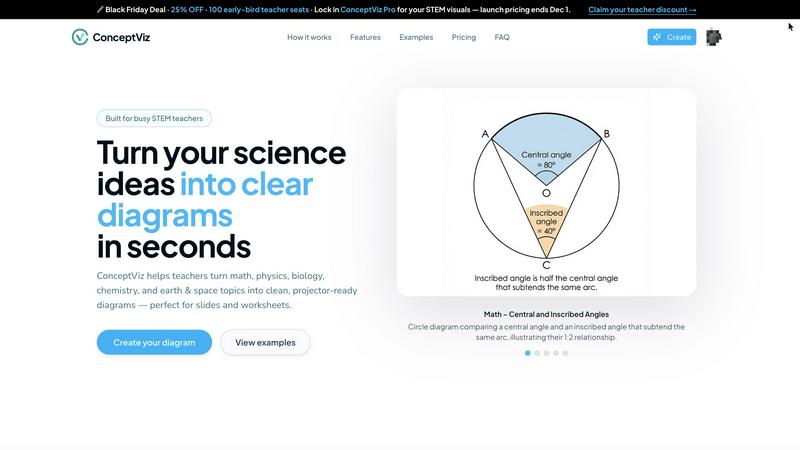
ConceptViz creates clear, science-ready diagrams in three easy steps for teachers, students, and researchers.
AI tool Details
About conceptviz
ConceptViz is an innovative diagramming tool specifically crafted for educators, students, and researchers within STEM education. This platform is designed to simplify the creation of accurate and visually appealing diagrams, making complex scientific concepts more accessible and understandable. Ideal for K-12 and higher education environments, ConceptViz streamlines the process of transforming intricate ideas into clear, classroom-ready visuals. Users can quickly generate high-quality diagrams simply by describing their needs in plain English, eliminating the need for design skills. With a focus on clarity and usability, ConceptViz ensures that all diagrams are projector-ready, featuring legible labels and minimal visual distractions. This makes it a valuable resource for educators seeking effective visual aids for lesson plans, labs, and assessments, ultimately enhancing the learning experience and saving preparation time.
Features
User-Friendly Interface
ConceptViz boasts an intuitive interface, allowing users to create diagrams effortlessly. By simply signing in and describing their desired visuals in plain English, users can generate diagrams quickly, making it accessible for all skill levels.
Subject and Grade Presets
The platform includes quick presets tailored for various STEM subjects, including physics, biology, chemistry, earth & space, and math. These presets are designed for specific U.S. grade bands, ensuring that diagrams are appropriate for elementary, middle, or high school students.
Projector-Ready Clarity
Diagrams created with ConceptViz are designed for high visibility in classrooms. The tool prioritizes thick, legible lines and simple backgrounds, ensuring that visuals remain clear and effective in any teaching environment.
High-Resolution Exports
Users can download their generated diagrams in high-resolution PNG format, making it easy to incorporate visuals into presentations or printed materials. This feature ensures that educators can seamlessly integrate diagrams into PowerPoint, Google Slides, or worksheets.
Use Cases
Classroom Instruction
Educators can use ConceptViz to create engaging visual aids for their lessons. By generating diagrams that illustrate complex concepts, teachers can enhance student understanding and retention during lectures.
Student Projects
Students can leverage ConceptViz for their projects, allowing them to create professional-looking diagrams that effectively communicate their research findings. This tool encourages creativity and improves presentation quality.
Lab Reports
Researchers and students conducting experiments can utilize ConceptViz to generate clear diagrams that represent their methodologies and results. This aids in creating visually appealing lab reports that are easy to understand.
Homework Assignments
ConceptViz can assist students in completing homework assignments by providing them with the means to create accurate diagrams that support their answers. This feature helps students articulate their understanding of complex topics.
Frequently Asked Questions
How do I get started with ConceptViz?
To get started, simply sign up for a free account on the ConceptViz website. After signing in, you can select your subject and grade level, then describe the diagram you need.
Can I use ConceptViz for subjects beyond STEM?
While ConceptViz is primarily designed for STEM education, its capabilities can be adapted for various subjects requiring visual representations. Users can experiment with different topics to see how the tool fits their needs.
Are the generated diagrams suitable for printing?
Yes, all diagrams produced by ConceptViz are high-resolution and designed to be printer-friendly. Users can easily download their diagrams in PNG format for use in handouts or printed materials.
Is there a limit to the number of diagrams I can create?
ConceptViz allows users to create multiple diagrams, providing flexibility for educators and students. However, users should check their account details to understand any limitations based on their subscription tier.
Similar to conceptviz
Novastart
Infinite canvas whiteboard OS where apps, files, teams and AI agents work together.
ImageGenerator
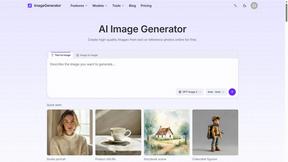
Create and edit AI images online with multiple models, text-to-image, image-to-image, background removal, and upscaling.

Toolara Music
Describe a song in plain text and get a complete track — vocals or instrumental, custom lyrics, up to 120 seconds, MP3 download

MD to Text
Convert Markdown to clean, readable plain text in your browser. Strip formatting, keep the content, and copy clean output for AI prompts and docs.
ColdCrow
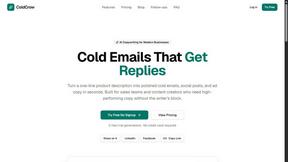
AI cold email writer with a deliverability score - describe a prospect, get a personalized draft in seconds.
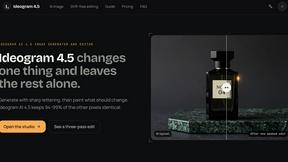
Ideogram 4.5
Advanced AI image generation and editing: sharp typography, native 2K output, localized edits that preserve the rest of your image.

LinkIntel
MCP server that gives Claude or any MCP assistant your own X post results and X's open-source ranking weights, so drafts start from evidence.
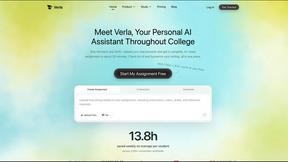
Verla AI
AI academic assistant for writing, research, presentations, and coding