

Dokie AI
Dokie AI empowers users to create stunning professional PPT slides in minutes, leveraging advanced AI technology for effortless presentation design.
AI tool Details
Explore More
Alternatives

About Dokie AI
Dokie AI is a cutting-edge AI presentation maker designed for professionals across various sectors, including business, education, and marketing. It empowers users to create polished, visually appealing presentations quickly and effortlessly, even without any design skills. Dokie AI leverages the advanced capabilities of Claude Opus 4.6 to automate content structure, layout selection, typography, and visual design. This results in high-quality presentations that captivate audiences. With versatile modes like Generate, Beautify, and Speech, Dokie AI offers a comprehensive solution for anyone looking to enhance their presentation workflow. Whether you are a startup founder preparing for a pitch or an educator crafting engaging lessons, Dokie AI streamlines the process, allowing you to focus on your content rather than design intricacies.
Features
AI Generate PPT
The AI Generate PPT feature allows users to simply describe their presentation topic in plain text. In seconds, Dokie AI creates a complete slide deck that includes professional layouts, engaging charts, and compelling content tailored to your needs. This feature eliminates the stress of starting from scratch, making it ideal for time-constrained professionals.
AI Beautify PPT
With the AI Beautify PPT tool, users can upload existing presentations for automatic enhancement. Dokie AI analyzes the content and improves the design, fixing layouts and applying professional styling to ensure your slides look polished and visually cohesive. This feature is perfect for those who want to upgrade their presentations without extensive design knowledge.
Speech Notes Generation
Dokie AI's Speech Notes Generation feature automatically produces detailed speaker notes for each slide. This helps presenters articulate their thoughts clearly and confidently during presentations. The notes provide key talking points that enhance the delivery, making it easier for users to engage with their audience.
Multi-format Conversion
Dokie AI supports various conversions, including PDF to PPT, Word to PPT, and even YouTube to PPT. This feature allows users to transform different content formats into professional slide presentations seamlessly. It saves time and enhances flexibility, ensuring that users can easily integrate any relevant material into their presentations.
Use Cases
Business Presentations
Professionals can use Dokie AI to create engaging business presentations for meetings, pitches, or reports. The AI's ability to generate high-quality slides quickly allows users to focus on their content and strategy without getting bogged down in design details.
Educational Lectures
Educators can leverage Dokie AI to craft visually appealing lecture slides. By generating presentations from lesson plans or topics, teachers can create dynamic and interactive learning materials that enhance student engagement and comprehension.
Marketing Campaigns
Marketers can utilize Dokie AI to develop compelling presentations for campaigns, product launches, or client pitches. The ability to beautify existing slides ensures that marketing materials remain current and visually impactful, helping to capture the attention of stakeholders.
Startup Pitches
Startup founders can benefit significantly from Dokie AI when preparing for investor pitches. With the AI's capability to generate professional slide decks from basic ideas, founders can present their concepts clearly and effectively, increasing their chances of securing funding.
Frequently Asked Questions
How does Dokie AI generate presentations?
Dokie AI uses advanced AI technology to transform plain text descriptions into structured slide decks. Users provide a topic, and the AI handles layout, design, and content creation automatically.
Can I enhance my existing presentations with Dokie AI?
Yes, with the AI Beautify PPT feature, users can upload their existing presentations, and Dokie AI will enhance their design, making them more visually appealing and professionally styled.
Is it possible to generate speaker notes for my slides?
Absolutely. Dokie AI automatically creates comprehensive speaker notes for each slide, providing talking points that help presenters deliver their presentations more confidently.
What types of conversions does Dokie AI support?
Dokie AI supports various conversions, including PDF to PPT, Word to PPT, HTML to PPT, and more. This flexibility allows users to integrate different content formats into their presentations easily.
Similar to Dokie AI
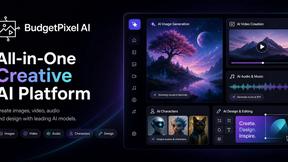
Budgetpixel AI
Create and edit AI images, videos, music, and designs in one workspace, with multiple models, reusable characters, and API access.

OG Image Generator
Paste a URL and AI designs on-brand Open Graph images from your page's colours, fonts and logo. Free, no sign-up.
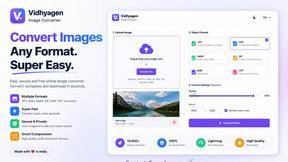
VidhyaGen - Image Converter
Fast, free online platform with 100+ tools for image conversion, compression, editing, PDFs, and text utilities.
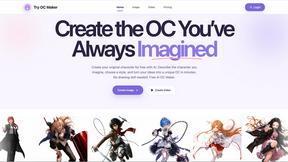
Try OC Maker
Create OCs from text or images, customize their look, and turn them into animated videos with AI.
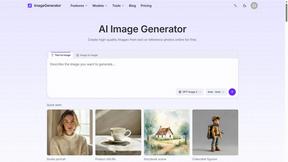
ImageGenerator
Create and edit AI images online with multiple models, text-to-image, image-to-image, background removal, and upscaling.

Ideogram 4.5
Advanced AI image generation and editing: sharp typography, native 2K output, localized edits that preserve the rest of your image.
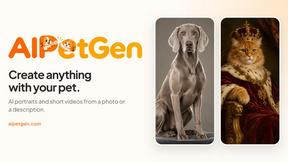
AIPetGen
AIPetGen turns a photo of your dog, cat, or other pet, or a written description, into a new picture or a short animation.
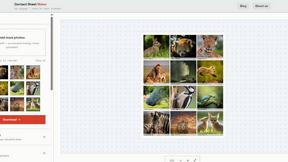
Contact Sheets Maker
Create professional contact sheets from your images in just a few clicks—free, fast, and with no signup required.