

Alternatives to Subclip
Subclip uses AI to edit videos, generate subtitles, and dub content with voice cloning in multiple languages.
Explore 9 alternatives to Subclip. Compare features, pricing, and find the best fit for your needs.
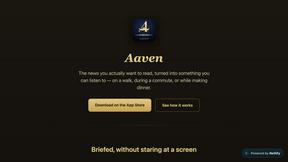
Aaven - News and Audio
Turns the news topics you pick into a natural-voice spoken briefing. Free tier included, no account required.


Hush Touch | Voice-to-Text for MacOS
Hush Touch is offline voice-to-text software for Mac that learns your vocabulary and delivers precise dictation.

Glossa
Glossa offers real-time AI translation of sermons into 100+ languages, breaking language barriers for your church.

Bantr: Offline & Unlimited TTS for Mac
Bantr is an offline text-to-speech app for Mac that offers unlimited, private, and natural-sounding voice generation.

SpechAI
SpechAI is your AI speech coach for instant feedback and confident public speaking practice.

KaiCalls
KaiCalls is your 24/7 AI phone agent that instantly answers calls, qualifies leads, and schedules appointments.

Vowen
Vowen is a private voice app that turns your speech into text and commands for your computer.

Bargou One
Bargou One is your all-in-one AI suite for creating, translating, and transcribing any content.
About Subclip Alternatives
Subclip is an AI-powered video editor that falls within the speech and voice category, designed to transform traditional editing into a text-based workflow. It allows users to edit video by manipulating a transcript, offering advanced features like voice cloning, automatic subtitle generation, silence removal, and multi-language dubbing. While Subclip is powerful, users commonly look for alternatives due to specific needs such as different pricing structures, a desire for more granular audio controls, or platform compatibility issues, as well as the need for features not fully covered by its current freemium model. When choosing an alternative to Subclip, focus on finding a tool that aligns with your primary workflow. Evaluate the accuracy of its transcription engine, the quality and naturalness of any voice cloning or dubbing features, and whether its pricing fits your usage volume. Consider if you need a more robust traditional timeline for complex edits or if a text-based approach is sufficient, and always test the software’s performance on your specific operating system and hardware to ensure smooth operation.
FAQs about Subclip Alternatives
What is Subclip?
Subclip is an AI-powered video editor that enables users to edit videos by manipulating a transcript, similar to editing a document. It leverages artificial intelligence to automate tasks like voice cloning, silence removal, and multi-language dubbing. The platform is designed to simplify the video production process for creators, marketers, and educators.
Who is Subclip for?
Subclip is built for YouTubers, podcasters, course creators, and content teams who need a streamlined video production workflow. It is also suitable for marketers and educators looking to quickly produce polished videos with subtitles and dubbing. The tool removes the complexity of traditional editors, making it accessible for users who prioritize speed and simplicity.
Is Subclip free?
Subclip offers a freemium pricing model that includes a free tier with basic features. For users who need more advanced capabilities or higher usage limits, there are affordable paid plans available. This structure allows users to test the core functionality before committing to a subscription.
What are the main features of Subclip?
Key features of Subclip include AI-powered transcription, auto-subtitle generation, and voice cloning to re-record parts of a video. It also offers one-click silence removal and filler word removal to clean up audio, as well as multi-language dubbing that preserves background music. These features are all accessible through a text-based editing interface.