

Vowen
Vowen is a private voice app that turns your speech into text and commands for your computer.

About Vowen
Vowen is a free, privacy-first voice interface that transforms your computer into a powerful voice-first productivity machine. It works seamlessly on macOS and Windows, processing your speech locally on your device for ultra-fast, private transcription in over 99 languages. At its core, Vowen turns your spoken words into text, actions, and automation directly within any application you use, from Slack and Notion to VS Code and Google Docs. It goes beyond simple dictation by integrating context-aware AI capabilities, allowing you to generate smart replies, summaries, code, and more with just your voice. Designed for developers, writers, students, content creators, professionals, and accessibility users, Vowen eliminates the friction of typing. It helps you capture ideas, control your workflow, and produce content at the speed of thought. All while keeping your data secure and on your device, making it the essential voice layer for your modern AI stack.
Features
Local, Private Processing
All audio is processed directly on your computer. Your speech is transcribed locally, ensuring your data never leaves your device. This provides ultra-fast performance and absolute privacy, with no cloud latency or security concerns.
100+ Language Support
Vowen supports transcription in over 99 languages and dialects, from English and Spanish to Japanese and Mandarin. It can also translate spoken foreign languages into English text in real-time, breaking down communication and content creation barriers.
Bring Your Own AI (BYOAI)
Connect your own API keys from over 8+ AI providers like OpenAI, Claude, and Gemini to power Vowen's advanced features. This gives you control over the AI models you use for generating code, summaries, and smart replies directly from your voice commands.
Custom Vocabulary & File Transcription
Teach Vowen specialized terms, names, and abbreviations like "EBITDA" once, and it remembers them forever for accurate transcription. You can also drop any audio or video file (MP3, WAV, MP4) for instant, accurate transcription without uploading to the cloud.
Use Cases
Developers & Engineers
Write code, generate functions, debug errors, and comment documentation using only your voice within VS Code, Cursor, or GitHub. Describe a logic problem and get code snippets, or use voice commands to navigate your codebase hands-free.
Content Creation & Writing
Capture ideas, draft articles, write emails, and create meeting notes at the speed of thought. Dictate directly into tools like Google Docs, Notion, and Obsidian. Use AI voice commands to rewrite paragraphs, summarize text, or generate outlines instantly.
Accessibility & Hands-Free Control
Operate your computer entirely by voice. Navigate applications, write text, and execute commands without needing a keyboard or mouse. This is essential for users with mobility challenges or repetitive strain injuries, promoting inclusive productivity.
Multilingual Meetings & Transcription
Conduct and document meetings with global teams. Speak in your native language and get real-time English transcription, or transcribe recordings of interviews, podcasts, and video calls in seconds for accurate, searchable records.
Frequently Asked Questions
Is Vowen really free?
Yes, Vowen is free forever. The core application, including local speech-to-text processing, unlimited dictation, and basic voice typing across all your apps, is completely free with no usage limits.
How does Vowen protect my privacy?
Vowen is built on an "offline-first" architecture. Your voice audio is processed directly on your computer's hardware. Nothing you say is sent to external servers unless you explicitly choose to use a cloud AI model for an advanced feature.
What are the system requirements?
Vowen is available for both macOS (Apple Silicon and Intel) and Windows (x64). It requires a microphone and is optimized to run efficiently on modern laptops and desktops without needing powerful dedicated graphics.
Can I use Vowen with any application?
Absolutely. Vowen works system-wide on your computer. You can use it to type and command within any application, including web browsers, code editors, messaging apps like Slack and WhatsApp, and creative tools like Figma.
Similar to Vowen
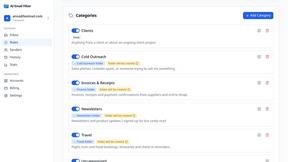
AI Email Filter
AI Email Filter sorts incoming mail into folders using plain-language prompts you write. Works with any IMAP mailbox; bring your own LLM if you want.

Partly
Snap the receipt, let AI read the items, and see who owes whom in your flat, trip or dinner group.

Product Launch Checklist
A free launch checklist for SaaS, apps, AI tools and more. Every step says why it matters and when you can skip it.
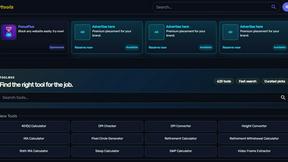
Kody Tools
Free collection of online developer utilities, code formatters, and digital converters designed to streamline your daily workflow.
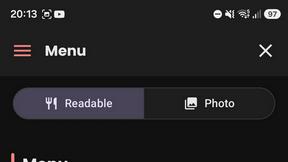
What's on the menu
Smart translate any restaurant menu
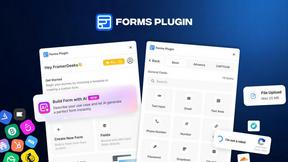
Forms Plugin
The #1 Native Form Builder Plugin for Framer - No Code, No Embeds, No External Platforms.

HomeAnswerBook
Practical, independent guides to home repairs, maintenance, costs, troubleshooting, and everyday fixes.
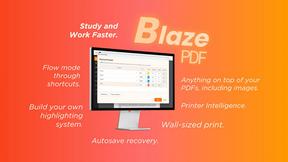
BlazePDF
Highlight faster. Study in flow with custom shortcuts and a workflow built around you. Print smarter, or turn any page into a tiled poster.