

AI Quiz Solve
AI Quiz Solve instantly answers any online quiz question with explanations inside your LMS using a double-tap or screenshot.
AI tool Details
Explore More
Alternatives
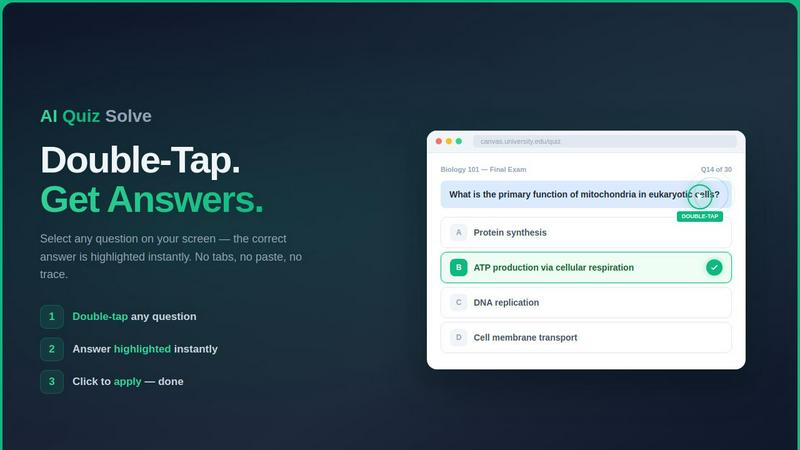
About AI Quiz Solve
AI Quiz Solve is an AI-powered quiz solver and Chrome extension designed to help students solve online quizzes, homework, assignments, and assessments in seconds. It acts as a dedicated study assistant that lives inside your browser, eliminating the need to switch tabs, copy-paste questions into separate tools, or manually search for answers. The core value proposition is speed and accuracy: capture any question with a screenshot or use the double-tap feature to instantly receive accurate AI-generated answers accompanied by clear, step-by-step explanations.
The product is built for students at all levels who use Learning Management Systems (LMS) like Canvas, Blackboard, Moodle, Google Classroom, Brightspace (D2L), Schoology, Coursera, edX, and more. It also supports major textbook and assessment platforms including Pearson, McGraw-Hill, Cengage, Quizlet, Kahoot, Udemy, Khan Academy, Chegg, and both Google and Microsoft Forms. This broad compatibility means a single tool works across virtually every online learning environment.
AI Quiz Solve handles a wide variety of question types including multiple-choice (MCQ), true/false, matching, short answer, fill-in-the-blank, and image-based questions across over 50 subjects. It uses advanced AI and Optical Character Recognition (OCR) technology to read text and even handwritten problems. For locked or canvas-rendered content that blocks text selection, the screenshot and draw-to-solve modes bypass these restrictions entirely.
The product offers a free tier with limited daily solves and a Pro subscription starting at $6.99/month for unlimited access. It is positioned as the fastest and most convenient AI quiz solver for students seeking a productivity boost, whether they are preparing for exams, completing assignments, or practicing quizzes. The core promise is simple: if you can see the question on your screen, AI Quiz Solve can solve it instantly.
Features
Instant AI Answer Engine
The core feature is a powerful AI engine that analyzes questions and delivers correct answers with full explanations in real time. It works by double-tapping any question within your LMS interface. The AI instantly processes the text, identifies the question type, and highlights the correct answer directly on the page. This eliminates the need for manual searching, tab switching, or typing questions into external AI tools. The engine is trained on a vast dataset of academic subjects and question formats, ensuring high accuracy across multiple-choice, true/false, matching, short answer, and fill-in-the-blank styles. Every answer is accompanied by a clear, step-by-step reasoning to help you understand the concept, not just get the right answer.
Screenshot and Draw to Solve
For questions that cannot be double-tapped, such as those on locked pages, PDFs, slides, or canvas-rendered content, AI Quiz Solve offers a screenshot and draw-to-solve feature. Activate the mode with a keyboard shortcut (Ctrl+Shift+S) or by clicking the extension icon. A crosshair appears, allowing you to draw a precise rectangle around any question, diagram, graph, or even handwritten problem on your screen. The AI uses advanced OCR to read the captured image and returns the answer with a full explanation in a popup window. This feature bypasses all text-selection locks and works on any visible content, making it ideal for proctored exams, complex diagrams, and math equations.
Multi-Platform LMS and Textbook Support
AI Quiz Solve is engineered for universal compatibility across the most popular online learning platforms. It works seamlessly with Canvas, Blackboard, Moodle, Google Classroom, Brightspace (D2L), Schoology, Coursera, edX, and Quizlet. It also supports major textbook and assessment systems like McGraw-Hill, Pearson, Cengage, Kahoot, Udemy, Khan Academy, Chegg, Google Forms, and Microsoft Forms. This broad support means students do not need separate tools for different classes or platforms. The extension detects the platform automatically and optimizes its question capture and answer display for each environment, ensuring a consistent and reliable experience regardless of where the quiz is hosted.
Free Tier and Unlimited Pro Subscription
AI Quiz Solve offers a flexible pricing model to suit different usage levels. The free tier provides 5 questions per day and 2 screenshot solves per day, which is ideal for light use or testing the tool. For students with heavier workloads, the Pro subscription unlocks unlimited questions and unlimited screenshot solves. Pro plans start at $6.99 per month, making it an affordable investment for exam periods or full-time students. The upgrade is managed directly through the Chrome extension, and users can switch between plans at any time. This tiered approach ensures that every student can access the tool, while heavy users get the most value from the unlimited version.
Use Cases
Completing Timed Online Exams and Quizzes
When facing a timed quiz on platforms like Canvas, Blackboard, or Moodle, every second counts. AI Quiz Solve allows you to double-tap any question and receive the correct answer with an explanation in under a second. This eliminates the need to manually search notes or browse the web, saving critical time. The tool works on all common question types, including MCQs, true/false, and matching. For image-based or locked questions, the screenshot mode bypasses restrictions. This use case is ideal for high-stakes midterms, final exams, and weekly timed assessments where speed and accuracy are paramount.
Solving Homework and Assignments Outside the Browser
Homework assignments often involve questions from PDFs, slides, or textbook screenshots. AI Quiz Solve’s screenshot and draw-to-solve feature is perfect for this. Simply open the document, activate the screenshot mode, draw a box around the question, and the AI provides the answer and explanation. This works on any content visible on your screen, including handwritten problems, math equations, and diagrams. Students can quickly verify their own work, understand difficult concepts, or get unstuck on a challenging problem without leaving their study materials.
Studying and Practicing for Exams
AI Quiz Solve is not just for getting answers; it is a powerful study tool. When practicing with review quizzes or flashcards on platforms like Quizlet, Kahoot, or Khan Academy, the tool provides instant explanations for every question. This turns a simple practice session into a learning opportunity. By reading the step-by-step reasoning behind each correct answer, students reinforce their understanding of key concepts. The tool can also be used to generate explanations for questions the student already knows, providing a second perspective that deepens comprehension.
Overcoming Platform Restrictions and Accessibility Barriers
Some online learning platforms block text selection or use canvas-rendered questions that cannot be copied or highlighted. This makes it difficult for students to use traditional search or copy-paste methods. AI Quiz Solve’s screenshot mode is designed specifically to bypass these restrictions. If you can see the question on your screen, you can capture it and get an answer. This is also helpful for students with learning disabilities who benefit from having answers read aloud or explained in a different format. The tool ensures that platform limitations do not become learning barriers.
Pricing
AI Quiz Solve offers two clear pricing tiers to match different student needs. The Free plan is available immediately after installing the Chrome extension. It includes 5 questions per day and 2 screenshot solves per day. This is ideal for trying the tool, checking a few answers, or light usage. The Pro plan starts at $6.99 per month and unlocks unlimited questions and unlimited screenshot solves. Pro subscribers get full access to all features without daily caps. There are no long-term contracts; you can subscribe or cancel at any time directly through the extension. Upgrading is simple and provides immediate access to unlimited solves, making it the best value for students with heavy quiz and assignment loads.
Frequently Asked Questions
What question types does AI Quiz Solve support?
AI Quiz Solve supports a wide range of question formats commonly found in online assessments. This includes multiple-choice (MCQ), true/false, matching, short answer, fill-in-the-blank, and image-based questions. The AI engine is trained to understand the structure of each type and deliver the correct answer. For image-based questions, the screenshot mode uses OCR to read text from diagrams, graphs, or handwritten problems. The tool covers over 50 academic subjects, from mathematics and science to humanities and social sciences.
How does the screenshot and draw-to-solve feature work?
The screenshot feature is activated by a keyboard shortcut (Ctrl+Shift+S) or by clicking the extension icon. Your screen will dim, and a crosshair cursor will appear. You then click and drag to draw a rectangle around the question or problem you want to solve. The AI captures exactly that area, processes the image using OCR technology, and analyzes the text. Within seconds, a popup displays the correct answer along with a step-by-step explanation. This feature works on any visible content, including locked pages, PDFs, slides, and handwritten notes.
Is AI Quiz Solve free to use?
Yes, AI Quiz Solve offers a free tier that allows you to test the tool without any financial commitment. The free plan includes 5 questions per day and 2 screenshot solves per day. This is sufficient for light use, such as checking a few answers or trying the tool on different platforms. For students who need more, the Pro subscription starts at $6.99 per month and provides unlimited questions and unlimited screenshot solves. You can upgrade or downgrade your plan at any time directly from the Chrome extension settings.
Which learning platforms and websites are supported?
AI Quiz Solve is designed for broad compatibility. It works on all major Learning Management Systems including Canvas, Blackboard, Moodle, Google Classroom, Brightspace (D2L), Schoology, Coursera, edX, and Quizlet. It also supports textbook and assessment platforms such as McGraw-Hill, Pearson, Cengage, Kahoot, Udemy, Khan Academy, Chegg, Google Forms, and Microsoft Forms. The extension automatically detects the platform you are using and optimizes its functionality for that environment. If you encounter a platform not listed, the screenshot mode will still work on any visible content.
Similar to AI Quiz Solve
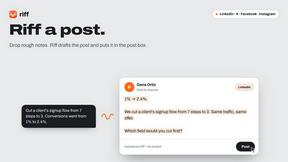
Riff
Free Chrome extension. Paste your rough point and Chrome's built-in AI writes a fresh reply for that post on X, LinkedIn, Facebook or Instagram.

X Growth Engine
The only app that uses your unique X feed to surface leads, opportunities, and customers - no searching, no manual lists
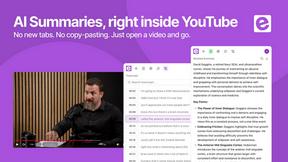
ekstrakt
ekstrakt uses AI to create structured summaries and transcripts from any YouTube video, saving you hours of watching.

SLABCALC - Crack Analyzer
Upload a photo of a concrete crack for an instant AI diagnosis with a failure mode, severity score, and a clear DIY or call an engineer.
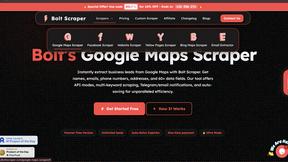
Bolt Scraper
Bolt Scraper extracts business leads from Google Maps, Facebook, and more with unlimited data and auto captcha solving.
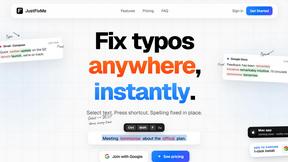
JustFixMe
Fix typos anywhere instantly by selecting text and pressing one shortcut, no copy-paste needed.
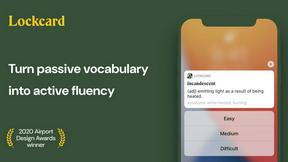
Lockcard Vocabulary Builder
Lockcard Vocabulary Builder helps you effortlessly save and learn words from real contexts, turning passive vocabulary into active fluency.

XreplyAI
XreplyAI generates authentic tweet replies in your voice to turn conversations into leads.