

ekstrakt
ekstrakt uses AI to create structured summaries and transcripts from any YouTube video, saving you hours of watching.
AI tool Details

About ekstrakt
ekstrakt is an AI-powered YouTube summarization tool available as a web app and Chrome extension. It transforms any YouTube video into concise, actionable insights in seconds, not hours. The core value proposition is simple: extract the essence from any video without watching the entire thing. Whether you are facing a two-hour lecture, a three-hour podcast episode, or a tutorial buried in filler content, ekstrakt delivers the key points instantly. The tool generates summaries in four distinct formats: Short, Detailed, Straight-to-Answer, and Ask-a-Question. This flexibility means you can choose exactly how deep you want to go for any given video. Results stream in real time, so there is no waiting for a spinner to finish. Every summary comes with a clickable transcript that lets you jump to any moment in the video with a single click. ekstrakt runs on any Chromium-based browser and supports login via Google, Apple, or email. It is designed for students turning long lectures into study notes, researchers pulling key points from long-form content, professionals extracting takeaways from industry videos, and anyone who wants to decide whether a video is worth watching before committing the time. The tool also saves every summary to your account, so you can revisit past videos without re-generating. With support for 22 languages and a theme-aware Chrome extension that matches YouTube's light or dark mode, ekstrakt fits seamlessly into your existing workflow. It is the solution for the Watch Later graveyard, the video in another language, and the moment you need a specific quote or claim verified.
Features
Four Summary Styles
Choose from Short, Detailed, Straight-to-Answer, or Ask-a-Question to match exactly how you want to consume the content. Short gives you the absolute core takeaways in a few bullet points. Detailed provides a comprehensive breakdown of the entire video. Straight-to-Answer skips the filler and delivers the direct answer to your implicit question. Ask-a-Question lets you interrogate the video and get answers grounded in what was actually said. You can switch between styles on the same video with no extra cost and no waiting.
Live Streaming Results
Summaries generate in real time as the AI processes the video content. There is no progress bar, no spinner, and no waiting for a batch job to complete. The output appears on your screen progressively, so you can start reading insights within seconds of initiating the request. This real-time streaming makes the experience feel instantaneous and keeps you in control of your time.
Clickable Transcript Timestamps
Every summary is accompanied by a full, searchable transcript. Each line in the transcript is a clickable timestamp that jumps the YouTube video to that exact moment. This feature is invaluable for fact-checking, finding specific quotes, or diving deeper into a particular section without scrubbing through the timeline manually. It turns the transcript into a navigation tool, not just a text record.
Multi-Language Summaries
Get summary output in your preferred language regardless of what language the video is spoken in. ekstrakt supports 22 languages for summary output. This means you can watch a Japanese lecture and receive your summary in English, Spanish, French, or any other supported language. The tool handles the translation intelligently, preserving the meaning and key points of the original content.
Use Cases
Student Lecture Summarization
Students facing long recorded lectures can transform hours of dense material into concise study notes in under a minute. Use the Short summary for a quick overview before an exam, or switch to Detailed to capture every key concept from a complex lecture. The clickable transcript lets you jump directly to the part where the professor explained a difficult topic, making review sessions efficient and focused.
Professional Industry Research
Professionals who need to stay current with industry trends can quickly extract takeaways from conference talks, product announcements, and thought leadership videos. Instead of watching a 45-minute keynote, get the Straight-to-Answer format for the specific business question you are researching. Save time while still capturing the critical insights needed for reports, presentations, or strategic decisions.
Podcast and Long-Form Content Digestion
Podcast episodes often run over two hours, making it impossible to keep up with every trending conversation. ekstrakt lets you skim the highlights and key moments of any podcast in under a minute. If a specific topic catches your interest, the clickable transcript takes you directly to that discussion point. Clear your Watch Later list guilt-free by skimming summaries instead of watching entire episodes.
Content Verification and Fact-Checking
When you need to verify a specific claim, quote, or statistic mentioned in a video, the Ask-a-Question feature is your best tool. Type your question directly, and ekstrakt returns the exact moment in the video where the answer is given, along with surrounding context. This is invaluable for journalists, researchers, and anyone who needs to cite video sources accurately without watching the entire recording.
Pricing
ekstrakt offers a free tier that includes 5 summaries with no credit card required. This allows you to test the tool and see the quality of summaries before committing. For users who need more summaries, paid plans are available. Specific pricing tiers and costs can be found on the ekstrakt pricing page. The tool provides a refund policy for paid plans, and there is no long-term commitment required.
Frequently Asked Questions
What is ekstrakt and how does it work?
ekstrakt is an AI-powered YouTube summarization tool available as a web app and Chrome extension. It works by analyzing the audio and transcript of any YouTube video you provide. The AI processes the content and generates a summary in your chosen format: Short, Detailed, Straight-to-Answer, or Ask-a-Question. Results stream in real time, and every summary includes a clickable transcript that lets you jump to any moment in the video. You can access it from any Chromium-based browser and sign in with Google, Apple, or email.
Which YouTube videos can I summarize?
You can summarize any public YouTube video. This includes lectures, podcasts, tutorials, interviews, product reviews, conference talks, and entertainment content. The tool works with videos in any language, and you can receive summaries in any of 22 supported output languages. Private or unlisted videos may have limitations depending on your access permissions and the tool's current capabilities.
What summary types are available?
ekstrakt offers four distinct summary types. Short provides the core takeaways in a few bullet points. Detailed gives a comprehensive breakdown of the entire video. Straight-to-Answer skips the filler and delivers a direct answer to your implicit question. Ask-a-Question lets you type any specific question and receive an answer grounded in what was actually said in the video. You can switch between these types on the same video at no extra cost.
Do you have a browser extension or mobile app?
Yes, ekstrakt is available as a Chrome extension that works on any Chromium-based browser. The extension adds a summary panel directly on YouTube that automatically matches YouTube's light or dark mode. A full-featured web app is also available for access from any browser on any device. Mobile apps for iOS and Android are coming soon, allowing you to generate summaries on the go.
Similar to ekstrakt
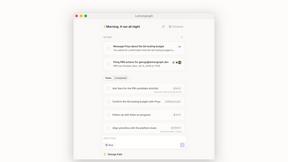
Lemongraph
Almost every conversation ends with a promise. Lemongraph keeps track of them for you and lines up your day the way you would.
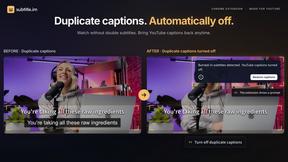
subtitle.im
Chrome extension for existing YouTube captions. Local OCR helps handle duplicates by your settings. Free 10-video trial; optional Pro.
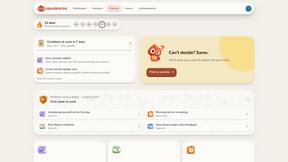
Speakeroo
Practise English speaking out loud with AI feedback on pronunciation, fluency, pace and filler words. Free to start.
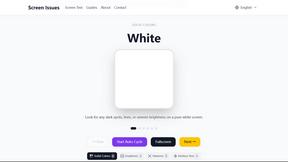
Screen Issues
Free Online Screen Test Tool - Instantly diagnose dead pixels, lines, color issues, and flickering. Multiple test modes, no download needed.
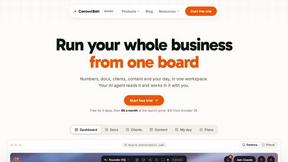
Context Board
Context Board brings your numbers, docs, clients, content and day into one workspace that Claude and Codex can read and update.
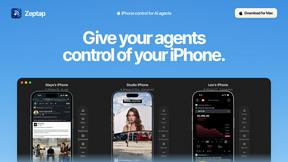
Zeptap
Zeptap lets AI use your real iPhone like you do: open apps, read the screen, tap, swipe and type. Reply to DMs, post Stories, book rides, test apps.

Etsy Fee & Tariff Calculator
See what survives the fees before you set an Etsy price. Every deduction itemized, including the 15% fee on prepaid US import duties.
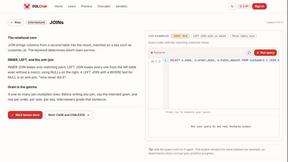
SQLCrab
SQLCrab is a website where you can practice SQL database queries right in your web browser. It uses a real Postgres database engine so you can learn.