

CloudBurn
CloudBurn automatically estimates AWS costs in pull requests to prevent costly infrastructure errors before deployment.

About CloudBurn
CloudBurn is a revolutionary tool tailored for development teams utilizing Terraform or AWS CDK, designed to prevent costly infrastructure errors before they can disrupt production environments. Many teams experience the dismay of uncovering AWS cost overruns weeks or months after deployment, leading to unexpected charges in their bills. CloudBurn effectively addresses this challenge by providing real-time cost estimates during the code review phase. This allows teams to make informed decisions and adjust their infrastructure before changes go live. Integrating seamlessly into existing GitHub workflows, CloudBurn enhances collaboration and prioritizes cost considerations throughout the development process. With CloudBurn, teams can shift from reacting to billing surprises to proactively managing their cloud infrastructure expenses, thereby ensuring financial accountability and operational efficiency.
Features
Real-Time Cost Estimates
CloudBurn provides immediate cost estimates for infrastructure changes during the pull request review process. This feature enables teams to see the financial impact of their code before it is deployed, ensuring informed decision-making.
Automated Cost Reporting
Every pull request generates an automated cost report that details the financial implications of proposed infrastructure changes. This report is posted directly within GitHub, ensuring that cost awareness becomes an integral part of the development workflow.
Integration with GitHub Workflows
CloudBurn integrates effortlessly with existing GitHub workflows, allowing teams to install it with just a few clicks. This seamless integration means no major disruptions to the development process while enabling cost visibility.
Continuous Cost Monitoring
With CloudBurn, teams benefit from continuous cost monitoring, receiving updates on the financial impact of their infrastructure on an ongoing basis. This ensures that cost considerations remain at the forefront of development practices.
Use Cases
Preventing Cost Overruns
CloudBurn helps development teams identify potential cost overruns before they reach production. By analyzing proposed changes in real-time, teams can make adjustments and avoid unexpected increases in their monthly AWS bills.
Enhancing Code Review Processes
With CloudBurn, cost implications become a standard part of the code review process. Teams can review both code quality and cost estimates simultaneously, fostering a culture of accountability and financial awareness.
Educating Teams on Cost Implications
CloudBurn serves as an educational tool, empowering developers to understand the cost implications of their infrastructure choices. This knowledge helps teams build more cost-effective solutions and reduces the likelihood of expensive misconfigurations.
Supporting Continuous Integration/Continuous Deployment (CI/CD)
CloudBurn fits perfectly within CI/CD pipelines, allowing teams to maintain high deployment frequencies while ensuring that each change is cost-effective. This integration promotes efficiency without sacrificing financial oversight.
Frequently Asked Questions
How does CloudBurn integrate with my existing GitHub repository?
CloudBurn integrates directly with GitHub through the GitHub Marketplace. After installation, you can select your repositories and set up the necessary GitHub Actions to automate cost analysis for your infrastructure changes.
Is CloudBurn compatible with both Terraform and AWS CDK?
Yes, CloudBurn supports both Terraform and AWS CDK. You can choose the appropriate action for your infrastructure-as-code tool, ensuring that you receive cost estimates regardless of your preferred framework.
Can I try CloudBurn for free?
Absolutely! CloudBurn offers a 14-day Pro trial that allows you to experience all features at no cost. After the trial, you can either continue with the Community plan or cancel without any obligations.
What types of cost reports does CloudBurn generate?
CloudBurn generates detailed cost reports that include the current and projected costs associated with infrastructure changes. These reports are automatically posted as comments on your pull requests, providing instant visibility into the financial impact of your code.
Similar to CloudBurn
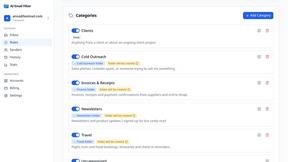
AI Email Filter
AI Email Filter sorts incoming mail into folders using plain-language prompts you write. Works with any IMAP mailbox; bring your own LLM if you want.

Partly
Snap the receipt, let AI read the items, and see who owes whom in your flat, trip or dinner group.

Product Launch Checklist
A free launch checklist for SaaS, apps, AI tools and more. Every step says why it matters and when you can skip it.
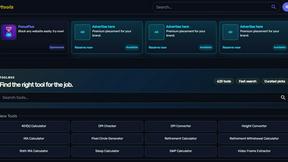
Kody Tools
Free collection of online developer utilities, code formatters, and digital converters designed to streamline your daily workflow.

What's on the menu
Smart translate any restaurant menu
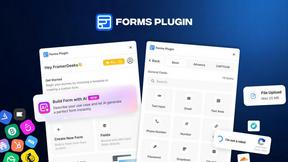
Forms Plugin
The #1 Native Form Builder Plugin for Framer - No Code, No Embeds, No External Platforms.

HomeAnswerBook
Practical, independent guides to home repairs, maintenance, costs, troubleshooting, and everyday fixes.
