

Blueberry
Blueberry unifies your editor, terminal, and browser for seamless web app development in one intuitive Mac workspace.
AI tool Details
Explore More
Alternatives

About Blueberry
Blueberry is a revolutionary macOS application designed for modern product builders who seek efficiency and focus in their development process. By integrating an editor, terminal, and browser into a single workspace, Blueberry eliminates the chaos of juggling multiple applications. This AI-native platform empowers developers to create web applications seamlessly, enhancing productivity and reducing context-switching. With Blueberry, you can connect advanced AI models like Claude, Gemini, and Codex through its built-in MCP server, giving these models real-time access to your files, terminal output, and live previews. This ensures that your AI can provide contextual insights without the need to copy and paste information. Ideal for developers, designers, and teams working collaboratively, Blueberry is currently available for free during its beta phase, making it an accessible tool for anyone looking to streamline their development workflow.
Features
Integrated Workspace
Blueberry combines a terminal, code editor, and browser into one cohesive workspace. This integration allows you to navigate your development environment without the distraction of switching between multiple apps, ultimately increasing focus and productivity.
Real-Time AI Context
The built-in MCP server enables AI models to access your entire workspace in real time. This means your AI can analyze your code, terminal output, and web previews simultaneously, offering insights and suggestions that are contextually relevant to your current task.
Advanced Code Editing
Experience a full-featured code editor with syntax highlighting, multi-cursor support, find and replace functionality, and Git integration. Blueberry's editor is designed to enhance your coding experience while feeding essential context to your AI, making it a powerful tool for developers.
Device Preview Capabilities
Blueberry allows you to preview your web applications across multiple devices, including desktop, tablet, and mobile. This feature ensures you can see exactly how your users will experience your product without needing to leave the Blueberry environment.
Use Cases
Streamlined Development for Teams
For teams working on web applications, Blueberry provides a unified workspace where developers can collaborate in real time. Team members can share context, work on code, and troubleshoot together without the disruptions of switching between apps.
Enhanced AI-Assisted Coding
Developers utilizing AI tools can take advantage of Blueberry's real-time context features. By giving AI models access to their workspace, developers can receive immediate coding assistance, suggestions, and debugging help tailored to their specific projects.
Simplified Project Management
With Blueberry, managing your project becomes easier. The ability to pin apps such as GitHub, Linear, and Figma within your workspace allows for a consolidated view of project elements, making tracking progress and collaborating straightforward and efficient.
Rapid Prototyping and Testing
Blueberry's built-in preview capabilities enable rapid prototyping and testing of web applications. Developers can quickly iterate on designs and functionalities while immediately seeing how changes affect the overall user experience.
Frequently Asked Questions
What platforms does Blueberry support?
Blueberry is currently available exclusively for macOS, making it an ideal choice for Apple users looking to optimize their web development workflow.
How does Blueberry enhance AI interaction?
Blueberry's MCP server grants AI models live access to your workspace, including files, terminal outputs, and previews, allowing for context-aware responses and suggestions.
Is Blueberry really free during the beta phase?
Yes, Blueberry is completely free to use during its beta phase, allowing users to explore its features without any financial commitment.
Can I use Blueberry for collaborative projects?
Absolutely. Blueberry's integrated workspace is designed for collaboration, enabling teams to work together effectively by sharing context and resources within a single environment.
Similar to Blueberry

Product Launch Checklist
A free launch checklist for SaaS, apps, AI tools and more. Every step says why it matters and when you can skip it.

MotionVault
MotionVault: Motion Graphics, Video Templates & Overlays for Editors
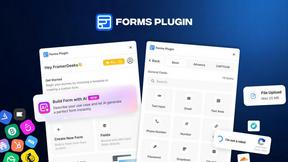
Forms Plugin
The #1 Native Form Builder Plugin for Framer - No Code, No Embeds, No External Platforms.



Happy Horse AI
Create videos from text, images, or references with Happy Horse AI using flexible 720P/1080P output and API workflows.

AkraLabs
Where modern software products get discovered, launched, and distributed. Explore verified AI tools, SaaS startups, and developer software.

Screen Tester
Free online screen and monitor tester with 28+ tests for pixels, colors, brightness, contrast, gamma, and display issues.