
SeeDance Ai vs VideoDubber Video Translator
Side-by-side comparison to help you choose the right AI tool.

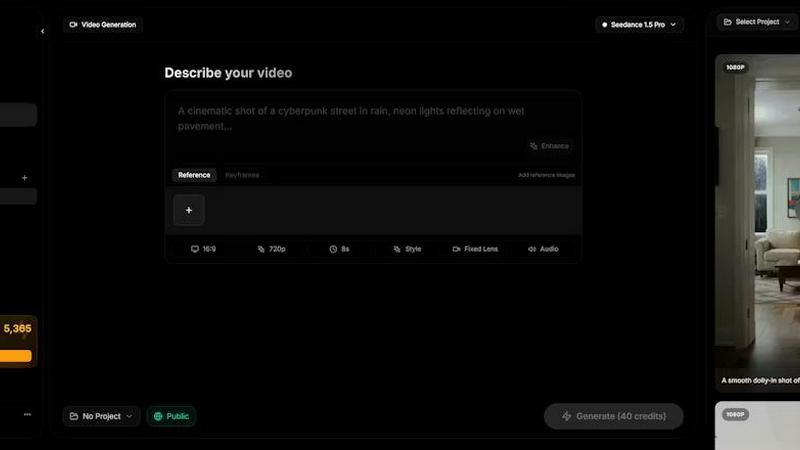
Seedance AI transforms text, images, audio, and video into polished multi-shot videos with synchronized sound and seamless motion.
Last updated: April 13, 2026

VideoDubber Video Translator
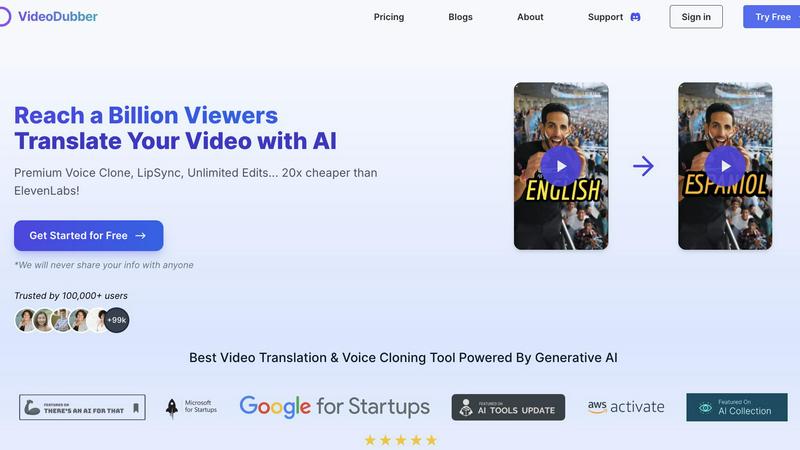
Effortlessly translate and dub your videos in 150+ languages to engage a global audience with VideoDubber's AI.
Last updated: March 1, 2026
Visual Comparison
SeeDance Ai
VideoDubber Video Translator
Feature Comparison
SeeDance Ai
Multimodal Input System
SeeDance Ai allows users to upload up to 12 reference files, including images, videos, and audio clips. By tagging these references directly in prompts, creators can provide precise instructions rather than relying on vague descriptions, streamlining the creative process.
Simultaneous Audio and Video Generation
Unlike many tools that generate audio and video separately, SeeDance Ai produces both concurrently, ensuring perfect synchronization. This results in seamless timing where sound effects, footsteps, and dialogue align flawlessly with visual elements, reducing the need for post-production adjustments.
Consistent Character Representation
The platform employs a cross-attention reference system to maintain character continuity across different shots. This feature prevents character drift, ensuring that faces, clothing, and styles remain consistent, making it perfect for serialized content and branded campaigns.
Advanced Camera and Motion Control
Users can upload reference videos to replicate specific camera movements, such as tracking shots and dolly zooms. This capability extends to human motion, allowing complex choreography and sequences to be accurately captured and applied to generated characters.
VideoDubber Video Translator
Superior Voice Cloning and Dubbing
Leverage cutting-edge voice cloning technology that delivers realistic voice-overs matching the original speaker's tone and emotion. This feature enhances viewer connection, making content feel authentic and engaging.
Simple Yet Powerful 1-click UI
Enjoy an intuitive interface designed for efficiency. With just one click, you can translate entire videos. Advanced options allow for subtitle editing, timestamp adjustments, and re-translation, streamlining the translation experience.
Unlimited Free Editing and Voice-overs
Take advantage of unlimited free re-edits after translation. Change voice-overs, timestamps, or text as needed without incurring additional costs. This feature empowers users to refine their videos to perfection.
Advanced AI Translation Models
Choose from leading AI models like DeepSeek, Gemini, or OpenAI's GPT-5 for translation, ensuring high accuracy and contextual understanding. This flexibility allows users to select the best model tailored to their specific needs.
Use Cases
SeeDance Ai
Marketing and Promotional Videos
Businesses can utilize SeeDance Ai to create engaging marketing clips that combine visuals and audio seamlessly. This can enhance brand storytelling and drive customer engagement through professional-quality video content.
Social Media Content Creation
Influencers and content creators can leverage SeeDance Ai to produce eye-catching social media videos quickly. With its easy-to-use interface, users can generate polished videos that stand out in crowded feeds.
Dance and Performance Videos
Choreographers can use SeeDance Ai to visualize dance routines by generating videos that replicate specific movements and styles. This allows for effective practice, showcasing, and sharing of choreography in a digital format.
Narrative and Storytelling Projects
Filmmakers and storytellers can harness SeeDance Ai to create compelling narratives with synchronized audio and visuals. This tool enables the production of short films and animations that captivate audiences without extensive resources.
VideoDubber Video Translator
Content Creation for YouTube
YouTube creators can use VideoDubber to translate and dub their videos into various languages, significantly increasing their global reach and audience engagement.
E-Learning and Educational Materials
Educators can translate instructional videos into multiple languages, making learning accessible to students worldwide and enhancing understanding through localized content.
Marketing Campaigns and Advertisements
Businesses can adapt promotional videos for different markets, ensuring that their marketing messages resonate with diverse audiences by using culturally relevant translations.
Corporate Training and Internal Communications
Companies can utilize VideoDubber for translating internal training videos, ensuring that all employees, regardless of language, have access to important information and training materials.
Overview
About SeeDance Ai
SeeDance Ai is a cutting-edge AI video generation platform designed for creators seeking to transform text, images, audio, and video references into professional-quality multi-shot videos. With its advanced technology, SeeDance Ai enables users to craft cinematic experiences with director-level control, making it ideal for marketers, content creators, dancers, and storytellers. The platform offers four distinct models—Seedance 2.0, Seedance 1.5 Pro, Seedance 1.0, and Seedance 1.0 Pro—each tailored to meet different creative needs. By using SeeDance Ai, users gain access to high-fidelity output that maintains character continuity, realistic motion, and synchronized audio-visual elements, which significantly enhances the production quality of marketing clips, social media content, and narrative-driven videos. With no studio required, SeeDance Ai democratizes video production, allowing anyone to produce captivating visual stories effortlessly.
About VideoDubber Video Translator
VideoDubber Video Translator is an advanced AI-driven platform that revolutionizes the way videos are translated and dubbed. Designed to support over 150 languages, it serves a wide array of users including content creators, educators, businesses, and marketers who aim to engage a global audience. VideoDubber simplifies the translation process while maintaining high audio quality and natural voice characteristics. It features state-of-the-art technology such as voice cloning and lip-sync capabilities, effectively removing language barriers in content. By utilizing VideoDubber, users can enhance viewer engagement, broaden their reach, and ultimately boost their audience and viewership. With over 100,000 satisfied users and a rating of 4.98/5 on industry platforms, VideoDubber stands out in the video translation market, ensuring that your message resonates across cultures.
Frequently Asked Questions
SeeDance Ai FAQ
How does SeeDance Ai ensure audio and video synchronization?
SeeDance Ai generates audio and video simultaneously within the same model pass, ensuring that all elements are perfectly synchronized, which enhances the overall viewing experience.
Can I use SeeDance Ai for different types of videos?
Yes, SeeDance Ai is versatile and can be used for marketing clips, social media content, dance performances, and narratives, making it suitable for a wide range of video production needs.
What types of references can I upload to SeeDance Ai?
You can upload up to 12 reference files, including a combination of images, videos, and audio clips. This flexibility allows for detailed instructions and richer video outputs.
Is there a learning curve to using SeeDance Ai?
SeeDance Ai is designed to be user-friendly. Its intuitive interface and multimodal input system simplify the video creation process, making it accessible for both beginners and experienced users.
VideoDubber Video Translator FAQ
How does VideoDubber ensure high-quality translations?
VideoDubber utilizes advanced AI models like DeepSeek, Gemini, and GPT-5 to provide contextually accurate translations. This ensures that the essence of the original content is preserved while adapting to different languages.
What types of files can I upload to VideoDubber?
You can upload video files directly from your laptop, Google Drive, YouTube, or Dropbox. The platform supports various formats, making it easy to import your videos for translation.
Is there a limit to the number of languages I can translate my video into?
No, you can select multiple target languages in one go without needing to upload your video multiple times. This feature allows for efficient and streamlined translation.
Can I edit my translated video after downloading?
Yes, VideoDubber offers unlimited free editing of your translated videos even after download. You can adjust subtitles, voice-overs, and timestamps as many times as you want without additional costs.
Alternatives
SeeDance Ai Alternatives
SeeDance Ai is a cutting-edge AI video generation platform designed for creators seeking to transform text, images, audio, and video references into cinematic, multi-shot visuals. It falls under the category of AI cinematography, providing users with director-level control over their projects. Users often search for alternatives due to factors such as pricing, specific feature sets, or compatibility with their existing platforms and workflows. When selecting an alternative, consider aspects like output quality, ease of use, and the range of customizable options available to ensure it meets your specific needs.
VideoDubber Video Translator Alternatives
VideoDubber Video Translator is an innovative AI-powered tool that simplifies the process of translating and dubbing videos into over 150 languages. It caters to a wide range of users, including content creators, educators, businesses, and marketers, all aiming to reach an international audience effortlessly. Many users seek alternatives to VideoDubber due to various factors such as pricing, specific feature sets, or compatibility with different platforms. When searching for an alternative, users should consider several key aspects. These include the quality of audio output, the availability of additional features like voice cloning or lip-sync technology, and the pricing structure, including any hidden costs. It's also important to evaluate the ease of use and customer support offered by alternative platforms to ensure a smooth experience.