
Nano Banana Pro vs Sketch To
Side-by-side comparison to help you choose the right AI tool.

Nano Banana Pro
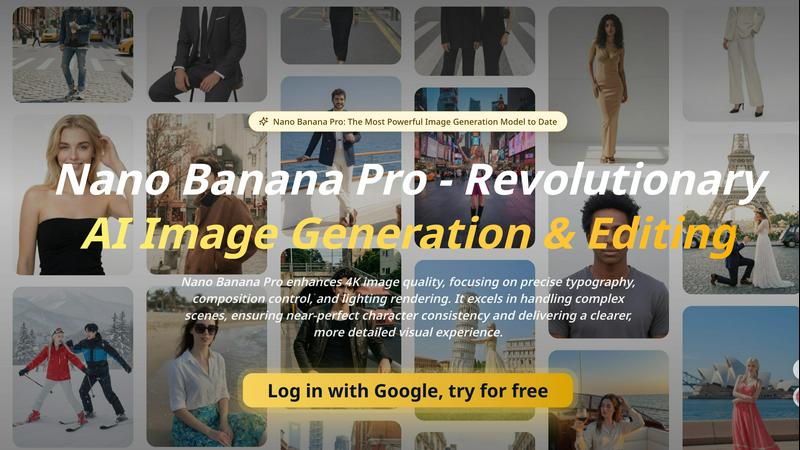
Nano Banana Pro is a cutting-edge AI image generator that delivers stunning 4K visuals with precise control over details and composition.
Last updated: April 13, 2026
Sketch To
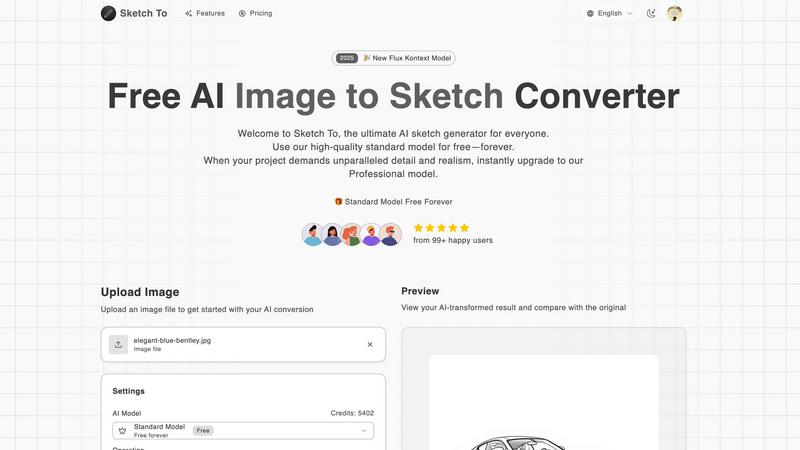
Transform your images into stunning sketches instantly with Sketch To's advanced AI technology for all creative needs.
Last updated: March 1, 2026
Visual Comparison
Nano Banana Pro
Sketch To
Feature Comparison
Nano Banana Pro
Enhanced Typography and Rendering
Nano Banana Pro features groundbreaking technology that addresses the challenges of AI-generated typography. It produces flawless logos, signage, and book covers, ensuring every detail adheres to professional standards. With enhanced text rendering capabilities, users can create visually striking content without worrying about spacing errors or misalignment.
Improved Prompt Interpretation
This model offers superior prompt interpretation, allowing for complex scene compositions that go beyond literal translations. It understands intent-driven prompts, enabling creators to generate images that align closely with their vision. The result is a more intuitive and efficient creative process, allowing for intricate designs and storytelling through visuals.
Native 2K Resolution with 4K Upscaling
Nano Banana Pro outputs images at a native 2K resolution with intelligent 4K upscaling, ensuring that every generated image is sharp and detailed. This feature is particularly beneficial for professionals needing high-quality visuals for print or digital media. Users can expect enhanced micro-details and cleaner edges that elevate the overall visual experience.
Precise Composition Control
With advanced composition control, Nano Banana Pro allows users to manipulate elements within the frame effortlessly. Whether adjusting the layout or fine-tuning the positioning of subjects, this feature ensures that every aspect of the image is thoughtfully arranged. Creators can achieve their desired aesthetic with precision, making it easier to tell compelling visual stories.
Sketch To
Image to Sketch Conversion
Convert photos into beautiful, detailed pencil sketches using advanced AI technology. This feature is tailored for artists and designers looking to enhance their creative projects effortlessly.
Sketch to Image AI
Transform your hand-drawn sketches into realistic images with superior detail and accuracy. This feature is particularly beneficial for professional projects that require a high level of realism.
Trial Credits Model
New users can take advantage of trial credits with the standard model, allowing them to explore features without initial investment. This is ideal for hobbyists and personal use.
Professional Quality Output
Users can upgrade to the Pro model, which delivers commercial-grade quality with exceptional detail, texture, and realism. Perfect for those needing top-tier results for professional applications.
Use Cases
Nano Banana Pro
Storyboarding
Nano Banana Pro is perfect for creating storyboards, where visuals need to convey narrative elements effectively. Its advanced capabilities allow creators to generate scenes that reflect their story's mood and tone, facilitating better communication during the production process.
Product Visuals
Marketers and product designers can utilize Nano Banana Pro to produce stunning product visuals. The tool's high-resolution output and enhanced lighting effects make it ideal for showcasing products in a way that highlights their features and benefits, attracting potential customers.
User-Generated Content Pipelines
For brands looking to harness user-generated content, Nano Banana Pro streamlines the creation process. With its intuitive interface and powerful editing features, brands can easily generate and curate visuals that resonate with their audience, enhancing engagement on social media platforms.
Localization Tools
Localization teams can benefit from Nano Banana Pro by creating visuals that cater to specific cultural contexts. The tool's improved typography and rendering capabilities ensure that text and imagery are not only visually appealing but also culturally relevant, facilitating better communication across different markets.
Sketch To
Social Media Content Creation
Create eye-catching sketches from photos to enhance your social media presence. This feature is perfect for influencers and marketers seeking unique visuals to engage their audience.
Artistic Projects for Hobbyists
Hobbyists can transform their photographs into artistic sketches or elevate their hand-drawn illustrations into photorealistic images, adding a professional touch to personal projects.
Commercial Design Applications
Graphic designers can utilize the Pro model to convert images into sketches for branding, advertising, or product mock-ups, ensuring high-quality deliverables for clients.
Educational Use in Art Classes
Teachers and students can leverage Sketch To in art classes to visualize concepts and enhance learning through interactive image transformations, making art more accessible and engaging.
Overview
About Nano Banana Pro
Nano Banana Pro is a cutting-edge AI image generation and editing tool that revolutionizes the way creators produce visual content. Designed for professionals and enthusiasts alike, it enhances image quality up to 4K, focusing on critical aspects like typography, composition control, and realistic lighting effects. With its advanced capabilities, Nano Banana Pro excels in rendering complex scenes with near-perfect character consistency, ensuring that each image is not only visually appealing but also rich in detail. This powerful tool is ideal for graphic designers, marketers, and content creators who demand high-quality visuals for various applications, from product visuals to social media content. By streamlining the creative process, Nano Banana Pro empowers users to achieve exceptional results with ease and efficiency.
About Sketch To
Sketch To is a cutting-edge, web-based AI tool that seamlessly integrates the worlds of photography and drawing. It offers users the ability to convert any uploaded photo into a striking artistic sketch while simultaneously allowing hand-drawn sketches to be transformed into photorealistic images. Designed for a diverse audience, including casual hobbyists, social media enthusiasts, and professional artists, Sketch To stands out due to its advanced AI technology that facilitates instant, high-quality artistic conversions without the need for complex software or ongoing subscriptions. Users can start for free, exploring the robust standard model, and can easily upgrade to a professional-grade AI for projects demanding exceptional detail and realism. The platform ensures that creators can obtain stunning artistic results tailored to their specific needs, paying only for what they require.
Frequently Asked Questions
Nano Banana Pro FAQ
What is Nano Banana Pro?
Nano Banana Pro is an advanced AI image generation and editing tool designed to enhance image quality and streamline the creative process for professionals and enthusiasts.
How does Nano Banana Pro improve typography in images?
The tool utilizes cutting-edge technology to produce flawless typography, ensuring that logos, signage, and other text elements meet professional standards without errors in spacing or alignment.
Can Nano Banana Pro handle complex scenes effectively?
Yes, Nano Banana Pro excels in rendering complex scenes with near-perfect character consistency, making it suitable for intricate visual storytelling and detailed compositions.
Is there a free trial available for Nano Banana Pro?
Yes, users can try Nano Banana Pro for free, allowing them to explore its features and capabilities before committing to a subscription.
Sketch To FAQ
How does Sketch To work?
Sketch To utilizes advanced AI algorithms to analyze images and sketches, converting them into artistic styles in just a few clicks. Users simply upload their files, select a style, and generate their desired output.
What formats does Sketch To support for uploads?
Sketch To supports multiple image formats, making it easy for users to upload their images or sketches. This versatility allows for a wide range of creative applications.
Is there a cost to use Sketch To?
Sketch To offers a free trial model for new users, with the option to upgrade to a professional model for advanced features. Users only pay for the credits they need, making it budget-friendly.
Can I compare the original image with the converted sketch?
Yes, Sketch To provides a preview feature that allows users to compare their original images with the AI-transformed results side by side, ensuring satisfaction before downloading.
Alternatives
Nano Banana Pro Alternatives
Nano Banana Pro is a cutting-edge image generation model that belongs to the AI Assistants category. It stands out for its ability to enhance 4K image quality while providing precise control over typography, composition, and lighting. Users often seek alternatives to Nano Banana Pro for various reasons, including budget considerations, specific feature requirements, or compatibility with different platforms. When exploring alternatives, it's crucial to evaluate factors such as image quality, user interface, support for complex scenes, and the level of detail in visual output. Understanding your specific needs will help you identify the most suitable option that aligns with your creative vision and technical requirements.
Sketch To Alternatives
Sketch To is an innovative web-based AI tool that specializes in converting images into realistic sketches and transforming hand-drawn sketches into photorealistic images. It belongs to the AI Assistants category and is popular among a wide range of users, including casual hobbyists and professional designers. Users often seek alternatives to Sketch To for various reasons, such as pricing, desired features, or specific platform compatibility that suits their unique needs. When exploring alternatives, it’s essential to consider factors like the quality of conversion, ease of use, available styles, and pricing models. Additionally, assess whether the alternative offers a free version or trial, which can help gauge its effectiveness before committing to a subscription or purchase. Understanding these elements will ensure that users find the best tool for their artistic needs.