
dmaya vs Roast My Web
Side-by-side comparison to help you choose the right AI tool.

dmaya
dMaya is an AI design platform for agencies to generate UI, get client approval, and export to code.
Last updated: April 13, 2026

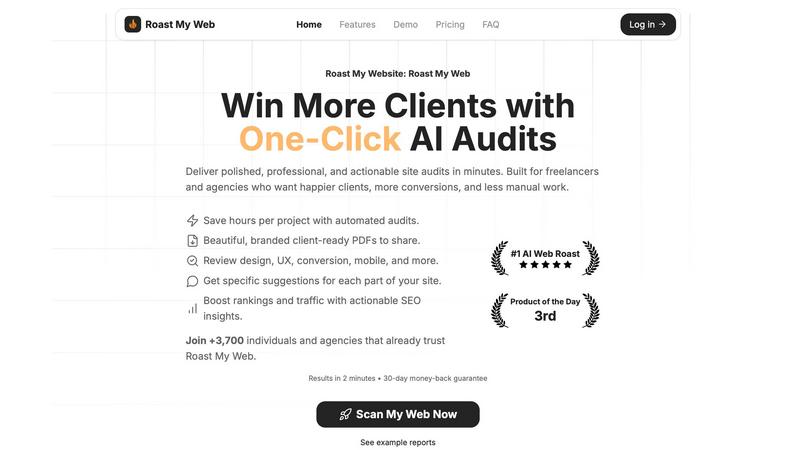
Get a client-ready website audit with prioritized fixes in just two minutes.
Last updated: February 28, 2026
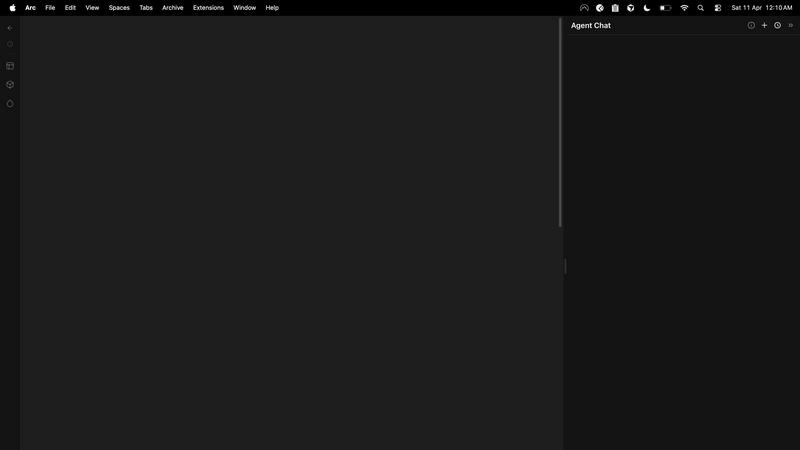
Visual Comparison
dmaya
Roast My Web
Feature Comparison
dmaya
Conversational AI Design Generation
Describe your vision in plain text, such as "a minimalist SaaS dashboard for analytics," and dmaya's AI agent generates complete, professional UI screens instantly. It creates coherent layouts, component systems, and responsive variants, providing a solid foundation for any project within seconds, eliminating the blank canvas problem.
Real-Time Iterative Refinement
Communicate directly with the AI to evolve your designs through natural language. Ask to "change the primary color to blue," "swap to a sidebar layout," or "increase the font size." Every requested change is applied precisely and instantly, allowing for rapid exploration of visual directions without manual dragging or styling.
Client Presentation & Feedback Links
Generate a secure, shareable preview link for any project. Clients and stakeholders can view the interactive design directly in their browser, leave feedback, and give approval without needing an account. This streamlines the review cycle from days to minutes, centralizing all communication.
Design-to-Code Export
Export your finalized and approved designs as production-ready, clean HTML, CSS, and JavaScript code. This semantic code is perfectly structured for AI coding assistants like Claude Code or Cursor to pick up and convert into your preferred framework, such as React, Next.js, or Flutter, ensuring a seamless handoff to development.
Roast My Web
Instant AI-Powered Audit
Get a comprehensive website analysis in just two minutes. The AI scans your URL and generates a detailed report covering design, UX, conversion rates, mobile responsiveness, and SEO, providing blunt, actionable fixes without sugarcoating the issues.
Custom-Branded, Client-Ready PDFs
Add your logo, colors, and custom text in 60 seconds to create polished, branded audit reports. Download and share professional PDFs that impress clients and showcase your expertise, eliminating the need for a designer.
Manual Report Editor
Modify the AI-generated text, hide sections, or add your own expert advice directly within the platform. This ensures every report is 100% tailored and client-ready, reflecting your unique insights and recommendations.
Priority Fixes & Competitor Comparison
See which suggested changes will impact revenue the most, allowing you to tackle high-value fixes first. Additionally, compare your site directly with competitors to understand your market position and identify key areas for improvement.
Use Cases
dmaya
Agency Pitch & Concept Development
Agencies can use dmaya to generate multiple high-fidelity design concepts during initial client discovery calls. This enables them to present tangible visual directions in hours instead of weeks, significantly improving pitch success rates and project kickoff speed.
Product Team Prototyping & Validation
Product teams can rapidly prototype different UI approaches for new features or products before committing engineering resources. This allows for early stakeholder alignment, user testing with realistic designs, and confident decision-making, reducing costly late-stage changes.
Freelancer Project Delivery
Freelancers and solo designers can describe a client's brief and generate a complete first draft in moments. They can then iterate collaboratively with the client via shareable links, enabling them to handle more projects, deliver higher quality, and improve their service offering without increasing hours worked.
Design System Exploration
Teams can use dmaya to quickly explore and define visual foundations. By generating screens and iterating on colors, typography, and spacing through conversation, they can establish consistent design tokens and a cohesive component library before scaling a project.
Roast My Web
For Freelancers & Agencies
Quickly audit client websites to identify conversion barriers and UX issues. Generate branded reports in minutes to present clear, actionable strategies, demonstrating value, winning trust, and justifying retainer or project fees efficiently.
For SaaS Founders & Indie Hackers
Continuously audit your own landing pages and product sites without needing a design or SEO expert. Get specific, step-by-step fixes to improve sign-ups, sales, and user trust, especially when bootstrapping and resources are limited.
For Pre-Launch Quality Assurance
Run audits on new website designs or pages before launch. Catch critical mobile responsiveness issues, broken elements, and conversion bottlenecks proactively to ensure a strong first impression and avoid post-launch emergency fixes.
For SEO & Conversion Rate Optimization (CRO)
Combine technical SEO analysis with on-page UX and conversion tips in a single audit. Identify issues hurting search rankings and user experience simultaneously, creating a unified action plan to boost both traffic and conversion rates.
Overview
About dmaya
dmaya is an AI-powered design platform engineered for professional workflows where visual design and client approval must precede development. It serves agencies, product teams, and freelancers who need to move rapidly from concept to client-ready presentations. Unlike AI tools that generate code directly, dmaya focuses on the critical design-first phase. Users describe an interface—like a SaaS dashboard or e-commerce flow—in plain language, and the AI generates polished, multi-screen UI designs in seconds. The core value is iterative, conversational refinement: you chat with the AI to adjust colors, layouts, and typography in real time. This process ensures intentional visual decisions and team alignment before any code is written. Once a design is approved via shareable client links, dmaya exports clean HTML, CSS, and JS. This output is ready to be handed to AI coding agents like Cursor or Claude Code for implementation in frameworks like React, Next.js, or Flutter. By bridging the gap between ideation and execution, dmaya accelerates the entire design-to-development cycle, turning what used to take days into a process of minutes.
About Roast My Web
Roast My Web is an AI-powered website audit tool designed for digital professionals who need fast, actionable insights. It delivers a comprehensive, client-ready analysis of any URL in about two minutes, automating the labor-intensive process of manual audits. The platform is engineered for freelancers, marketing agencies, SaaS founders, and indie hackers who must quickly identify what is hindering conversions and user trust on a website. Its core value proposition is turning complex web performance data into clear, actionable fixes that can be implemented swiftly to boost sales and improve client satisfaction. By instantly generating polished reports across critical areas like UX, conversion optimization, SEO, and mobile responsiveness, it saves users hours per project. With features for custom branding and report editing, Roast My Web ensures professionals can present insights professionally to stand out to clients and win more business.
Frequently Asked Questions
dmaya FAQ
How is dmaya different from other AI design tools?
Most AI tools skip the visual design phase and generate code directly, which bypasses the necessary client presentation and approval process. dmaya is built specifically for professional workflows where design comes first. It focuses on generating and iterating high-quality visual designs through conversation, ensuring team alignment and client sign-off before any code is exported.
What kind of designs can I create with dmaya?
dmaya is built to handle a wide range of professional UI/UX projects. You can generate designs for web applications like SaaS dashboards, e-commerce user flows, landing pages, and mobile app screens. The AI understands complex descriptions and can produce multi-screen, responsive layouts with consistent styling.
How does the collaboration with clients work?
You simply generate a shareable preview link from any dmaya project. You send this link to your client or stakeholder. They can view the interactive design in their web browser, leave comments directly on the design, and approve it—all without needing to create an account or install any software.
What code does dmaya export, and how do I use it?
dmaya exports clean, semantic HTML, CSS, and JavaScript. This code is not framework-specific but is structured to be easily interpreted by AI coding agents like Cursor, Claude Code, or GitHub Copilot. You instruct your coding agent to convert this clean code into your desired framework, such as React, Next.js, or Flutter, for final development.
Roast My Web FAQ
How long does an audit take?
An audit is typically completed in about two minutes. You simply enter a URL, and the AI will scan and analyze the site across multiple dimensions before generating your comprehensive report.
What does the audit report include?
The report provides a detailed analysis across key areas: user experience (UX), conversion optimization, SEO, mobile responsiveness, and design. It offers specific, actionable suggestions for each section of your site to improve performance.
Can I edit the AI-generated report?
Yes. The built-in manual report editor allows you to modify the text, hide sections you don't want to share, and add your own custom advice. This ensures the final report is perfectly tailored for your client.
Is there a money-back guarantee?
Yes, Roast My Web offers a 30-day money-back guarantee. If you are not satisfied with the service for any reason, you can request a full refund within the first 30 days of your purchase.
Alternatives
dmaya Alternatives
dmaya is an AI-powered vibe design platform for agencies, teams, and freelancers. It operates in the design tools category, specifically focusing on the visual design and client approval phase that occurs before coding begins. Users can generate and iterate on UI designs through conversation with an AI agent. People often look for alternatives to a tool like dmaya for various reasons. This can include budget constraints, a need for different feature sets like more advanced prototyping or native integrations, or platform-specific requirements such as a preference for desktop applications over web-based tools. Team size and existing workflow compatibility are also key factors. When evaluating alternatives, consider your core needs. Look for a solution that effectively bridges the gap between idea and code, offers a collaborative client review process, and provides output that integrates smoothly with your development stack. The ideal tool should streamline your specific design-to-development workflow.
Roast My Web Alternatives
Roast My Web is an AI-powered website audit tool in the business intelligence and design tools category. It delivers rapid, client-ready analysis to help digital professionals quickly identify issues that hurt conversions and trust. Users may seek alternatives for various reasons, such as budget constraints, specific feature needs, or integration requirements with other platforms. Some might prefer a different reporting style or a tool focused on a single audit area like deep technical SEO. When evaluating alternatives, consider the audit depth, report customization, speed, and overall value. The right tool should efficiently turn complex data into clear, actionable steps that save you time and impress clients.