
QuickImg vs TrafficClaw
Side-by-side comparison to help you choose the right AI tool.

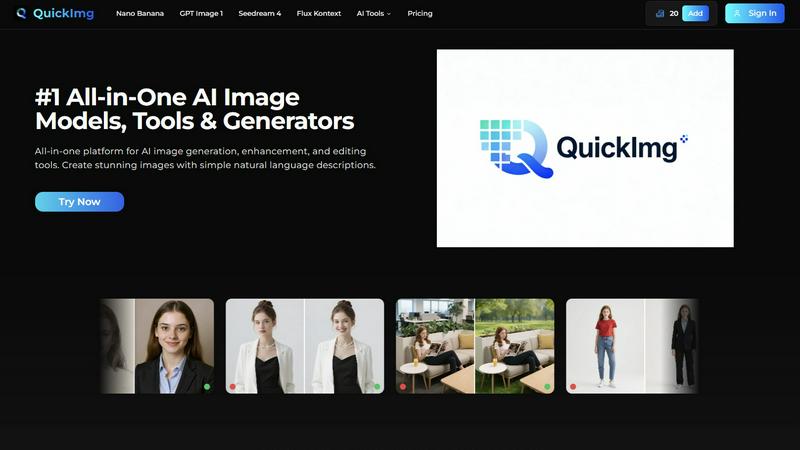
QuickImg is your all-in-one AI platform for generating, enhancing, and editing stunning images effortlessly.
Last updated: February 28, 2026

TrafficClaw
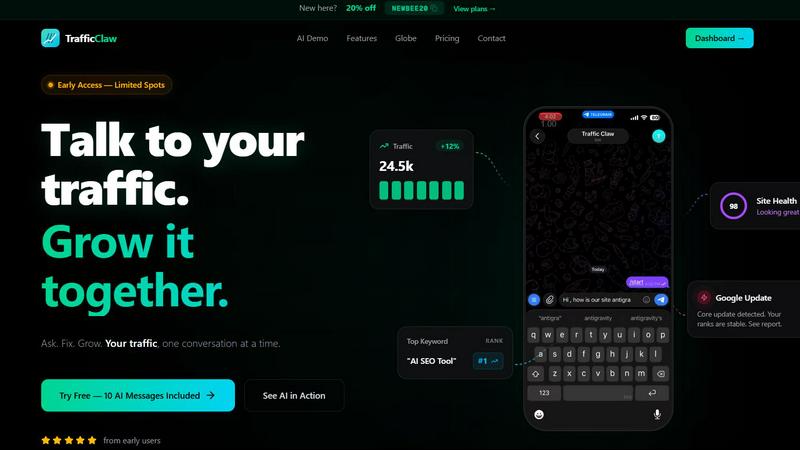
TrafficClaw is an AI analyst that talks to your live SEO data to give you actionable growth insights.
Last updated: April 13, 2026
Visual Comparison
QuickImg
TrafficClaw
Feature Comparison
QuickImg
Multiple AI Models Access
QuickImg provides access to multiple cutting-edge AI models within a single platform. Users can choose from Nano Banana, GPT Image 1, Seedream 4, and more, each optimized for specific tasks. This flexibility allows users to achieve the best results based on their project requirements without juggling between different tools.
Natural Language Processing
With QuickImg, users can create and edit images by simply describing their needs in natural language. This feature eliminates the need for technical knowledge or complicated prompts, making the platform accessible to both seasoned professionals and beginners alike.
One-Click Tools
QuickImg offers a suite of one-click tools designed to simplify complex workflows. Tasks such as background removal, image upscaling, and watermark removal can be executed effortlessly, saving users time and enabling them to focus on creativity rather than technical details.
Ready-to-Use Templates
The platform includes a vast collection of professionally designed templates tailored for various scenarios, such as product photos and social media posts. These templates enable users to kickstart their projects quickly, ensuring high-quality visuals without the need for extensive design experience.
TrafficClaw
AI Chat Analyst
Ask questions about your traffic and SEO performance in plain English. The AI analyzes your connected Google Analytics and Search Console data to deliver specific verdicts, not generic advice. Get instant answers with supporting charts and actionable recommendations for fixes, all through a conversational interface.
SEO Intelligence Suite
Go beyond basic rankings. This feature proactively identifies keyword gaps you can target, alerts you to content decay, detects internal cannibalization issues between pages, and provides optimization insights for AI search engines. It turns raw search data into a clear growth roadmap.
Integrated Analytics Dashboard
See all your critical metrics in one place. The dashboard provides a real-time overview of visitors, traffic trends, bounce rates, and conversion funnels. It eliminates the need to constantly switch between different analytics tools, saving time and providing immediate context.
Live Visitor Globe
Embed an interactive 3D globe on your website that shows real-time visitor locations and activity, powered by your GA4 data. It requires no additional tracking scripts and serves as both a engaging site widget and a live analytics feed, showing who is on your site and what they're doing.
Use Cases
QuickImg
Marketing Campaigns
Marketers can leverage QuickImg to create eye-catching visuals for campaigns, social media posts, and advertisements. With its intuitive interface and powerful AI models, generating promotional content becomes a streamlined process that enhances brand visibility.
Content Creation for Blogs
Content creators can use QuickImg to generate images that complement their written content. By simply describing the desired visuals, they can produce high-quality images that enhance engagement and improve the overall aesthetic of their blogs.
Design Projects
Graphic designers can utilize QuickImg for quick edits and enhancements. The platform's advanced editing tools and AI models allow designers to efficiently modify images, ensuring that they meet client specifications while saving time on tedious tasks.
Personal Art Projects
Hobbyists and artists can explore their creativity by generating unique artworks with QuickImg. Whether transforming photos into anime-style images or creating original characters, the platform empowers users to experiment with AI art effortlessly.
TrafficClaw
Diagnosing Sudden Traffic Drops
When your analytics show a concerning dip, instead of manually cross-referencing data, ask the AI "Why did my traffic drop?" It will analyze your connected data, identify causes like a Google algorithm update, lost rankings for key terms, or technical issues, and provide a direct verdict with evidence.
Uncovering New Keyword Opportunities
Discover untapped search demand relevant to your site. The SEO intelligence tools analyze your current rankings and competitor gaps to surface high-potential keywords you should create content for, helping you expand your organic reach systematically.
Monitoring Real-Time Site Engagement
Use the live dashboard and embeddable globe to see visitor activity as it happens. This is ideal for monitoring campaign launches, product releases, or live event traffic, allowing for immediate engagement and understanding of user behavior.
Automating Technical SEO Audits
Run deep, page-level site health checks without manual tools. TrafficClaw audits Core Web Vitals, performance scores, and on-page SEO factors, then generates auto-fix suggestions. This ensures your site maintains a strong technical foundation for rankings.
Overview
About QuickImg
QuickImg is an innovative all-in-one platform that integrates advanced AI image generation, enhancement, and editing tools into a single, user-friendly interface. It aims to simplify the image creation process by allowing users to generate stunning visuals with just natural language descriptions, eliminating the need for complex prompts. Ideal for marketers, content creators, designers, and hobbyists, QuickImg ensures that anyone can produce high-quality images effortlessly. With direct access to leading AI models such as Nano Banana Pro, GPT Image 1, Seedream 4, and Flux Kontext, users can create, edit, and enhance images without switching between different services. The platform's core value proposition lies in its simplicity and power, providing ready-to-use templates and one-click tools for various tasks like background removal, upscaling, and watermark removal. QuickImg democratizes professional-grade image creation, making it accessible and efficient for everyone.
About TrafficClaw
TrafficClaw is an AI-powered analytics and SEO command center that transforms how you understand and grow your website traffic. It solves the core frustration of modern web analytics: having data but no clear answers. Instead of staring at confusing graphs in Google Analytics or Search Console, you simply ask questions in natural language. TrafficClaw's AI Analyst connects directly to your live GA4 and Search Console data to provide specific, actionable verdicts. It's built for website owners, marketers, and developers who need to move faster—offering instant insights into traffic drops, keyword opportunities, and site health. The platform consolidates analytics dashboards, SEO intelligence, site audits, and content tools into one intelligent interface. With features like a real-time visitor globe and a 30-second setup, TrafficClaw cuts through the noise, delivering evidence-based fixes so you can stop guessing and start growing.
Frequently Asked Questions
QuickImg FAQ
How do I get started with QuickImg?
Getting started with QuickImg is easy. Simply sign up for an account, describe your image requirements or upload an existing image, and choose an AI model to generate or edit your visuals.
What types of images can I create with QuickImg?
QuickImg allows users to create a wide range of images, from promotional graphics and social media posts to artistic renditions and character designs. The versatility of the platform accommodates various creative needs.
Is there a learning curve to using QuickImg?
No, QuickImg is designed for users of all skill levels. Its intuitive interface and natural language processing capabilities mean you can create and edit images without any prior technical knowledge or experience.
Are there any limitations on the image generation?
While QuickImg offers powerful AI models for image generation, the quality and resolution of images may vary based on the chosen model and specific task. However, users can achieve professional-quality results consistently across various scenarios.
TrafficClaw FAQ
How does TrafficClaw access my data?
TrafficClaw uses secure, read-only Google OAuth to connect to your Google Analytics 4 and Search Console accounts. We never store your raw data on our servers. Your data remains yours, and the connection can be revoked at any time directly through your Google account.
What is included in the free trial?
The free trial includes 10 AI messages to ask questions and get verdicts from the AI Analyst. This allows you to fully test the core functionality by connecting your own data and experiencing the insights firsthand before committing to a paid plan.
Can I use the Live Visitor Globe on any website?
Yes. The globe is a simple iframe embed code that works with any website, CMS (like WordPress), or web framework. It pulls data directly from your connected GA4 property, so no additional tracking scripts are needed on your site.
How does the AI provide specific answers?
The AI Analyst is powered by advanced models and is specifically prompted to analyze the live data from your connected accounts. It cross-references metrics, trends, and events from GA4 and Search Console to form conclusions based on your unique situation, not general principles.
Alternatives
QuickImg Alternatives
QuickImg is an all-in-one platform designed for AI image generation, enhancement, and editing. It consolidates advanced tools and models into a single interface, catering to a diverse user base that includes marketers, content creators, and designers. Users often seek alternatives to QuickImg for various reasons such as pricing, specific feature sets, or platform compatibility that better fits their unique needs. When looking for an alternative, consider factors like ease of use, the range of AI models available, editing capabilities, and the overall cost. Additionally, evaluate whether the platform supports natural language commands for image creation and whether it provides comprehensive editing tools that streamline your workflow.
TrafficClaw Alternatives
TrafficClaw is an AI assistant for SEO and analytics data. It connects to platforms like Google Analytics and Search Console, allowing you to ask direct questions about your traffic and performance to get actionable answers. Users may seek alternatives for various reasons. These can include budget constraints, a need for different feature sets, or a requirement to integrate with additional data sources beyond the core offerings. Some may also prefer a different user interface or reporting style. When evaluating alternatives, consider the core AI's ability to interpret your specific data, the platforms it can connect with, and the clarity of the insights it provides. The ideal tool should save you time by turning complex data into straightforward, executable fixes.