
QuickImg
QuickImg is your all-in-one AI platform for generating, enhancing, and editing stunning images effortlessly.
About QuickImg
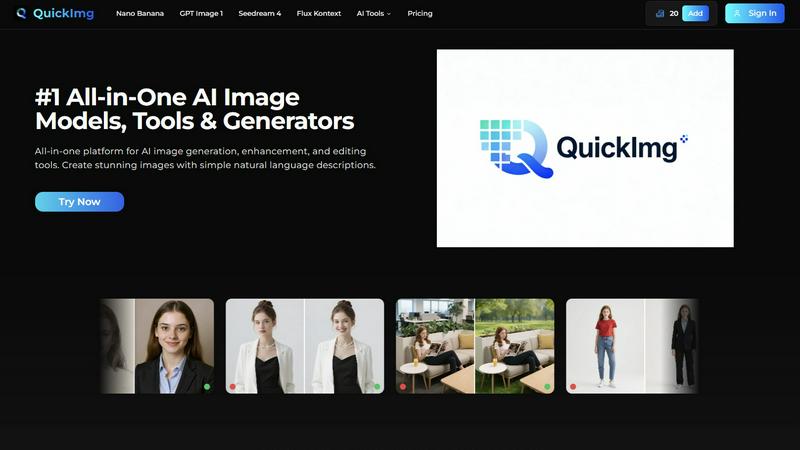
QuickImg is an innovative all-in-one platform that integrates advanced AI image generation, enhancement, and editing tools into a single, user-friendly interface. It aims to simplify the image creation process by allowing users to generate stunning visuals with just natural language descriptions, eliminating the need for complex prompts. Ideal for marketers, content creators, designers, and hobbyists, QuickImg ensures that anyone can produce high-quality images effortlessly. With direct access to leading AI models such as Nano Banana Pro, GPT Image 1, Seedream 4, and Flux Kontext, users can create, edit, and enhance images without switching between different services. The platform's core value proposition lies in its simplicity and power, providing ready-to-use templates and one-click tools for various tasks like background removal, upscaling, and watermark removal. QuickImg democratizes professional-grade image creation, making it accessible and efficient for everyone.
Features
Multiple AI Models Access
QuickImg provides access to multiple cutting-edge AI models within a single platform. Users can choose from Nano Banana, GPT Image 1, Seedream 4, and more, each optimized for specific tasks. This flexibility allows users to achieve the best results based on their project requirements without juggling between different tools.
Natural Language Processing
With QuickImg, users can create and edit images by simply describing their needs in natural language. This feature eliminates the need for technical knowledge or complicated prompts, making the platform accessible to both seasoned professionals and beginners alike.
One-Click Tools
QuickImg offers a suite of one-click tools designed to simplify complex workflows. Tasks such as background removal, image upscaling, and watermark removal can be executed effortlessly, saving users time and enabling them to focus on creativity rather than technical details.
Ready-to-Use Templates
The platform includes a vast collection of professionally designed templates tailored for various scenarios, such as product photos and social media posts. These templates enable users to kickstart their projects quickly, ensuring high-quality visuals without the need for extensive design experience.
Use Cases
Marketing Campaigns
Marketers can leverage QuickImg to create eye-catching visuals for campaigns, social media posts, and advertisements. With its intuitive interface and powerful AI models, generating promotional content becomes a streamlined process that enhances brand visibility.
Content Creation for Blogs
Content creators can use QuickImg to generate images that complement their written content. By simply describing the desired visuals, they can produce high-quality images that enhance engagement and improve the overall aesthetic of their blogs.
Design Projects
Graphic designers can utilize QuickImg for quick edits and enhancements. The platform's advanced editing tools and AI models allow designers to efficiently modify images, ensuring that they meet client specifications while saving time on tedious tasks.
Personal Art Projects
Hobbyists and artists can explore their creativity by generating unique artworks with QuickImg. Whether transforming photos into anime-style images or creating original characters, the platform empowers users to experiment with AI art effortlessly.
Frequently Asked Questions
How do I get started with QuickImg?
Getting started with QuickImg is easy. Simply sign up for an account, describe your image requirements or upload an existing image, and choose an AI model to generate or edit your visuals.
What types of images can I create with QuickImg?
QuickImg allows users to create a wide range of images, from promotional graphics and social media posts to artistic renditions and character designs. The versatility of the platform accommodates various creative needs.
Is there a learning curve to using QuickImg?
No, QuickImg is designed for users of all skill levels. Its intuitive interface and natural language processing capabilities mean you can create and edit images without any prior technical knowledge or experience.
Are there any limitations on the image generation?
While QuickImg offers powerful AI models for image generation, the quality and resolution of images may vary based on the chosen model and specific task. However, users can achieve professional-quality results consistently across various scenarios.
Similar to QuickImg
Verla AI
AI academic assistant for writing, research, presentations, and coding
AIPetGen
AIPetGen turns a photo of your dog, cat, or other pet, or a written description, into a new picture or a short animation.

AI Object Remover
Remove unwanted people, objects, text and watermarks from photos with AI

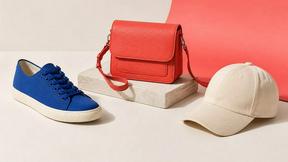
Image to Layers AI
Turn any image into editable transparent PNG/PSD layers with AI
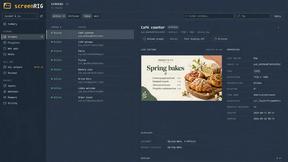
screenRIG
Signage and kiosk infrastructure for AI agents. Your agent publishes images, video, streams, web pages and apps to screens via one plugin.screenRIG is
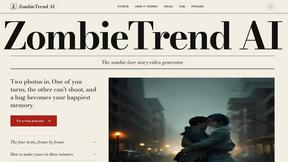
ZombieTrend AI
ZombieTrend AI turns two photos into a cinematic zombie love story video for TikTok, Reels and Shorts.
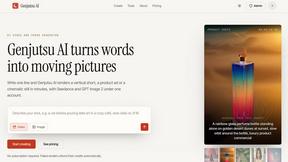
Genjutsu AI
Create cinematic AI videos, product ads, social shorts, and high-quality images from a prompt.