
Phishly vs Tickari
Side-by-side comparison to help you choose the right AI tool.

Phishly
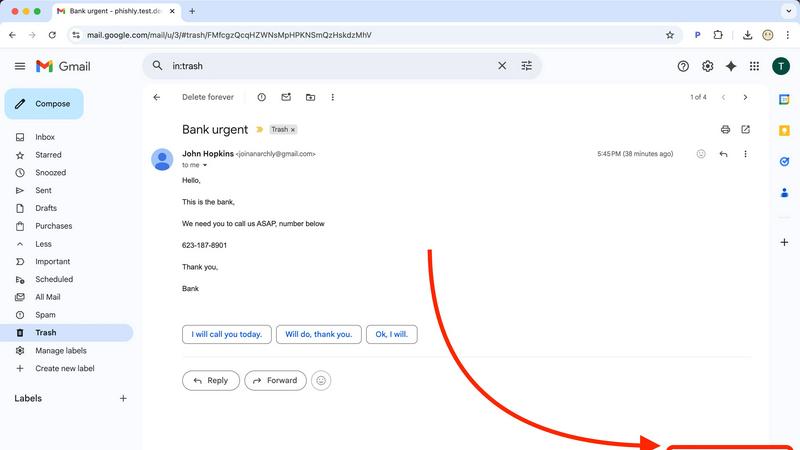
Phishly uses AI to instantly detect phishing emails with a simple one-click scan in Gmail and as a web tool.

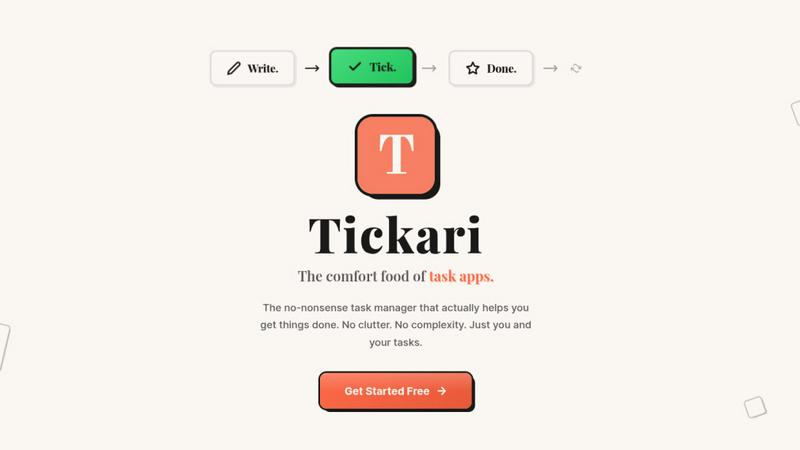
Tickari is the no-nonsense task manager that cuts the clutter so you can finally get things done.
Last updated: April 13, 2026
Visual Comparison
Phishly
Tickari
Feature Comparison
Phishly
Instant Email Scanning
With Phishly, users can quickly scan any email by clicking the "Scan with Phishly" button in Gmail or by pasting email content on the website. This ensures rapid analysis and immediate feedback on potential phishing threats.
Comprehensive Risk Assessment
Phishly provides clear risk assessments categorized into Safe, Medium Risk, and High Risk. Each assessment comes with detailed explanations, helping users understand the specific phishing indicators detected in the email.
Privacy-Focused Analysis
Phishly prioritizes user privacy by only analyzing emails that users explicitly choose to scan. This means your sensitive information remains protected, and you retain control over what is shared with the platform.
User-Friendly Interface
Designed for simplicity, Phishly requires no technical knowledge to operate. The intuitive interface makes it easy for anyone to assess the safety of their emails, making phishing protection accessible to all.
Tickari
Zero-Friction Task Management
The core interaction is as simple as it gets. You add a task by typing. You complete it with a single click to check it off. There are no sub-tasks, priority flags, or tags to manage unless you explicitly need them. This streamlined process removes all barriers between you and your work, ensuring you spend energy on execution, not on organizing your organizer.
Deliberately Minimal Interface
Tickari embraces a "less but better" design philosophy. The interface is clean, uncluttered, and free from distractions. There are no complex boards, no overwhelming sidebars, and no promotional nudges. This visual simplicity reduces cognitive load, allowing you to focus solely on the list of tasks in front of you without any unnecessary visual or mental noise.
No Onboarding Required
The product is designed to work instantly. There is no 47-step tutorial, no "quick start" guide that takes 20 minutes, and no setup process. You open the app and you immediately know how to use it. This instant utility respects your time and acknowledges that a task manager should be a tool, not a project in itself.
Tickari Pro - Your Public Task Profile
For users who want to share their progress or public goals, Tickari Pro offers a personalized corner of the internet. It provides a custom subdomain (like yourname.tickari.com) where you can host a public profile page to share your notes and tasks with the world, adding a layer of simplicity-focused sharing.
Use Cases
Phishly
Personal Email Protection
Individuals can utilize Phishly to scan their personal emails for phishing threats, ensuring they do not fall victim to malicious attacks. This is especially useful for those who frequently receive unsolicited emails.
Small Business Security
Small business owners can implement Phishly to protect their email communications. By scanning emails from clients, partners, and suppliers, they safeguard sensitive business information from phishing attacks.
Educational Institutions
Teachers and administrative staff at educational institutions can use Phishly to protect their email accounts, thereby ensuring a secure environment for communication with students and parents.
Remote Workers
As remote work becomes more common, employees can use Phishly to verify the legitimacy of emails they receive while working from home. This helps prevent phishing attempts that can jeopardize company data.
Tickari
The Productivity-App Burnout Victim
For anyone who has cycled through Notion, Asana, Trello, and more, spending hours setting up perfect systems that then become a maintenance burden. Tickari offers an escape—a place to finally stop organizing and start doing, breaking the cycle of perpetual setup.
The Daily Personal Task Juggler
Ideal for managing straightforward daily and weekly to-do lists. Whether it's grocery shopping, home chores, or personal errands, Tickari provides a dead-simple list that doesn't overcomplicate simple tasks with unnecessary features or complex project management metaphors.
The Focused Creator or Student
Perfect for individuals who need to avoid digital distraction. When working on a deep work session, writing, or studying, a minimalist tool like Tickari allows you to jot down follow-up tasks or action items without triggering a distracting spiral into app customization or organization.
The Advocate of Digital Minimalism
For users actively seeking to reduce their digital clutter and cognitive load across all apps. Tickari fits perfectly into a minimalist tech stack, adhering to the principle that software should be a quiet, efficient tool that serves a single purpose well without feature creep.
Overview
About Phishly
Phishly is an advanced AI-powered phishing detection platform designed to safeguard your email communications. Available as a Chrome extension for Gmail and as a web tool, Phishly provides users with a simple yet effective way to identify potential phishing attempts. With just a click of the "Scan with Phishly" button or by pasting suspicious emails into the website, users receive instant analysis and risk assessment. The platform utilizes sophisticated AI algorithms to detect phishing indicators, including suspicious domains, urgent language, spoofed senders, and social engineering tactics. Phishly is ideal for individuals and small businesses that require straightforward phishing protection without the complexity of enterprise solutions. Privacy is a top priority; only emails explicitly chosen for scanning are analyzed. There is no need for technical expertise, making it accessible to everyone. Best of all, it's free to use, providing immediate answers to help you determine the legitimacy of any email.
About Tickari
Tickari is the antidote to overcomplicated productivity software. It is a deliberately minimal, no-nonsense task manager built for a specific type of person: the individual who is tired of spending more time organizing their tasks than actually completing them. If you've ever felt overwhelmed by complex kanban boards, endless customization options, AI suggestions you didn't ask for, or lengthy onboarding tutorials, Tickari is for you. Its core philosophy is "less but better," ruthlessly eliminating feature bloat and cognitive overhead to deliver a frictionless workflow. The value proposition is singular and powerful: to help you get things done. You write a task, you tick it off, and you move on with your day. There is no clutter, no unnecessary decisions, and no learning curve. The interface is clean, intuitive, and works instantly from the moment you open it, making it the comfort food of task apps—simple, reliable, and satisfying.
Frequently Asked Questions
Phishly FAQ
How does Phishly detect phishing emails?
Phishly utilizes advanced AI algorithms to analyze emails for common phishing indicators such as suspicious domains, urgent language, and spoofed senders, providing users with a risk assessment.
Is Phishly free to use?
Yes, Phishly is completely free for users. There are no hidden fees or subscriptions required, making it accessible for anyone who wants to protect their email communications.
Do I need technical knowledge to use Phishly?
No, Phishly is designed for users of all technical backgrounds. Its user-friendly interface allows anyone to easily scan and assess the safety of their emails without needing any expertise.
How does Phishly ensure my privacy?
Phishly only analyzes emails that you explicitly choose to scan. This means that your private information remains confidential, and you have complete control over what is shared with the platform.
Tickari FAQ
Is there really no onboarding or tutorial?
Correct. Tickari is built on the principle of instant usability. The interface is so intuitive that the moment you open it, you understand how to add a task and check it off. We believe your time is better spent on your work than learning how to use a to-do app.
Can I use Tickari for team or project management?
Tickari is designed intentionally for personal, individual task management. It does not include collaboration features, shared boards, or team assignments. Its strength is in helping one person clear their mind and their list, not coordinating complex group projects.
What does "Tickari Pro" get me?
Tickari Pro is for users who want a public presence. It grants you a custom subdomain (yourname.tickari.com) where you can create a personalized profile to share your notes and task lists with others. The core task management experience remains blissfully simple.
How does Tickari handle reminders or due dates?
In keeping with its minimalist philosophy, Tickari focuses on the fundamental action of capturing and completing tasks. It intentionally avoids adding layers like reminders, due dates, or calendars to prevent complexity. It's for the list you work from today, right now.