
Nano Banana vs ShinePhoto
Side-by-side comparison to help you choose the right AI tool.

Nano Banana
Create and edit stunning images simply by chatting with Nano Banana's powerful, easy-to-use AI.
Last updated: March 19, 2026

ShinePhoto
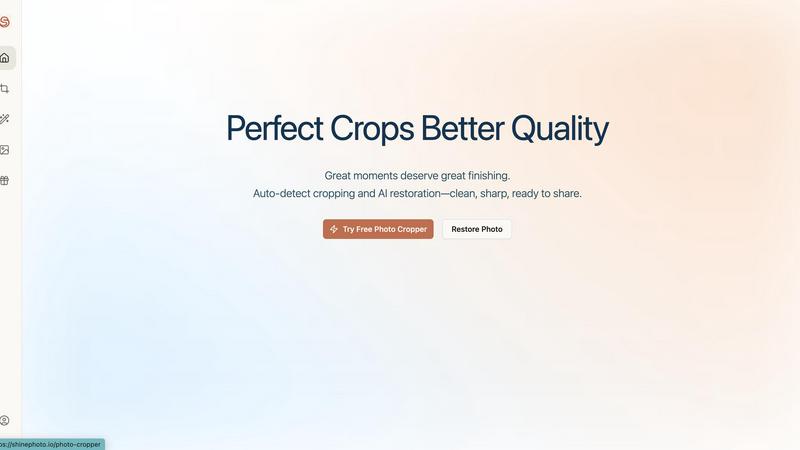
ShinePhoto transforms your images with smart cropping, restoration, and upscaling for stunning, share-ready quality.
Last updated: March 1, 2026
Visual Comparison
Nano Banana

ShinePhoto
Feature Comparison
Nano Banana
Nano Banana Pro Model
The flagship AI model offers professional-grade image creation and editing. It excels at consistent character editing and scene preservation, ensuring characters remain uniform across multiple images. It delivers perfect text rendering for posters and mockups, supports 4K ultra-high-resolution output for print, and leverages real-world knowledge for precise, detailed results from complex prompts.
AI Image Upscaler
This dedicated tool enhances image resolution using advanced AI algorithms. It intelligently upscales images while preserving detail and clarity, transforming low-resolution photos into high-quality assets suitable for large-format printing or digital displays without the typical pixelation or blur associated with traditional scaling methods.
AI Background Remover
Remove image backgrounds instantly and accurately with AI. This tool automatically detects the main subject and cleanly separates it from its backdrop with a single click. It's ideal for creating product shots, composite images, or profile pictures, saving significant time compared to manual editing in complex software like Photoshop.
Browser Extension
Integrate Nano Banana's core capabilities directly into your web browser. This extension allows users to access AI-powered image editing and generation tools from any webpage, streamlining workflows for research, content creation, and social media management without needing to switch between multiple applications or tabs.
ShinePhoto
Perfect Crops
ShinePhoto's photo cropper automatically detects the subject in your images, ensuring clean, sharp, and focused crops. Users can also manually adjust the cropping area for precise framing, catering to personal preferences.
Restore Photo
The restore photo feature allows users to enhance image quality by removing scratches, reducing blur, and cleaning up compression artifacts. This tool is essential for improving the overall clarity of older or damaged images.
Batch Processing
ShinePhoto supports batch processing, enabling users to upload and process multiple photos simultaneously. This feature saves time and effort, making it ideal for large collections or projects.
Share-Ready Exports
With just a click, users can download high-resolution files after processing. The share-ready exports ensure that images are crisp and ready for social media, printing, or archiving without additional steps.
Use Cases
Nano Banana
Marketing & Advertising
Quickly generate ad mockups, social media graphics, and marketing banners. Describe a product scene or campaign concept in text, and Nano Banana produces high-quality visuals, enabling rapid prototyping and content creation that aligns with brand aesthetics without requiring a graphic designer for every asset.
Content Creation & Blogging
Produce unique, engaging graphics for articles, videos, and newsletters. Bloggers and digital creators can generate custom featured images, infographics, and illustrations that perfectly match their content's theme, ensuring visual appeal and originality that stands out in crowded digital spaces.
Design Inspiration & Prototyping
Designers can use text prompts to rapidly visualize concepts, explore artistic styles, and create mood boards. The AI can flawlessly transfer styles (like oil painting or illustration) to ideas, serving as a powerful brainstorming tool to overcome creative blocks and accelerate the initial stages of the design process.
Personal Photo Enhancement
Easily edit personal photos by describing desired changes. Users can replace unappealing backgrounds, improve lighting, restore old photos, or even creatively alter elements within an image using simple instructions, making professional-level photo editing accessible for personal projects and memories.
ShinePhoto
Family Photo Restoration
Users can restore and enhance family photos that may have faded over time. ShinePhoto's tools help revive memories by improving clarity and color, making these treasured images vibrant again.
Professional Portfolio Enhancement
Photographers can quickly process their images for portfolios. By utilizing the batch processing feature, they can auto-crop and enhance multiple photos efficiently, ensuring their work looks polished and professional.
Event Photography Digitization
For those with large volumes of event photos, ShinePhoto provides an effective way to digitize and organize these images. The auto-cropping and restoration tools allow for quick uploads and enhancements, streamlining the workflow.
Social Media Content Creation
Influencers and content creators can use ShinePhoto to prepare images for their social media platforms. The ability to enhance image quality and create focused, share-ready photos ensures that their content stands out.
Overview
About Nano Banana
Nano Banana is a comprehensive AI-powered creative suite designed to democratize professional-grade image generation and editing. It transforms complex visual design tasks into simple, text-based commands, making advanced creativity accessible to everyone. The platform's core value lies in its speed and simplicity: instead of mastering intricate software, users describe their vision in natural language, and the AI handles the technical execution. This includes generating entirely new scenes from scratch, editing existing images by altering elements like lighting or backgrounds, and enhancing photo quality. With its advanced Pro model, Nano Banana delivers superior capabilities such as consistent character editing, sharp text generation, and 4K ultra-resolution output, making it suitable for commercial work. The platform also integrates specialized tools like an AI Image Upscaler and Background Remover, forming a complete, intuitive workspace for marketers, content creators, designers, and hobbyists to bring their ideas to life instantly.
About ShinePhoto
ShinePhoto is a freemium AI photo toolkit that revolutionizes the way users digitize and enhance their photo collections. It is designed for anyone who wants to streamline photo editing processes, from casual users to professional photographers. ShinePhoto offers an intuitive platform for batch subject auto-cropping and photo quality restoration, making it ideal for users with varying levels of expertise. With advanced features that enhance image clarity, users can easily upload both small and large volumes of photos. The intelligent subject detection technology ensures precision in cropping, while powerful restoration tools allow for the recovery of older or damaged images. ShinePhoto combines user-friendliness and efficiency, enabling everyone to create polished memories from everyday moments or restore cherished family albums with just a few clicks.
Frequently Asked Questions
Nano Banana FAQ
What is the difference between Nano Banana and Nano Banana Pro?
Nano Banana Pro is the advanced model within the platform. It offers superior capabilities like consistent character editing, perfect text generation within images, 4K ultra-resolution output, and enhanced prompt understanding using real-world knowledge. The standard model provides powerful AI image creation, while Pro is optimized for professional, commercial-grade results.
Is there a free trial available?
Yes, you can try Nano Banana for free. New users get 20 free credits upon sign-up to experience the platform, including testing the Pro model's capabilities. This trial requires no credit card, allowing you to explore text-to-image generation and basic editing features before committing to a paid plan.
What can I create with the consistent character editing feature?
This feature allows you to generate multiple images of the same character in different poses, outfits, and scenes while maintaining their recognizable identity. It's perfect for creating visual storyboards, comic strips, brand mascots, or product scenarios where a consistent protagonist is required across a series of images.
Can I use Nano Banana for commercial projects?
Yes, images generated with Nano Banana, including those created with the Pro model, can be used for commercial purposes. This includes advertising, product packaging, website assets, and merchandise. The 4K resolution support ensures outputs meet the quality standards required for professional print and digital commercial work.
ShinePhoto FAQ
What is ShinePhoto?
ShinePhoto is an AI-powered photo toolkit that combines a free photo cropper with restoration tools, allowing users to crop, enhance, and upscale images seamlessly.
Is ShinePhoto free to use?
Yes, ShinePhoto offers a free photo cropper that runs in the browser, enabling users to start editing their photos immediately without any cost.
How does photo restoration work?
Users can upload images and utilize the restore photo tools to reduce blur, noise, and damage. The effectiveness of the results is influenced by the quality of the original image.
Can I choose the subject to crop?
Yes, a feature coming soon will allow users to specify the subject for the photo cropper, ensuring more precise and tailored cropping results.
Alternatives
Nano Banana Alternatives
Nano Banana is an AI image generator and editor that simplifies creating and modifying visuals through text-based chat. It belongs to the rapidly growing category of AI-powered design and photo editing tools, making professional-grade visual content accessible without complex software. Users often explore alternatives for various reasons. Common factors include budget constraints, as pricing models and subscription tiers vary widely. Others may seek different feature sets, such as specific editing tools, output formats, or integration with other platforms. The need for a different user experience or device compatibility also drives the search for other options. When evaluating alternatives, consider your primary use case. Key aspects to compare include the quality and style of AI-generated images, the depth of editing controls, output resolution limits, and cost-effectiveness for your volume of work. Also, assess the platform's ease of use and whether it supports your required workflows.
ShinePhoto Alternatives
ShinePhoto is a freemium AI photo toolkit designed for enhancing images through smart cropping, restoration, and upscaling. As part of the image and photo category, it simplifies processes like batch subject auto-cropping and photo quality restoration, making it ideal for users looking to digitize and organize their photo collections. Users often seek alternatives to ShinePhoto for various reasons, including pricing structures, feature sets, or specific platform compatibility needs. When choosing an alternative, consider key aspects such as ease of use, the effectiveness of image enhancement features, batch processing capabilities, and the overall value for your specific photo editing requirements.