

ShinePhoto
ShinePhoto transforms your images with smart cropping, restoration, and upscaling for stunning, share-ready quality.
AI tool Details
Explore More
Alternatives

About ShinePhoto
ShinePhoto is a freemium AI photo toolkit that revolutionizes the way users digitize and enhance their photo collections. It is designed for anyone who wants to streamline photo editing processes, from casual users to professional photographers. ShinePhoto offers an intuitive platform for batch subject auto-cropping and photo quality restoration, making it ideal for users with varying levels of expertise. With advanced features that enhance image clarity, users can easily upload both small and large volumes of photos. The intelligent subject detection technology ensures precision in cropping, while powerful restoration tools allow for the recovery of older or damaged images. ShinePhoto combines user-friendliness and efficiency, enabling everyone to create polished memories from everyday moments or restore cherished family albums with just a few clicks.
Features
Perfect Crops
ShinePhoto's photo cropper automatically detects the subject in your images, ensuring clean, sharp, and focused crops. Users can also manually adjust the cropping area for precise framing, catering to personal preferences.
Restore Photo
The restore photo feature allows users to enhance image quality by removing scratches, reducing blur, and cleaning up compression artifacts. This tool is essential for improving the overall clarity of older or damaged images.
Batch Processing
ShinePhoto supports batch processing, enabling users to upload and process multiple photos simultaneously. This feature saves time and effort, making it ideal for large collections or projects.
Share-Ready Exports
With just a click, users can download high-resolution files after processing. The share-ready exports ensure that images are crisp and ready for social media, printing, or archiving without additional steps.
Use Cases
Family Photo Restoration
Users can restore and enhance family photos that may have faded over time. ShinePhoto's tools help revive memories by improving clarity and color, making these treasured images vibrant again.
Professional Portfolio Enhancement
Photographers can quickly process their images for portfolios. By utilizing the batch processing feature, they can auto-crop and enhance multiple photos efficiently, ensuring their work looks polished and professional.
Event Photography Digitization
For those with large volumes of event photos, ShinePhoto provides an effective way to digitize and organize these images. The auto-cropping and restoration tools allow for quick uploads and enhancements, streamlining the workflow.
Social Media Content Creation
Influencers and content creators can use ShinePhoto to prepare images for their social media platforms. The ability to enhance image quality and create focused, share-ready photos ensures that their content stands out.
Frequently Asked Questions
What is ShinePhoto?
ShinePhoto is an AI-powered photo toolkit that combines a free photo cropper with restoration tools, allowing users to crop, enhance, and upscale images seamlessly.
Is ShinePhoto free to use?
Yes, ShinePhoto offers a free photo cropper that runs in the browser, enabling users to start editing their photos immediately without any cost.
How does photo restoration work?
Users can upload images and utilize the restore photo tools to reduce blur, noise, and damage. The effectiveness of the results is influenced by the quality of the original image.
Can I choose the subject to crop?
Yes, a feature coming soon will allow users to specify the subject for the photo cropper, ensuring more precise and tailored cropping results.
Similar to ShinePhoto
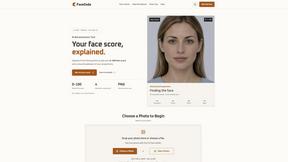
FaceCoda
Free AI attractiveness test and face analysis with private, on-device photo processing.
AIEnhancer
AI photo, image and video creation in one connected workspace.

Hailuo AI
Create high-quality videos from text or images with guided prompts, motion and camera controls, flexible settings, task tracking, and downloadable res
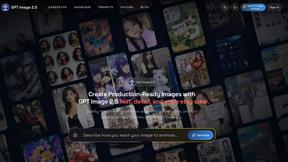
GPT Image 2 API
Generate and edit production-ready images with GPT Image 2 API, prompts, reference images, clear text, and developer workflows.

ProfileLoom
ProfileLoom turns one photo into platform-ready AI portraits for professional, social, and creator profiles, with presets and built-in editing.
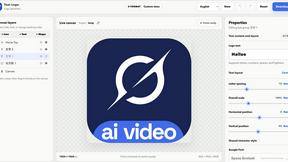
Text Logo
Create a custom text logo, wordmark logo, or typography logo with editable fonts, colors, icons, shapes, and flexible export formats.

Try This Skill
One-click AI photo stylization for e-commerce & portraits

Magic Eraser
AI photo editor for removing objects and backgrounds, enhancing images, and creating polished visuals across web and mobile.