
CloudBurn vs Mod
Side-by-side comparison to help you choose the right AI tool.

CloudBurn
CloudBurn automatically estimates AWS costs in pull requests to prevent costly infrastructure errors before deployment.
Last updated: February 28, 2026

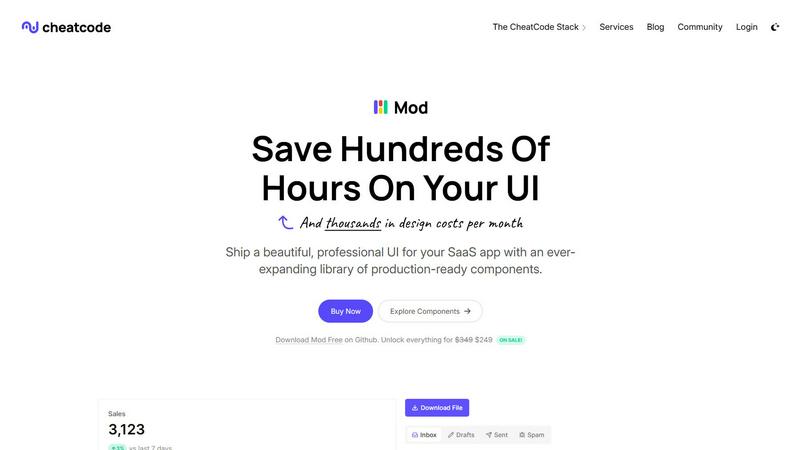
Mod is a CSS framework that accelerates SaaS UI development with a rich library of ready-to-use components.
Visual Comparison
CloudBurn

Mod
Feature Comparison
CloudBurn
Real-Time Cost Estimates
CloudBurn provides immediate cost estimates for infrastructure changes during the pull request review process. This feature enables teams to see the financial impact of their code before it is deployed, ensuring informed decision-making.
Automated Cost Reporting
Every pull request generates an automated cost report that details the financial implications of proposed infrastructure changes. This report is posted directly within GitHub, ensuring that cost awareness becomes an integral part of the development workflow.
Integration with GitHub Workflows
CloudBurn integrates effortlessly with existing GitHub workflows, allowing teams to install it with just a few clicks. This seamless integration means no major disruptions to the development process while enabling cost visibility.
Continuous Cost Monitoring
With CloudBurn, teams benefit from continuous cost monitoring, receiving updates on the financial impact of their infrastructure on an ongoing basis. This ensures that cost considerations remain at the forefront of development practices.
Mod
Extensive Component Library
Mod includes over 88 components that cover a wide range of UI needs, allowing developers to quickly implement common features without building from scratch. These components are designed to be easily customizable, enabling unique branding and user experiences.
Dynamic Styling Options
With 168 styles to choose from, Mod provides developers with the flexibility to create visually appealing interfaces. The styles are designed to be consistent and cohesive, ensuring a polished look throughout the application.
Responsive and Mobile-First Design
Mod is built with a mobile-first approach, ensuring that applications look great on all devices. This feature allows developers to prioritize mobile users and ensures that the user experience is smooth, regardless of screen size.
Framework-Agnostic Compatibility
Mod is compatible with various frameworks including Next.js, Nuxt, Vite, Svelte, Rails, and Django. This flexibility allows developers to use Mod in their preferred environment without being locked into a specific technology stack.
Use Cases
CloudBurn
Preventing Cost Overruns
CloudBurn helps development teams identify potential cost overruns before they reach production. By analyzing proposed changes in real-time, teams can make adjustments and avoid unexpected increases in their monthly AWS bills.
Enhancing Code Review Processes
With CloudBurn, cost implications become a standard part of the code review process. Teams can review both code quality and cost estimates simultaneously, fostering a culture of accountability and financial awareness.
Educating Teams on Cost Implications
CloudBurn serves as an educational tool, empowering developers to understand the cost implications of their infrastructure choices. This knowledge helps teams build more cost-effective solutions and reduces the likelihood of expensive misconfigurations.
Supporting Continuous Integration/Continuous Deployment (CI/CD)
CloudBurn fits perfectly within CI/CD pipelines, allowing teams to maintain high deployment frequencies while ensuring that each change is cost-effective. This integration promotes efficiency without sacrificing financial oversight.
Mod
Rapid Prototyping
Developers can use Mod to quickly prototype SaaS applications, leveraging pre-built components to reduce development time. This is ideal for startups looking to validate ideas without extensive design work.
Custom SaaS Solutions
Mod enables teams to create tailored SaaS solutions efficiently. By utilizing its extensive library, developers can craft unique interfaces that meet specific client needs while maintaining a professional appearance.
Enhancing User Experience
With its responsive design and dynamic styling options, Mod helps enhance user experience across devices. This is essential for applications that require high usability and accessibility for diverse user groups.
Streamlined Development Workflow
By integrating Mod into their workflow, developers can save time on design and focus on core functionality. This streamlining allows for faster iterations and quicker deployment of features.
Overview
About CloudBurn
CloudBurn is a revolutionary tool tailored for development teams utilizing Terraform or AWS CDK, designed to prevent costly infrastructure errors before they can disrupt production environments. Many teams experience the dismay of uncovering AWS cost overruns weeks or months after deployment, leading to unexpected charges in their bills. CloudBurn effectively addresses this challenge by providing real-time cost estimates during the code review phase. This allows teams to make informed decisions and adjust their infrastructure before changes go live. Integrating seamlessly into existing GitHub workflows, CloudBurn enhances collaboration and prioritizes cost considerations throughout the development process. With CloudBurn, teams can shift from reacting to billing surprises to proactively managing their cloud infrastructure expenses, thereby ensuring financial accountability and operational efficiency.
About Mod
Mod is a powerful CSS framework designed specifically for building Software as a Service (SaaS) user interfaces. It is part of the CheatCode developer stack, which also includes Joystick for full-stack JavaScript development and Push for streamlined deployments. Mod provides over 88 pre-built components, 168 unique styles, and two customizable themes, making it versatile for various design needs. With more than 1,500 icons and a dark mode option, it enhances the visual appeal of applications. Its framework-agnostic nature allows seamless integration with popular platforms like Next.js, Nuxt, Vite, Svelte, Rails, and Django. Mod is perfect for solo developers and teams looking to speed up their development process, reduce design costs, and create polished, professional SaaS applications. With simple pricing and regular yearly updates, Mod is a valuable asset in any developer's toolkit.
Frequently Asked Questions
CloudBurn FAQ
How does CloudBurn integrate with my existing GitHub repository?
CloudBurn integrates directly with GitHub through the GitHub Marketplace. After installation, you can select your repositories and set up the necessary GitHub Actions to automate cost analysis for your infrastructure changes.
Is CloudBurn compatible with both Terraform and AWS CDK?
Yes, CloudBurn supports both Terraform and AWS CDK. You can choose the appropriate action for your infrastructure-as-code tool, ensuring that you receive cost estimates regardless of your preferred framework.
Can I try CloudBurn for free?
Absolutely! CloudBurn offers a 14-day Pro trial that allows you to experience all features at no cost. After the trial, you can either continue with the Community plan or cancel without any obligations.
What types of cost reports does CloudBurn generate?
CloudBurn generates detailed cost reports that include the current and projected costs associated with infrastructure changes. These reports are automatically posted as comments on your pull requests, providing instant visibility into the financial impact of your code.
Mod FAQ
What platforms can I use Mod with?
Mod is framework-agnostic and works seamlessly with Next.js, Nuxt, Vite, Svelte, Rails, Django, and more, allowing you to integrate it into your preferred development environment.
How does Mod support mobile users?
Mod is designed with a mobile-first approach, ensuring that all components and styles are responsive. This guarantees a smooth and engaging experience for users on smartphones and tablets.
Can I customize the components in Mod?
Yes, Mod provides extensive customization options for its components and styles, allowing developers to tailor the appearance and functionality to match their brand identity.
What kind of updates can I expect from Mod?
Mod offers yearly updates that include new features, improvements, and bug fixes. This ensures that developers always have access to the latest enhancements and can keep their applications modern and efficient.