
Lightsplit vs Quickfix AI
Side-by-side comparison to help you choose the right AI tool.

Lightsplit tracks shared expenses in LINE and Telegram so everyone knows exactly what they owe.
Last updated: March 26, 2026

Quickfix AI
Quickfix AI provides instant, clear diagnostics of your computer's performance and health in plain English.
Last updated: February 28, 2026
Visual Comparison
Lightsplit

Quickfix AI
Feature Comparison
Lightsplit
AI Bill Splitting
Simply take a photo of any receipt. Lightsplit's AI instantly scans and accurately identifies individual items, their prices, and quantities. It then allows you to assign these items to specific people in your group for a perfectly itemized and fair split, all in seconds. This removes manual data entry and calculation errors completely.
Simplify Debts
Lightsplit doesn't just track who owes what; it intelligently optimizes the settlement process. The system automatically calculates and suggests the minimum number of payments required to clear all balances within the group. This reduces transaction fees and complexity, getting everyone settled faster.
Organize by Group
Create dedicated groups for different circles and activities. Keep your vacation expenses with friends completely separate from your shared household bills with roommates or office coffee fund. This organized group management ensures clarity and prevents financial details from getting mixed up.
Track Balances Easily
Every expense updates the group's balances in real time. An intuitive dashboard provides an immediate, clear overview of all debts and credits. You can see at a glance who is owed money and who needs to pay, ensuring complete transparency and eliminating awkward conversations.
Multiple Currency Support
Perfect for international travel or groups with members using different currencies. Add expenses in any currency, and Lightsplit handles the conversion using up-to-date exchange rates. Everyone can see balances in their preferred currency, making global expense sharing straightforward.
Custom Get Paid Options
Add your preferred payment methods for getting paid back, such as PayPal, bank transfer, or local apps. You control how you receive money without having to share sensitive banking details with everyone in the group each time a settlement is needed.
Quickfix AI
AI-Powered Response Automation
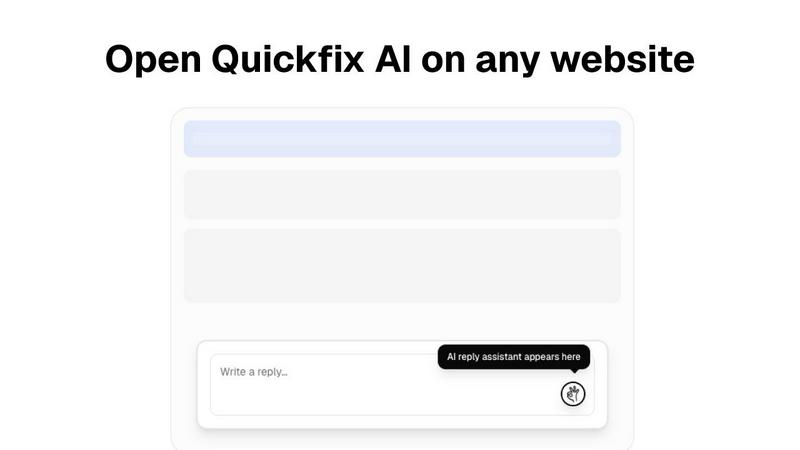
This feature allows users to generate quick, context-aware replies for various platforms with a single click. By eliminating manual typing, it significantly speeds up communication across emails, social media, support tickets, and chats.
Comprehensive System Diagnostics
Quickfix AI provides an extensive analysis of your computer's performance metrics, including CPU usage, memory pressure, storage health, and battery status. Users can easily monitor their system's health and performance levels through a user-friendly dashboard.
Integrated AI Assistant
The AI assistant interprets complex technical data and presents it in plain English. This feature ensures that users, regardless of their technical background, can understand diagnostic reports and receive actionable recommendations.
Instant Performance Insights
With Quickfix AI, users receive real-time insights into their system's performance and potential issues. The tool analyzes critical areas such as CPU, memory, and network status, helping users identify and resolve problems quickly.
Use Cases
Lightsplit
Group Travel and Vacations
Ideal for multi-day trips where expenses for hotels, meals, activities, and transport pile up quickly. Lightsplit ensures every shared cost is logged and split accurately as you go, so no one is left with a surprising large bill or complex calculations at the end of the journey.
Shared Household Management
Essential for roommates or families sharing recurring costs like rent, utilities, groceries, and internet bills. Create a household group to track all shared expenses transparently, ensuring everyone pays their fair share for common goods and services without confusion.
Social Dining and Events
Perfect for dinners out, group orders, parties, or any social gathering where the bill needs to be divided. Instead of one person fronting the entire cost and chasing payments, split the bill item-by-item instantly via a chat bot right at the table.
Project and Office Expenses
Useful for work teams, committees, or small offices managing shared budgets for supplies, client meals, or team activities. A dedicated group keeps all project-related expenses organized and accountable, simplifying reimbursement and budget tracking.
Quickfix AI
Troubleshooting System Issues
When users experience performance problems but lack technical knowledge, Quickfix AI diagnoses the issues and provides clear explanations. This enables users to understand their system and take appropriate actions.
Enhancing Productivity in Communication
Professionals can leverage Quickfix AI to streamline their communication processes. By automating responses, they can save time and focus on more critical tasks, significantly increasing overall productivity.
IT Support Simplification
For IT teams, Quickfix AI offers a seamless way to diagnose and troubleshoot systems remotely. By sharing a link and code, IT professionals can gain instant visibility into the performance of any machine, facilitating faster issue resolution.
Empowering Tech Enthusiasts
Gamers, developers, and power users can utilize Quickfix AI to gain deep insights into their system's performance. This knowledge allows them to optimize their setups for better efficiency and performance.
Overview
About Lightsplit
Lightsplit is an AI-powered expense management tool designed to eliminate the friction of splitting bills among groups. It transforms the tedious process of tracking shared costs—from restaurant meals and groceries to rent and travel expenses—into a simple, automated task. The core value proposition is its seamless integration into existing communication workflows. Users do not need to download a separate app; Lightsplit operates directly within popular messaging platforms like LINE and Telegram, as well as through a web app. This makes adoption effortless for any group. Simply snap a photo of a receipt, and the AI automatically detects items, prices, and assigns them to group members. It provides real-time balance tracking, simplifies debts to minimize transactions, and supports multiple currencies. Designed for travelers, roommates, friends, and families, Lightsplit ensures everyone knows exactly what they owe, promoting transparency and fairness while saving time and preventing spreadsheet drama.
About Quickfix AI
Quickfix AI is a dual-purpose productivity and diagnostic tool meticulously crafted to enhance efficiency and provide clarity. It serves as an AI-powered browser extension that automates writing replies across any website, allowing users to generate context-aware responses for emails, social media, support tickets, and chats with just a single click. This functionality eliminates the need for manual typing and tab-switching, streamlining communication for professionals. In addition to this, Quickfix AI functions as a comprehensive system diagnostics tool for both Windows and macOS. It delivers instant insights into the computer's performance, health, and security, analyzing key metrics such as CPU, memory, storage, battery, and network status. Users receive this information through an intuitive dashboard, accompanied by an integrated AI assistant that explains technical details in plain English while offering specific recommendations. Quickfix AI is designed for professionals seeking to enhance their communication efficiency and for a wide range of users, from casual computer operators to IT teams needing to troubleshoot system performance without requiring technical expertise.
Frequently Asked Questions
Lightsplit FAQ
Is Lightsplit free to use?
Yes, Lightsplit is currently free to use. You can access all core features, including AI receipt scanning, group creation, balance tracking, and debt simplification, without any cost through the web app, LINE, or Telegram.
Do I need to download an app to use Lightsplit?
No, you do not need to download a separate app. Lightsplit is designed for maximum convenience and works directly within the platforms you already use: you can access it via any web browser or as a bot inside LINE and Telegram.
Is my financial data safe?
Lightsplit takes data security seriously. The platform uses secure encryption to protect your information. It is designed for expense tracking and does not require access to your bank accounts or sensitive financial login credentials.
Does everyone in the group need to add Lightsplit?
No, only the person creating the group and adding expenses needs to interact with Lightsplit. They can add members simply by their name or chat handle. Other members receive updates and can view balances through shared summaries or within the chat.
Quickfix AI FAQ
Is Quickfix AI free?
Yes, Quickfix AI offers a free version that allows users to access its core features, including the AI-powered response automation and system diagnostics. Premium features may require a subscription.
Is my data secure?
Quickfix AI prioritizes user data security and confidentiality. It employs advanced encryption and data protection measures to ensure that your information remains secure during scans and interactions.
Do I need technical knowledge to use Quickfix AI?
No, Quickfix AI is designed for users of all technical backgrounds. Its user-friendly interface and integrated AI assistant provide clear explanations and recommendations, eliminating the need for technical expertise.
What information does Quickfix AI collect?
Quickfix AI collects performance metrics and diagnostic data relevant to your system's health and performance. This information is used solely for analysis and to provide actionable insights, adhering to privacy standards.
Alternatives
Lightsplit Alternatives
Lightsplit is a personal finance and productivity app designed to simplify group expenses. It operates within popular messaging platforms like LINE and Telegram, allowing users to split bills by simply snapping a photo of a receipt. Its AI automatically detects items and calculates what each person owes, making it ideal for friends, roommates, and colleagues who share costs. Users often seek alternatives for various reasons. Some may need an app that works on different platforms or integrates with other financial tools. Others might look for different pricing models, more advanced features like debt settling, or a standalone app experience outside of messaging platforms. The specific needs of a group can drive the search for a different solution. When evaluating alternatives, consider your group's primary communication channels and whether you prefer an in-chat tool or a separate app. Look at core functionality like receipt scanning accuracy, split calculation flexibility, and multi-currency support. Also, assess the cost structure and any additional features like payment integration or expense reporting that match your financial habits.
Quickfix AI Alternatives
Quickfix AI is a dual-purpose productivity and diagnostic tool designed for users who want to enhance their communication efficiency and understand their computer's performance. As a browser extension, it automates the process of generating context-aware replies across various platforms while also providing comprehensive system diagnostics for both Windows and macOS. Users often seek alternatives to Quickfix AI due to various reasons such as pricing, specific feature sets, platform compatibility, or personal preferences in user experience. When choosing an alternative, consider the essential features that meet your unique needs. Look for tools that provide similar productivity enhancements and diagnostic capabilities, as well as user-friendly interfaces and robust support. It's also important to evaluate the pricing structure and ensure it fits within your budget while delivering the expected value.