
Kling 5 vs SubtitlesFast
Side-by-side comparison to help you choose the right AI tool.

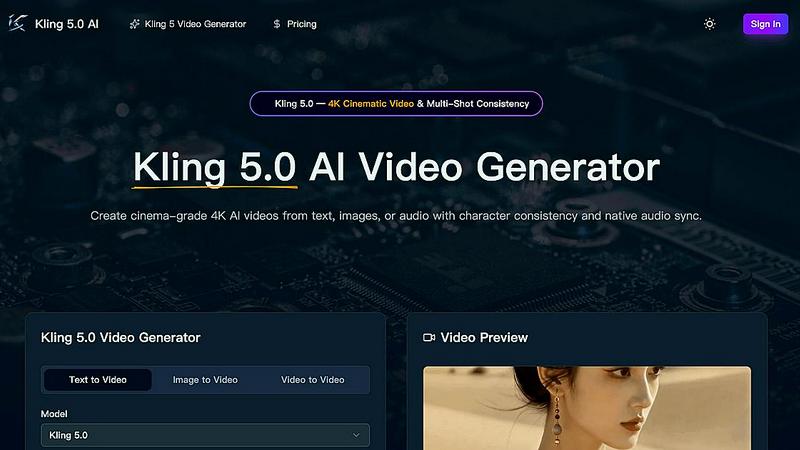
Kling 5.0 is an AI video generator that creates professional 4K cinematic clips from text, images, or audio.
Last updated: April 13, 2026

SubtitlesFast
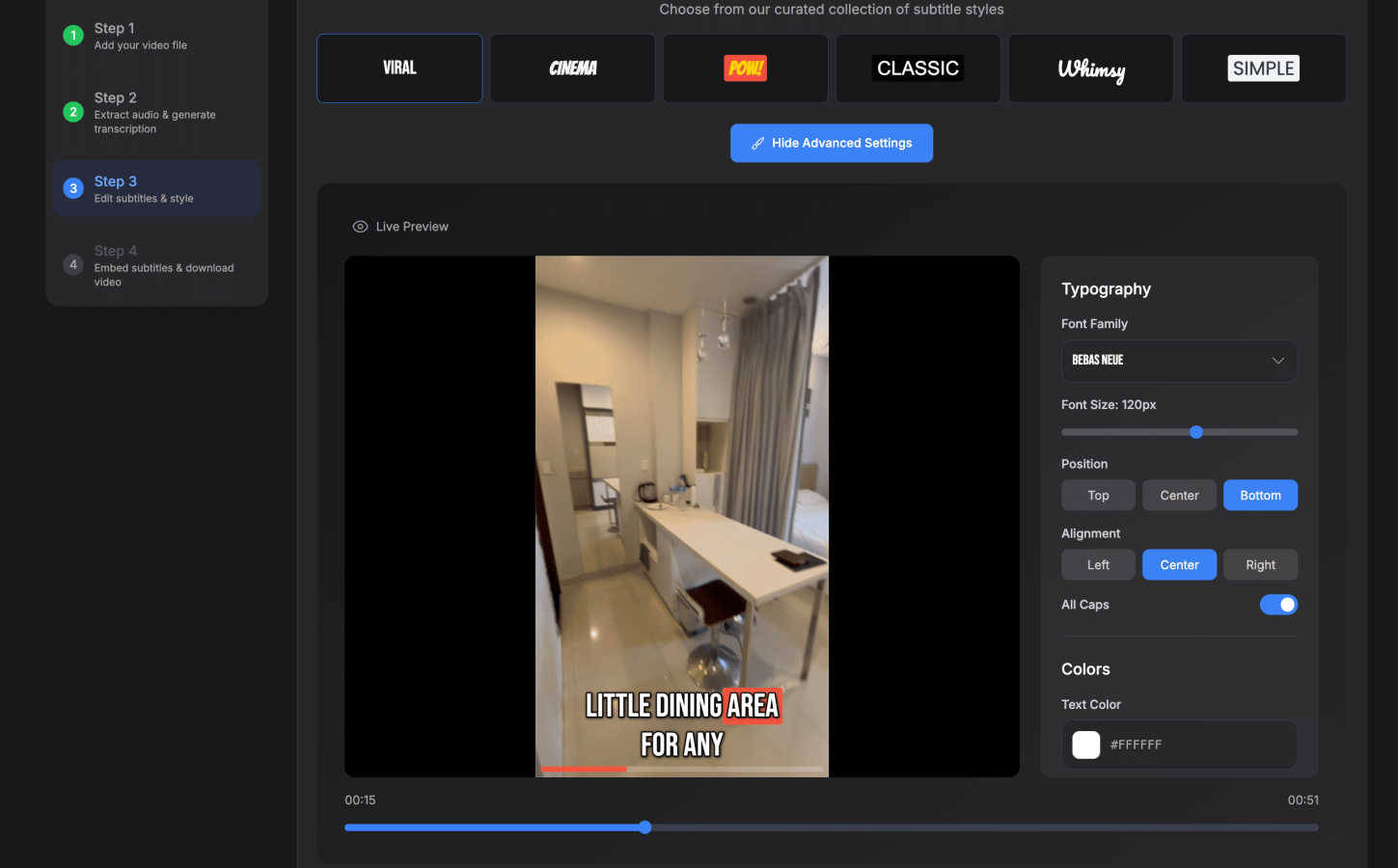
Create stunning subtitles in minutes with SubtitlesFast, the all-in-one app for effortless video editing and publishing.
Last updated: March 1, 2026
Visual Comparison
Kling 5
SubtitlesFast
Feature Comparison
Kling 5
4K Cinematic Video Generation
Kling 5.0 generates videos in full 4K resolution with a professional, cinematic look and feel. The AI model renders scenes with realistic textures, accurate lighting, and atmospheric effects, making the output suitable for commercial use, social media, and broadcast.
Multi-Shot Character Consistency
The Omni Subject Library allows you to lock a character's facial features, proportions, and appearance across multiple shots and camera angles. This ensures characters remain identical throughout a scene or project, which is essential for episodic content, storyboarding, and brand campaigns.
Native Audio Generation & Lip-Sync
Kling 5.0 produces synchronized audio—including dialogue, ambient sound, and Foley effects—alongside the video. It features phoneme-level lip-sync for accurate mouth movements in five languages: English, Chinese, Japanese, Korean, and Spanish, with emotion-matched expressions.
Advanced Physics Simulation
The built-in physics engine simulates natural movement for elements like water, fabric, fire, and human anatomy. This results in fluid dynamics and material interactions that are visually indistinguishable from reality, adding a layer of authenticity to every generated scene.
SubtitlesFast
Auto-Transcription
SubtitlesFast uses advanced AI technology to transcribe audio into text automatically, supporting over 50 languages. This feature saves creators valuable time by eliminating the need for manual transcription, allowing them to focus on content creation.
Customizable Subtitle Styles
The platform offers a variety of 30+ animated subtitle styles, enabling users to personalize their subtitles to match their video's aesthetic. This customization enhances the visual appeal of videos and keeps audience engagement high.
One-Click Export
Once the video and subtitles are ready, users can export their projects with just one click. This streamlined process ensures that videos are instantly ready for platforms like YouTube, TikTok, or Instagram, facilitating quick publishing.
Easy Timeline Editing
SubtitlesFast includes a simple timeline editor, allowing users to add text, images, and music seamlessly. This editing capability ensures that videos are not only engaging but also tailored to the creator's vision without a steep learning curve.
Use Cases
Kling 5
Social Media Content Creation
Ideal for creators needing a constant stream of high-quality video content for platforms like YouTube, TikTok, and Instagram. Quickly generate eye-catching, cinematic clips from text prompts to engage audiences and grow your channel without a production team.
Marketing & Advertising Campaigns
Marketing teams can rapidly prototype and produce professional adverts, product showcases, and brand story videos. The 4K broadcast-ready quality and consistent character features ensure a polished, cohesive look for any campaign across multiple shots.
Film & Game Pre-Visualization
Filmmakers and game developers can use Kling 5.0 to storyboard scenes, visualize concepts, and create cutscene prototypes. The realistic physics and character consistency allow for efficient planning and pitching of creative ideas before full-scale production begins.
Educational & Explainer Videos
Educators and businesses can transform scripts or concepts into engaging animated or cinematic explainer videos. The easy-to-use platform and versatile styles make it simple to create compelling visual content that simplifies complex topics for any audience.
SubtitlesFast
Daily Vlogging
Vloggers can utilize SubtitlesFast to quickly add subtitles to their daily videos. The fast turnaround ensures that they can maintain a consistent posting schedule without sacrificing quality or engagement.
Educational Content
Educators can leverage SubtitlesFast to create accessible video lessons with accurate subtitles. This enhances comprehension for students, especially those who are non-native speakers or hard of hearing.
Marketing Videos
Marketers can use SubtitlesFast to produce engaging promotional videos with subtitles that capture audience attention. The ability to customize subtitles makes it easier to align the content with brand identity.
Social Media Posts
Content creators on platforms like TikTok and Instagram Reels can benefit from quick subtitle generation. SubtitlesFast allows them to enhance their short clips with engaging, animated subtitles, increasing viewer retention and interaction.
Overview
About Kling 5
Kling 5.0 is a next-generation AI video generator that transforms text, images, or audio into high-quality, cinematic videos. It is designed to empower creators, marketers, filmmakers, and businesses to produce professional-grade video content without the need for complex editing software or extensive technical skills. The platform leverages cutting-edge AI to generate videos up to 15 seconds long in stunning 4K resolution, featuring realistic physics, fluid motion, and advanced lighting effects. Its core value proposition lies in delivering broadcast-ready video output with powerful, creator-focused features like multi-shot character consistency and native audio generation. Kling 5.0 simplifies the entire production pipeline, allowing users to bring their creative visions to life in minutes with just a few clicks and a descriptive prompt.
About SubtitlesFast
SubtitlesFast is a cutting-edge online platform tailored for content creators who need to add subtitles to their videos swiftly and efficiently. This innovative tool automates the transcription process, freeing users from the tedious task of manually inputting subtitles. With support for over 50 languages, SubtitlesFast enables creators to connect with a global audience, enhancing their reach and engagement. The platform features a straightforward and user-friendly interface that allows users to upload video files, customize subtitle styles, and export polished projects in just minutes. Ideal for vloggers, marketers, and educators alike, SubtitlesFast boosts viewer engagement, improves accessibility, and streamlines the video production workflow. Users can enjoy the convenience of browser-based editing without the hassles of software installation, making it the perfect solution for anyone looking to produce professional-quality videos quickly and effortlessly.
Frequently Asked Questions
Kling 5 FAQ
What video formats and lengths does Kling 5.0 support?
Kling 5.0 generates videos up to 15 seconds in length. The output is delivered in MP4 format, ready for download and use on various platforms. You can select different aspect ratios, including 16:9, 9:16, and 1:1, to suit your project needs.
How does the character consistency feature work?
You can activate the Omni Subject Library when generating a video. This "locks" a subject's key features. When you generate subsequent shots mentioning the same subject, Kling 5.0's AI ensures the character maintains identical appearance and proportions across all scenes.
What languages are supported for audio and lip-sync?
Kling 5.0 supports native audio generation and precise lip-synchronization for five languages: English, Chinese, Japanese, Korean, and Spanish. The AI matches mouth movements at the phoneme level and adjusts facial expressions to match the emotional tone of the dialogue.
Do I need credits to use Kling 5.0?
Yes, video generation consumes credits. The interface shows the cost per generation (e.g., 40 credits) and your remaining balance. You can purchase additional credits directly through the platform to continue creating videos.
SubtitlesFast FAQ
How does SubtitlesFast work?
SubtitlesFast automates the transcription of audio to text. Users upload their video, the AI generates subtitles, and then they can customize and export the final product in minutes.
What languages does SubtitlesFast support?
SubtitlesFast supports over 50 languages, making it a versatile tool for creators targeting diverse audiences around the world.
Do I need to download software to use SubtitlesFast?
No, SubtitlesFast is a browser-based tool, which means you can access it from any device without the need for software installation, ensuring convenience and ease of use.
Is there a trial version available?
Yes, SubtitlesFast offers a free trial with no watermarks. Users can test the features and see how easy it is to create professional-quality subtitles before committing to a subscription.
Alternatives
Kling 5 Alternatives
Kling 5.0 is a leading AI video generator that transforms text prompts into professional-quality videos. It belongs to the rapidly growing category of AI-powered creative tools designed to simplify video production for marketers, content creators, and businesses. Users often explore alternatives for various reasons. Common factors include budget constraints, specific feature requirements like advanced editing controls or unique AI models, and compatibility with different operating systems or existing workflows. The need for different pricing tiers, output styles, or integration capabilities also drives the search for other options. When evaluating alternatives, consider your primary use case, required video quality and resolution, ease of use, and the total cost of ownership. Look for a tool that balances powerful AI capabilities with an intuitive interface, ensuring it aligns with your skill level and content creation goals.
SubtitlesFast Alternatives
SubtitlesFast is an innovative online tool designed for content creators in the video editing category. It enables users to create stunning subtitles quickly and efficiently, automating the transcription process to save time and enhance productivity. Users often seek alternatives due to factors such as pricing, feature sets, platform compatibility, or specific workflow needs that may not align with SubtitlesFast. When choosing an alternative, consider aspects such as ease of use, language support, customization options, and overall value to ensure a solution that meets your unique requirements.