
Giga AI vs Receipt Generator
Side-by-side comparison to help you choose the right AI tool.

Giga AI eliminates coding errors so your AI builds the right app faster.
Last updated: February 28, 2026

Receipt Generator
Generate realistic custom receipts instantly with 400+ free templates for business or personal use.
Last updated: April 4, 2026
Visual Comparison
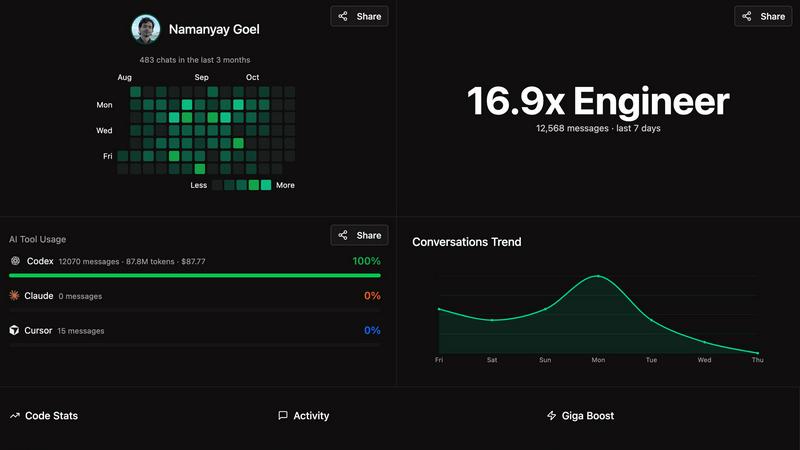
Giga AI
Receipt Generator

Feature Comparison
Giga AI
Context Engineering & Project Brain
Giga AI deeply analyzes your codebase to create a comprehensive understanding of your project. It generates multiple 'rules' files that serve as a persistent memory and guide for your AI, ensuring it never gets lost or hallucinates about non-existent code. This foundational context is what powers all other features, aligning AI output with your specific architecture and goals.
Multi-Platform Integration
Seamlessly install Giga AI in seconds on all popular AI coding environments. It works directly within Cursor, Claude Code, VS Code, and other leading platforms. This native integration means there's no context switching; Giga operates silently in the background of your existing workflow, enhancing your primary tools without disruption.
Error & Hallucination Reduction
Giga AI is specifically engineered to cut down on AI mistakes. By providing your AI with accurate, real-time context about your project, it drastically reduces bugs, incorrect code suggestions, and hallucinations about integrations or existing functions. Builders report a 72% reduction in errors, saving countless hours typically spent on debugging.
Autonomous Workflow Enablement
With Giga AI managing context, you can trust your AI to handle more complex, multi-step tasks autonomously. The tool provides the stability and understanding needed for the AI to execute longer plans (like 50-item task lists) without constant supervision or re-prompting, turning you from a micromanager into an architect.
Receipt Generator
400+ Store-Specific Templates
Choose from an extensive library of over 400 professionally crafted receipt templates. These templates accurately replicate the layout, branding, and specific details of popular stores including Walmart, Target, CVS, Starbucks, Best Buy, and McDonald's. Each template includes authentic thermal-style fonts, correct store headers, and standard receipt sections like itemized lists, tax breakdowns, and payment details, providing a perfect starting point for any scenario.
AI "Place in Scene" Visualization
Transform your digital receipt into a photorealistic image without a printer. This advanced AI feature allows you to generate a photo of your receipt placed on any surface you choose, such as a wooden desk, kitchen counter, inside a wallet, or crumpled in a pocket. It adds realistic shadows, textures, and lighting to create a convincing image perfect for content mockups, inventory documentation, and visual storytelling projects.
Full Customization & Drag-and-Drop Editor
Maintain complete control over every element of your receipt. The intuitive drag-and-drop editor lets you add, remove, and rearrange nine different block types, including headers, line items, totals, barcodes, and QR codes. You can customize all text, prices, dates, store information, payment methods, and even stylistic elements like fonts, spacing, and paper texture to match your exact requirements.
Instant High-Resolution Export
Download your finished receipt immediately with no delays or mandatory account sign-ups. Export your creation as a high-resolution PNG or PDF file ready for use in presentations, expense reports, or digital content. Pro plans offer unlimited, watermark-free downloads, ensuring you get professional-quality files in seconds to streamline your workflow.
Use Cases
Giga AI
Accelerating Solo Developers & Hackers
Individual builders and solo founders use Giga AI to multiply their productivity. It allows them to move from idea to execution faster by ensuring their AI assistant correctly implements features, understands project patterns, and avoids time-consuming errors, effectively acting as a always-available senior engineer.
Onboarding & Context for Teams
Development teams use Giga AI to instantly provide new members or AI assistants with deep project context. Instead of manual onboarding, Giga's generated rules files give AI (and by extension, developers) immediate understanding of the codebase structure, standards, and existing modules, speeding up contribution time.
Managing Complex Client Projects
Freelancers and consultants working on tight deadlines for clients rely on Giga AI to navigate unfamiliar or complex codebases quickly. It helps solve difficult problems, like implementing custom authentication, by ensuring the AI's suggestions are relevant and functional within the specific project environment, preventing costly missteps.
Refactoring & Large-Scale Code Changes
When undertaking significant refactoring or adding major features, Giga AI keeps the AI assistant aligned with the intended architectural changes. It prevents the AI from suggesting outdated patterns or breaking existing functionality, making large-scale code generation and modification safer and more reliable.
Receipt Generator
Small Business & Freelancer Expense Reporting
Create professional, customized receipts for expense tracking, client reimbursements, and tax documentation. Freelancers and small business owners can quickly generate receipts for services rendered, office supplies, or business meals using appropriate store templates, ensuring their financial records are clear, organized, and presentable for accounting purposes.
Content Creation & Social Media Mockups
Generate realistic receipt visuals for digital content, tutorials, advertisements, and social media posts. Content creators, marketers, and graphic designers use the AI "Place in Scene" feature to produce engaging photos of receipts in relatable settings, enhancing the authenticity of their stories, product reviews, budgeting tips, or promotional materials.
Reselling & Inventory Documentation
Document transactions and inventory for online reselling platforms like eBay, Poshmark, or Facebook Marketplace. Resellers can create proof-of-purchase receipts for buyers, verify the authenticity of goods, or maintain a personal record of acquisitions and sales by customizing receipts with specific item details, prices, and dates from relevant retailers.
Personal Finance & Budgeting Visualization
Mock up receipts for personal finance tracking, budgeting spreadsheets, or educational purposes. Individuals can visualize spending habits, create examples for financial literacy tutorials, or plan future purchases by generating realistic receipts from various stores to see a breakdown of costs, taxes, and potential savings.
Pricing Comparison
Giga AI
Giga AI offers a free trial for new users to experience its core features. They back their product with a 30-day money-back guarantee, allowing you to test it risk-free. Specific plan tiers and pricing details are available on their official website, where you can choose the subscription that best fits your individual or team needs.
Receipt Generator
Receipt Generator offers simple, transparent pricing with a free tier and paid plans. The free plan allows creation and download with a watermark. The best-value option is a Lifetime plan, often offered at a discount (e.g., 50% off), which provides a one-time payment for unlimited receipt downloads, access to all 400+ templates, watermark-free exports, the ability to save custom templates, and includes AI credits. There are also Pro subscription plans that unlock unlimited downloads and provide free AI credits on a recurring basis. All paid plans allow cancellation at any time.
Overview
About Giga AI
Giga AI is a context engineering tool that supercharges AI-powered coding assistants like Cursor, Claude Code, and VS Code. It solves the core frustration of AI development: hallucinations, errors, and a lack of project understanding. Giga AI acts as your AI's "project brain," automatically analyzing your entire codebase to generate intelligent rules and context. This ensures your AI assistant always understands your project structure, goals, and existing code, leading to accurate, relevant, and higher-quality code generation. Built for entrepreneurs, developers, and teams of all technical levels, Giga AI dramatically reduces debugging time, eliminates repetitive prompting, and cuts errors by up to 72%. By keeping your AI focused on your vision, it enables builders to ship faster, saving an average of 20 hours per month. With over 10,000 builders trusting it, Giga AI is the essential layer for reliable, efficient, and error-free AI-assisted development.
About Receipt Generator
Receipt Generator is the definitive online tool for creating authentic, store-specific receipts in seconds. It provides a comprehensive library of over 400 professionally designed templates for major retailers like Walmart, Target, Starbucks, CVS, and Best Buy, as well as restaurants, pharmacies, and grocery stores. The platform offers full customization, allowing you to edit every detail including line items, prices, dates, taxes, and payment methods. Once customized, you can instantly download your receipt as a high-resolution PNG or PDF file. What truly sets it apart is its innovative AI "Place in Scene" feature, which generates photorealistic images of your digital receipts placed on real-world surfaces like desks, wallets, or countertops, eliminating the need for physical printing. Designed for legitimate business, creative, and personal use, it serves small business owners, freelancers, content creators, and resellers globally. With a free tier available and a focus on lightning-fast, no-lag performance, Receipt Generator combines extensive template options with powerful AI visualization for all your receipt creation needs.
Frequently Asked Questions
Giga AI FAQ
How does Giga AI actually work with my code editor?
Giga AI installs as an extension or plugin into your supported editor (like Cursor or VS Code). Once installed, it performs an automatic, one-click analysis of your codebase. It reads your project structure, files, and dependencies to generate context rules. These rules are then referenced by your AI coding assistant in the background every time you prompt it, guiding its responses.
Is my code safe and private with Giga AI?
Yes. Giga AI emphasizes that your code is never stored or trained on. The analysis happens locally or in a secure, transient manner to generate the context rules needed for your session. Your proprietary codebase and data remain confidential and are not used to improve public AI models.
Can non-technical founders really use Giga AI?
Absolutely. Giga AI is designed to help both technical and non-technical users. For non-technical builders, it is particularly valuable because it reduces the complexity of directing AI. By keeping the AI focused on the project's goals and context, it minimizes technical miscommunication, allowing founders to build their vision without deep coding expertise.
What if I switch between different projects?
Giga AI is built to handle multiple projects seamlessly. It can analyze and maintain separate context rule sets for each of your different codebases. When you open a project, Giga recognizes it and applies the correct context, ensuring your AI always has the right "project brain" active for the work you're doing.
Receipt Generator FAQ
Is Receipt Generator free to use?
Yes, Receipt Generator offers a free tier that allows you to create and download receipts. However, receipts downloaded on the free plan include a watermark. To access unlimited downloads without watermarks, save custom templates, and use AI credits for the "Place in Scene" feature, you can upgrade to a paid Pro plan or a one-time Lifetime plan.
What is the AI "Place in Scene" feature?
The AI "Place in Scene" feature is a tool that uses artificial intelligence to generate a photorealistic image of your digital receipt placed onto a photo of a real-world surface. You can choose scenes like a desk, countertop, or wallet. The AI seamlessly blends your receipt into the image with proper lighting and perspective, creating a realistic photo without ever needing to print the receipt.
Can I customize every part of the receipt?
Absolutely. Receipt Generator provides full customization capabilities. You can edit all text, including store names, addresses, phone numbers, line item descriptions, quantities, unit prices, taxes, discounts, and payment details. The drag-and-drop editor also allows you to change the structure by adding or removing sections like barcodes, QR codes, and footers.
Are the receipts legally valid for returns or taxes?
No. Receipt Generator is designed for legitimate business, creative, and personal use only, such as mockups, documentation, and expense visualization. The receipts created are not intended and should not be used for fraudulent purposes, including attempting returns at retail stores, claiming false expenses on taxes, or deceiving others. Always refer to the platform's Terms of Service for acceptable use guidelines.
Alternatives
Giga AI Alternatives
Giga AI is an AI-powered app development platform designed to streamline the creation of applications for entrepreneurs and developers. It focuses on enhancing AI context, reducing errors, and accelerating the coding process through intelligent features. Users often explore alternatives for various reasons, such as budget constraints, specific feature requirements not offered, or a need for a different platform or integration ecosystem. The search for the right tool is highly personal to a project's scope and technical needs. When evaluating an alternative, consider the core value: does it effectively manage AI context to minimize errors? Look for tools that offer robust planning assistance, adapt to your workflow, and provide a reliable path from idea to functional application, regardless of your technical background.
Receipt Generator Alternatives
Receipt Generator is a comprehensive online tool in the productivity and management category, designed for creating custom, high-quality receipts. Users often explore alternatives for various reasons, such as budget constraints, the need for different feature sets like advanced data export, or a preference for a different platform like a mobile app or desktop software. When evaluating other options, key considerations include the template library's size and realism, the level of customization available for receipt details, and the quality of the final output. It's also wise to assess the pricing model, any usage limits, and whether the tool offers unique capabilities like AI-enhanced visual features for realistic mockups. Ultimately, the best choice depends on your specific use case, whether for business documentation, content creation, or personal finance tracking. Prioritizing ease of use, output quality, and value for money will guide you to the right solution for your receipt generation needs.