
Facejam vs Imgezy
Side-by-side comparison to help you choose the right AI tool.

Facejam
Transform selfies into high-quality professional headshots in minutes with FaceJam's AI-powered photo generator.
Last updated: February 26, 2026

Imgezy
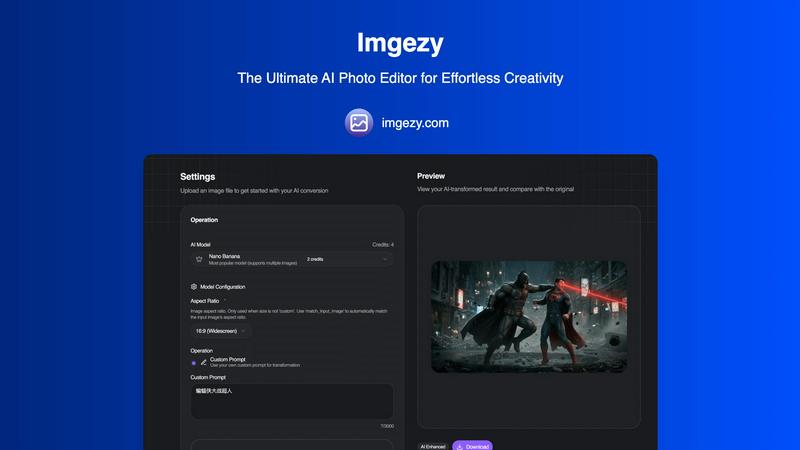
Imgezy is an AI photo editor that effortlessly removes objects and changes backgrounds for stunning results in seconds.
Last updated: February 28, 2026
Visual Comparison
Facejam

Imgezy
Feature Comparison
Facejam
Professional Headshot Generator
FaceJam offers a seamless experience by allowing users to upload their selfies and choose from over 100 professionally designed styles. This feature ensures that you can find the perfect look tailored to your specific industry without needing to book a session with a photographer.
Industry-Specific Styles
With over 50 unique templates catering to different professions, FaceJam helps you achieve the perfect look for your field. Whether you're a realtor, lawyer, or creative professional, the platform provides tailored options that reflect your industry’s standards and aesthetics.
Quick Turnaround Time
Forget long waits associated with traditional photography. FaceJam delivers your high-quality headshots in minutes. This rapid generation process allows you to get the images you need without delays, ensuring you can update your professional profiles quickly.
Ownership and Privacy
When you create headshots with FaceJam, you maintain full ownership of your images. The platform guarantees that your uploaded photos are secure and not used to train its AI model or for other users. This commitment to privacy provides peace of mind for users concerned about data security.
Imgezy
Object Removal
Imgezy offers a powerful object removal feature that intelligently identifies and eliminates unwanted elements from your photos. Whether it's a photobomber or distracting objects, the AI reconstructs the background seamlessly, ensuring pixel-perfect accuracy in every edit.
Background Replacement
With Imgezy, changing backgrounds is a breeze. Users can replace dull or unsuitable backgrounds with vibrant landscapes, solid colors, or any desired scene instantly. This feature enhances creativity and allows for stunning visual storytelling.
Photo Enhancement
Imgezy automatically enhances photos by adjusting colors, lighting, and sharpness. This feature makes images pop, ensuring they look professional and visually appealing without the need for manual adjustments.
Batch Processing
For users working on large projects, Imgezy's batch processing capability allows for the simultaneous editing of multiple images. This time-saving feature is perfect for e-commerce managers or photographers who need to edit numerous photos quickly.
Use Cases
Facejam
LinkedIn Headshots
Professionals can use FaceJam to create impressive LinkedIn profile pictures that stand out. A polished headshot enhances your professional image, making it easier to connect with potential employers or clients.
Corporate Team Photos
Businesses can generate cohesive headshots for their team members, ensuring that everyone presents a uniform and professional image on company websites, in pitch decks, and across marketing materials.
Personal Branding
For freelancers and entrepreneurs, consistent branding is crucial. FaceJam allows you to create a set of professional images that can be used across your website, social media profiles, and portfolios, establishing a strong personal brand.
Resume and Application Photos
FaceJam is ideal for job seekers needing high-quality images for resumes and applications. A professional headshot can make a significant difference in making a strong impression on potential employers.
Imgezy
Social Media Content Creation
Social media influencers and content creators can leverage Imgezy to elevate their posts. By quickly removing distractions and enhancing photo quality, they can create visually stunning content that stands out on platforms like Instagram and Facebook.
E-commerce Product Images
E-commerce businesses can utilize Imgezy to enhance product images, ensuring they are appealing and professional. The ability to change backgrounds and remove unwanted elements helps to create attractive product listings that drive sales.
Professional Photography
Photographers can benefit from Imgezy's speed and accuracy. With the AI's assistance, they can focus more on creativity and less on manual editing, allowing for a more efficient workflow and faster turnaround times for clients.
Personal Projects and Memories
Users looking to edit family photos or personal projects can use Imgezy to make quick adjustments. Whether it's removing unwanted objects or enhancing colors in a cherished memory, Imgezy makes photo editing accessible and enjoyable for everyone.
Overview
About Facejam
FaceJam is an innovative AI-powered tool that transforms your selfies into professional-quality headshots in just minutes. Designed for individuals and businesses alike, FaceJam eliminates the need for costly photographers or time-consuming photoshoots. With a user-friendly interface, simply upload a few selfies, select from over 100 styles tailored to various industries, and generate stunning images ready for download. Whether you need a polished LinkedIn profile picture, a corporate team photo, or a professional brand image, FaceJam provides high-resolution headshots that meet your needs. The platform respects your privacy, ensuring that your uploaded photos remain yours and are not used for any other purpose. This makes FaceJam an ideal solution for anyone looking to elevate their professional image without the hassle of traditional photography.
About Imgezy
Imgezy is the ultimate AI-powered photo editor that revolutionizes the way users create and enhance images. With its innovative approach, Imgezy allows users to execute complex editing tasks through simple text commands, making it accessible to everyone, regardless of their technical skills. The tool is designed for a diverse audience, including casual creators, social media influencers, e-commerce professionals, and seasoned photographers who require quick, high-quality edits. Imgezy's core value proposition lies in its ability to deliver professional-grade editing results in mere seconds, without the steep learning curve associated with traditional photo editing software. By leveraging advanced artificial intelligence, Imgezy enables users to remove unwanted objects, swap backgrounds, and enhance photo quality effortlessly, transforming their visions into stunning images with minimal effort.
Frequently Asked Questions
Facejam FAQ
How does your AI headshot generator work?
FaceJam operates in two simple steps: upload your selfies and choose a preferred template. The AI then generates realistic headshots based on your uploaded images, making it quick and easy to get professional results.
What do you do with my uploaded photos?
The photos you upload are solely used to create your headshots. They are not utilized in any way to improve the AI model or shared with other users, ensuring your privacy and data security.
How many good photos can I expect?
FaceJam guarantees at least one high-quality image per pack. The number of excellent photos you receive often depends on the quality and variety of selfies you provide, with many users achieving 5-10 great images.
Can I use FaceJam for LinkedIn, resumes, and business profiles?
Absolutely. FaceJam is specifically designed for creating professional headshots suitable for LinkedIn, resumes, and other business-related profiles, providing you with the perfect image to enhance your professional presence.
Imgezy FAQ
How does Imgezy work?
Imgezy uses advanced AI technology to interpret user commands for photo editing. Users simply describe the changes they want, and the AI executes these requests, providing professional-quality edits in seconds.
What types of images can I edit with Imgezy?
Imgezy supports all major image formats, including JPG, PNG, and WebP. Users can upload their images in these formats to begin the editing process.
Is there a limit to how many images I can edit?
Imgezy offers various pricing plans, each with a specific number of credits that determine how many images you can edit per month. This allows users to select a plan that fits their editing needs.
Can I download my edited images in high resolution?
Yes, Imgezy allows users to download their edited images in full resolution without any loss of quality, ensuring that the final product meets professional standards.
Alternatives
Facejam Alternatives
Facejam is an innovative tool that allows users to create studio-quality headshots from selfies using AI technology. It falls under the image and photo category, providing a user-friendly experience that caters to various professional needs. However, users often seek alternatives due to factors like pricing, specific features that might not meet their requirements, or compatibility with different platforms. When considering alternatives, it's essential to evaluate aspects such as the variety of styles available, the quality of the generated images, ease of use, and the security of your personal data.
Imgezy Alternatives
Imgezy is a revolutionary AI-powered photo editor that simplifies the process of image editing by allowing users to make changes through straightforward text commands. It caters to a wide range of users, from casual social media creators to professional photographers, offering features like object removal and background replacement. As users seek alternatives, they often consider factors such as pricing, additional features, or compatibility with different platforms. When choosing an alternative, it’s essential to look for user-friendly interfaces, robust editing capabilities, and the ability to meet specific editing needs without a complicated learning curve.