
Doodle Duel vs SVG to 3D
Side-by-side comparison to help you choose the right AI tool.

Doodle Duel
Compete in real-time drawing duels with friends as AI judges your creativity in this fun, free multiplayer game.
Last updated: February 28, 2026
SVG to 3D
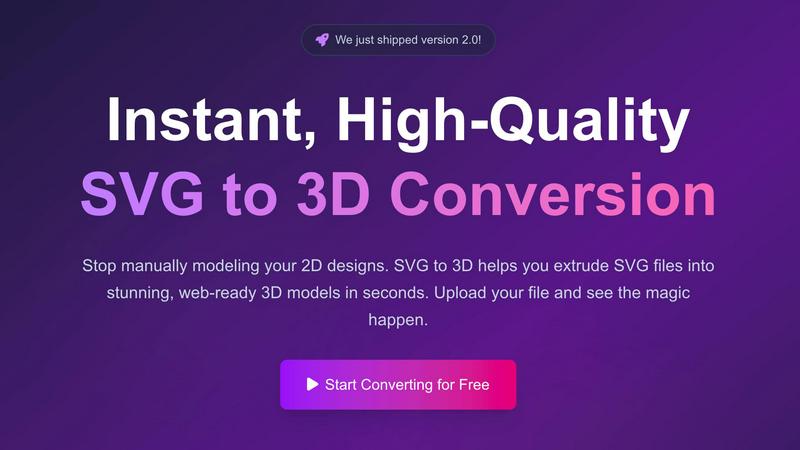
Easily convert SVG files into stunning web-ready 3D models with advanced controls and lightning-fast processing.
Last updated: February 26, 2026
Visual Comparison
Doodle Duel
SVG to 3D
Feature Comparison
Doodle Duel
Real-time Multiplayer
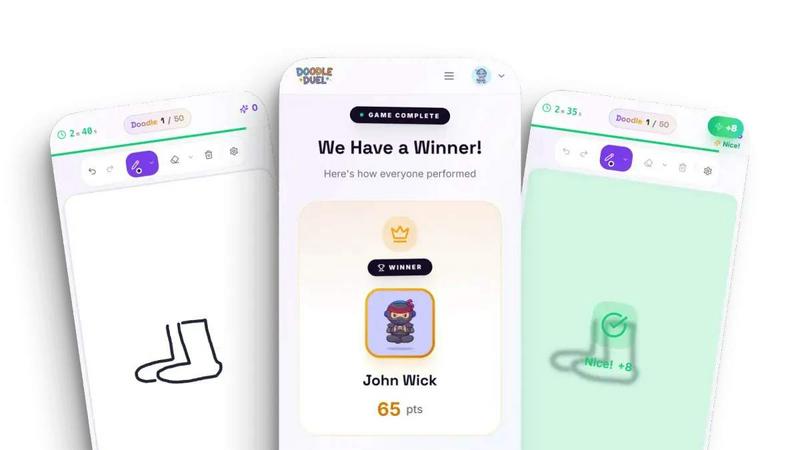
Experience the thrill of real-time drawing duels with friends. Invite up to 30 players into a room using a simple code, and compete against each other as everyone sketches the same prompt.
AI Judging
Let the AI do the judging. After each round, your doodles are evaluated based on accuracy, creativity, and style. This unbiased assessment keeps the competition fair and entertaining.
Solo Arcade Mode
Challenge yourself in the Solo Arcade mode, which features 50 levels of increasing difficulty. Aim to beat score thresholds, manage your lives, and climb the global leaderboards.
Instant Play
Start playing in under a minute! There are no downloads or sign-ups required. Simply create a room, share the code, and you’re ready to dive into a fun-filled drawing duel.
SVG to 3D
One-Click to GLB for the Web
With just a single click, users can convert their SVG files into web-optimized GLB files. This feature is tailored for web developers, making it easy to integrate 3D models into projects using frameworks like Three.js or React Three Fiber, enhancing user experience and visual appeal.
3D-Print Ready with STL Export
SVG to 3D supports seamless STL exports, making it ideal for 3D printing applications. Users can create clean and ready-to-print models suitable for immediate use with their slicer software, eliminating the need for complex CAD applications.
Real-Time Browser-Based Modeling
This tool allows users to go beyond basic extrusion. Fine-tune details such as thickness, bevels, and apply PBR materials, all while enjoying a real-time 3D preview. This interactive approach empowers users to create professional-quality models effortlessly.
Advanced Material System
SVG to 3D features an advanced material system that allows users to apply realistic PBR materials and custom textures. This capability ensures that your 3D models have depth and realism, setting them apart from those created with basic tools.
Use Cases
Doodle Duel
Family Game Night
Doodle Duel is perfect for family gatherings. Engage relatives of all ages in friendly drawing competitions that spark creativity and laughter, making every game night memorable.
Parties and Gatherings
Bring excitement to your parties with Doodle Duel. Whether it’s a birthday, holiday, or casual get-together, this game keeps everyone entertained and encourages a fun and competitive spirit.
Team Building Activities
Use Doodle Duel as a unique team-building exercise. Colleagues can bond over creative challenges, enhancing communication and camaraderie in a light-hearted setting.
Creative Skill Development
Doodle Duel is an excellent platform for aspiring artists to practice their skills. Players can hone their drawing abilities while receiving constructive feedback from the AI judge, making it both fun and educational.
SVG to 3D
Create Interactive 3D Logos and Icons
Developers can easily convert SVG logos and icons into 3D models, enhancing their websites with interactive elements. This capability allows for a richer user experience and greater engagement with visitors.
Transform Designs for 3D Printing
Graphic designers can take their 2D artwork and turn it into tangible 3D objects. Whether it's logos, art pieces, or custom parts, SVG to STL conversion simplifies the process for 3D printing, making physical fabrication straightforward.
Mock Up UI/UX Designs
Designers can elevate their presentations by quickly converting SVG elements into 3D models. This feature allows them to create mock-ups with depth and realism, impressing clients and stakeholders during design reviews.
Rapid Prototyping for Developers
Developers can utilize SVG to 3D for rapid prototyping of 3D assets. By converting SVG files quickly, they can iterate on designs faster and incorporate 3D elements into their applications without extensive modeling work.
Overview
About Doodle Duel
Doodle Duel is a revolutionary real-time drawing game that seamlessly blends creativity with competition, making it perfect for players of all skill levels. Whether you are a seasoned artist or just enjoy casual doodling, this game invites you to engage in entertaining drawing battles with friends or family. You can join the fun with up to 29 players, and best of all, there’s no need for downloads or accounts. The game kicks off with a prompt, and players have just 60 seconds to sketch their interpretation. Once the time is up, an AI judge, powered by Google Gemini or OpenAI, evaluates each drawing, providing humorous feedback while ensuring a fair assessment. This dynamic combination of speed, creativity, and laughter makes Doodle Duel an ideal choice for parties, family gatherings, or casual hangouts. With flexible modes, players can choose to embark on a solo arcade journey or enjoy chaotic multiplayer duels, ensuring an enjoyable experience for everyone involved.
About SVG to 3D
SVG to 3D is a powerful online tool designed to transform 2D SVG vector graphics into high-quality 3D models in just a few clicks. It caters to a diverse audience, including web developers, graphic designers, and 3D printing enthusiasts, by providing an efficient solution for converting flat designs into dynamic, three-dimensional representations. Unlike heavyweight software like Blender or Cinema 4D, SVG to 3D streamlines the conversion process, allowing users to achieve stunning results without the steep learning curve. The tool's main value proposition lies in its speed and ease of use, enabling users to focus on creativity rather than complex modeling techniques. With SVG to 3D, you can enhance your web projects, create interactive designs, and prepare files for 3D printing with minimal effort.
Frequently Asked Questions
Doodle Duel FAQ
Do I need to create an account to play Doodle Duel?
No, you do not need to create an account. Simply generate a room code and invite your friends to join the fun.
How many players can join a game?
You can invite up to 30 players in total, with the free version allowing 4 players at a time. For expanded options, consider the Pro upgrade.
What platforms can I play Doodle Duel on?
Doodle Duel is accessible on any device with internet access. There are no downloads or installations required, making it easy to jump straight into the game.
How does the AI judging work?
The AI evaluates each drawing based on accuracy, creativity, and style. After every round, the AI provides scores and feedback, ensuring a fair competition among players.
SVG to 3D FAQ
How does SVG to 3D work?
SVG to 3D works by allowing users to upload their SVG files, which are then processed by the tool to generate a 3D model. Users can adjust various settings and see real-time previews before exporting.
What file formats can I export to?
Users can export their 3D models in multiple formats, including GLB, GLTF, OBJ, and STL. This versatility ensures that the models can be used in various applications, from web projects to 3D printing.
Is my data secure while using SVG to 3D?
Yes, SVG to 3D prioritizes user privacy and security. Files are processed locally within the browser when possible, ensuring that designs remain secure and are not uploaded to external servers.
Do I need to install any software to use SVG to 3D?
No, SVG to 3D is a web-based application that requires no software installation. Users can access the tool directly through their browser, making it convenient and easy to use from anywhere.
Alternatives
Doodle Duel Alternatives
Doodle Duel is an engaging real-time drawing game that falls under the category of multiplayer creativity and entertainment. It allows players to compete in drawing challenges with friends, utilizing AI to judge the submissions. Users often seek alternatives due to various factors, including pricing, specific features, or platform compatibility. When searching for a suitable substitute, it’s important to consider ease of use, the range of available game modes, and the quality of the judging system to ensure a fun and engaging experience. Finding the right alternative can enhance your gaming experience, whether you're looking for different themes, additional features, or unique gameplay mechanics. Prioritize options that maintain a balance between creativity and competition, while also providing accessibility for users of all skill levels.
SVG to 3D Alternatives
SVG to 3D is a specialized tool designed to convert 2D SVG vector graphics into high-quality 3D models. It falls under the category of AI Assistants, catering to developers, designers, and 3D printing enthusiasts looking for a quick and efficient way to bring their designs to life. Users often seek alternatives to SVG to 3D due to factors like pricing, specific feature requirements, or compatibility with different platforms. When choosing an alternative, it is essential to consider the ease of use, the quality of the output, and the range of features offered. Look for tools that streamline the conversion process and support various file formats, ensuring they meet your specific project needs.