SVG to 3D
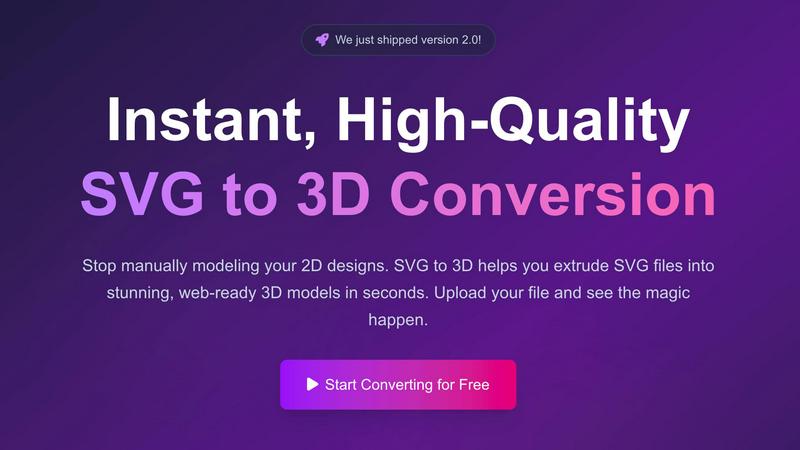
Easily convert SVG files into stunning web-ready 3D models with advanced controls and lightning-fast processing.
AI tool Details
Explore More
Alternatives
About SVG to 3D
SVG to 3D is a powerful online tool designed to transform 2D SVG vector graphics into high-quality 3D models in just a few clicks. It caters to a diverse audience, including web developers, graphic designers, and 3D printing enthusiasts, by providing an efficient solution for converting flat designs into dynamic, three-dimensional representations. Unlike heavyweight software like Blender or Cinema 4D, SVG to 3D streamlines the conversion process, allowing users to achieve stunning results without the steep learning curve. The tool's main value proposition lies in its speed and ease of use, enabling users to focus on creativity rather than complex modeling techniques. With SVG to 3D, you can enhance your web projects, create interactive designs, and prepare files for 3D printing with minimal effort.
Features
One-Click to GLB for the Web
With just a single click, users can convert their SVG files into web-optimized GLB files. This feature is tailored for web developers, making it easy to integrate 3D models into projects using frameworks like Three.js or React Three Fiber, enhancing user experience and visual appeal.
3D-Print Ready with STL Export
SVG to 3D supports seamless STL exports, making it ideal for 3D printing applications. Users can create clean and ready-to-print models suitable for immediate use with their slicer software, eliminating the need for complex CAD applications.
Real-Time Browser-Based Modeling
This tool allows users to go beyond basic extrusion. Fine-tune details such as thickness, bevels, and apply PBR materials, all while enjoying a real-time 3D preview. This interactive approach empowers users to create professional-quality models effortlessly.
Advanced Material System
SVG to 3D features an advanced material system that allows users to apply realistic PBR materials and custom textures. This capability ensures that your 3D models have depth and realism, setting them apart from those created with basic tools.
Use Cases
Create Interactive 3D Logos and Icons
Developers can easily convert SVG logos and icons into 3D models, enhancing their websites with interactive elements. This capability allows for a richer user experience and greater engagement with visitors.
Transform Designs for 3D Printing
Graphic designers can take their 2D artwork and turn it into tangible 3D objects. Whether it's logos, art pieces, or custom parts, SVG to STL conversion simplifies the process for 3D printing, making physical fabrication straightforward.
Mock Up UI/UX Designs
Designers can elevate their presentations by quickly converting SVG elements into 3D models. This feature allows them to create mock-ups with depth and realism, impressing clients and stakeholders during design reviews.
Rapid Prototyping for Developers
Developers can utilize SVG to 3D for rapid prototyping of 3D assets. By converting SVG files quickly, they can iterate on designs faster and incorporate 3D elements into their applications without extensive modeling work.
Frequently Asked Questions
How does SVG to 3D work?
SVG to 3D works by allowing users to upload their SVG files, which are then processed by the tool to generate a 3D model. Users can adjust various settings and see real-time previews before exporting.
What file formats can I export to?
Users can export their 3D models in multiple formats, including GLB, GLTF, OBJ, and STL. This versatility ensures that the models can be used in various applications, from web projects to 3D printing.
Is my data secure while using SVG to 3D?
Yes, SVG to 3D prioritizes user privacy and security. Files are processed locally within the browser when possible, ensuring that designs remain secure and are not uploaded to external servers.
Do I need to install any software to use SVG to 3D?
No, SVG to 3D is a web-based application that requires no software installation. Users can access the tool directly through their browser, making it convenient and easy to use from anywhere.