
Cleanlist AI vs Crops
Side-by-side comparison to help you choose the right AI tool.

Cleanlist AI enriches your leads with verified contact data, enabling rapid and effective B2B outreach.
Last updated: February 27, 2026

Crops
Crops uses AI to organize creative assets, catch errors, and streamline approvals for teams.
Last updated: March 1, 2026
Visual Comparison
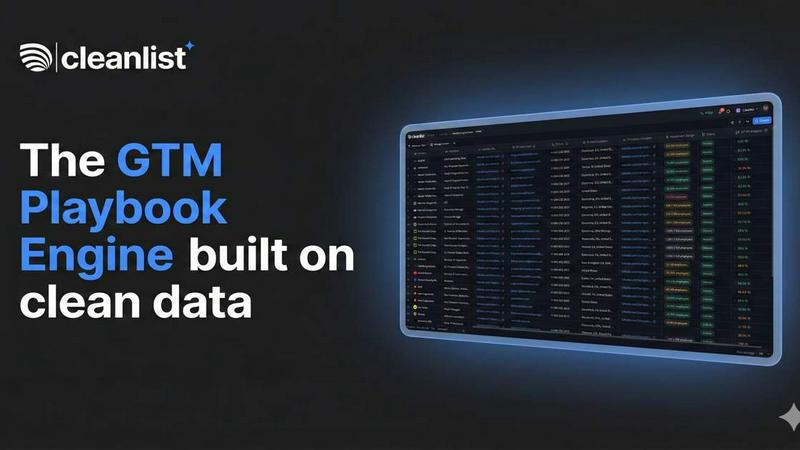
Cleanlist AI
Crops

Feature Comparison
Cleanlist AI
Waterfall Enrichment Engine
The waterfall enrichment engine utilizes over 15 data providers to ensure comprehensive lead enrichment. This feature allows users to cascade through multiple data sources automatically, maximizing data coverage while only paying for matches.
Smart Agents for Data Cleaning
Smart agents facilitate automatic data cleaning and enrichment, transforming messy data into structured, actionable insights. This feature normalizes job titles, formats phone numbers, and categorizes industries, making data ready for effective use.
Pre-built Playbooks
Cleanlist AI offers a range of pre-built playbooks designed for various GTM motions, including outbound sales and account-based marketing (ABM). These playbooks allow teams to launch campaigns quickly, eliminating the need for lengthy custom workflows.
Chrome Extension
The Cleanlist Chrome extension enables one-click extraction of verified emails and phone numbers from LinkedIn profiles. This feature simplifies the process of gathering contact information, integrating seamlessly with users' existing workflows.
Crops
Smart Asset Organization
Your entire creative library is intelligently organized and instantly searchable. AI automatically tags and categorizes every upload, and assets can live in multiple boards without duplication. Complex searches take seconds, not hours, ensuring your team finds the right asset immediately, every time, ending the frustration of misplaced files and outdated versions.
Streamlined Approvals
Centralize all feedback and approvals in one place, directly on the asset itself. Stakeholders comment with visual annotations and track status via custom workflows. Share secure review links that require no login, accelerating the review cycle and enabling you to ship campaigns faster with clear, contextual feedback.
AI Quality Control
Catch every error before stakeholders see them. AI instantly scans for typos, accessibility issues, placeholder text, and dozens of other problems. Connect these automated checks to your workflow to run before client presentations or final approval, ensuring you ship flawless, on-brand work with confidence.
Secure, Simple Sharing
Get feedback faster without email friction. Generate secure, branded links for clients and stakeholders with full control over passwords, expiration dates, and download permissions. Recipients can review and comment without creating accounts, facilitating a professional and efficient external collaboration process.
Use Cases
Cleanlist AI
Outbound Sales Campaigns
Sales teams can leverage Cleanlist AI to extract, enrich, score, and sync leads directly to their CRM. This streamlined process results in doubling the number of qualified meetings per business development representative (BDR).
Account-Based Marketing (ABM)
For ABM initiatives, Cleanlist AI helps build hyper-targeted account lists by identifying verified decision-makers. This targeted approach leads to significantly higher reply rates and more impactful marketing efforts.
Event Lead Follow-Up
Utilizing Cleanlist AI, teams can convert event leads while they are still warm. The platform enhances follow-up strategies, resulting in higher conversion rates within 24 hours of an event.
CRM Cleanup
Regularly maintaining CRM data is crucial for success. Cleanlist AI automates the process of eliminating data decay, keeping CRM systems fresh and accurate on a weekly basis.
Crops
Marketing Campaign Launch
Manage all assets for a multi-channel campaign from a single workspace. Organize final visuals, copy, and videos. Use AI review to catch errors before go-live and streamline stakeholder approvals with shared review links, ensuring a confident, error-free launch.
Brand Asset Management
Create a centralized, always-updated library of logos, fonts, templates, and brand guidelines. AI auto-tags new uploads for instant retrieval. Share secure links with external partners to ensure they always use the correct, approved brand materials.
Creative Production Workflow
Orchestrate the entire design-to-approval process. Designers upload work to organized boards. Automated AI checks run for quality, then stakeholders provide consolidated feedback directly on files. Eliminate version confusion and scattered comments across Slack and email.
Client and Agency Collaboration
Facilitate smooth collaboration with external clients. Share secure review links for specific projects. Clients comment directly on designs, and all feedback is tracked in one thread. AI ensures all shared work is error-free, maintaining a professional standard.
Overview
About Cleanlist AI
Cleanlist AI is an advanced data operating system tailored for modern go-to-market (GTM) teams, providing them with essential tools for lead enrichment. This platform addresses the critical need for high-quality, verified contact data, enhancing the capabilities of sales and marketing professionals. Users can easily upload a CSV file or connect directly to their CRM, enabling Cleanlist to utilize its proprietary waterfall enrichment engine. This engine integrates data from over 15 leading providers, such as Wiza, Findymail, and Lusha, ensuring a remarkable accuracy rate of 98%. Cleanlist AI is ideal for sales teams, marketers, and businesses aiming to refine their outreach strategies and boost lead conversion rates. With features including email verification, intelligent data cleaning agents, and seamless CRM integrations, Cleanlist AI empowers teams to operate with increased efficiency and effectiveness, ultimately driving substantial growth in their outreach initiatives.
About Crops
Crops is an AI-powered Digital Asset Management (DAM) platform engineered specifically for creative and marketing teams. It directly tackles the chronic workflow chaos that plagues these teams: endless hours lost searching for files, feedback scattered across disjointed channels like email and Slack, costly errors that slip through to production, and perpetual version confusion. Crops consolidates the entire creative workflow into a single, intelligent workspace. It combines powerful asset organization with automated quality control and streamlined collaboration tools. The core value proposition is clear: give creative teams their time back. By automating manual, error-prone tasks and centralizing the review process, Crops enables teams to find any asset instantly, maintain brand consistency automatically, keep approvals moving swiftly, and ultimately ship campaigns with confidence, knowing nothing has been overlooked. It's the foundational system that turns creative chaos into a smooth, reliable, and efficient operational workflow.
Frequently Asked Questions
Cleanlist AI FAQ
What is Cleanlist AI?
Cleanlist AI is a data operating system designed for GTM teams to streamline lead enrichment, providing verified contact data from multiple sources to enhance outreach and conversion rates.
How does the waterfall enrichment engine work?
The waterfall enrichment engine leverages over 15 data providers to enrich leads automatically. It cascades through data sources to maximize coverage and accuracy, ensuring users pay only for successful matches.
Can Cleanlist AI integrate with my existing CRM?
Yes, Cleanlist AI offers seamless integration with various CRMs, allowing for direct syncing of enriched and validated contacts. This ensures your outreach tools are always up-to-date with the latest data.
Is there a free trial available for Cleanlist AI?
Yes, Cleanlist AI provides an option to start building for free without requiring a credit card. Users can quickly set up and explore the platform's capabilities within a matter of minutes.
Crops FAQ
Who is Crops designed for?
Crops is engineered specifically for creative and marketing teams, including designers, marketing managers, content creators, and brand managers. It is ideal for any team that deals with high volumes of digital assets and needs to streamline organization, collaboration, and quality assurance.
How does the AI Quality Control work?
The AI scans uploaded assets instantly for a range of common errors. This includes checking for spelling and grammar mistakes, detecting leftover placeholder text like "Lorem ipsum," and flagging potential accessibility issues such as poor color contrast or text size, acting as an automated final reviewer.
Can I control who sees and downloads shared assets?
Yes. When generating a shareable link, you have full control over permissions. You can set passwords, expiration dates for the link, and toggle download capabilities on or off. This ensures you can share assets widely for feedback while keeping sensitive files secure.
How does Crops handle different file versions?
Crops eliminates version confusion by centralizing all feedback on the asset itself within the platform. The system helps track the approval status, so it's always clear which file is the final, approved version ready for use or distribution, ending the "final-FINAL" email chains.
Alternatives
Cleanlist AI Alternatives
Cleanlist AI is a leading data operating system tailored for modern go-to-market teams, specializing in enriching leads with verified emails and phone numbers to enhance B2B outreach. Users often seek alternatives due to various factors, such as pricing, specific feature sets, or unique platform requirements that might better align with their business objectives. When exploring alternatives, it’s essential to consider factors like data accuracy, ease of use, integration capabilities, and overall effectiveness in improving outreach and lead conversion.
Crops Alternatives
Crops is an AI-powered Digital Asset Management (DAM) platform designed to streamline creative workflows for marketing and creative teams. It centralizes assets, automates quality checks, and simplifies the approval process to eliminate chaos and errors. Users may explore alternatives for various reasons. Common factors include budget constraints, the need for different feature sets, or specific platform requirements like deeper integrations with existing tools. The scale of a team or the complexity of its projects can also drive the search for a different solution. When evaluating alternatives, focus on core needs. Key considerations are robust asset organization, efficient collaboration tools, and automated quality assurance. The right platform should seamlessly integrate into your existing workflow, scale with your team, and provide clear value by saving time and reducing operational friction.