
claude-ide vs Movoria AI
Side-by-side comparison to help you choose the right AI tool.

claude-ide
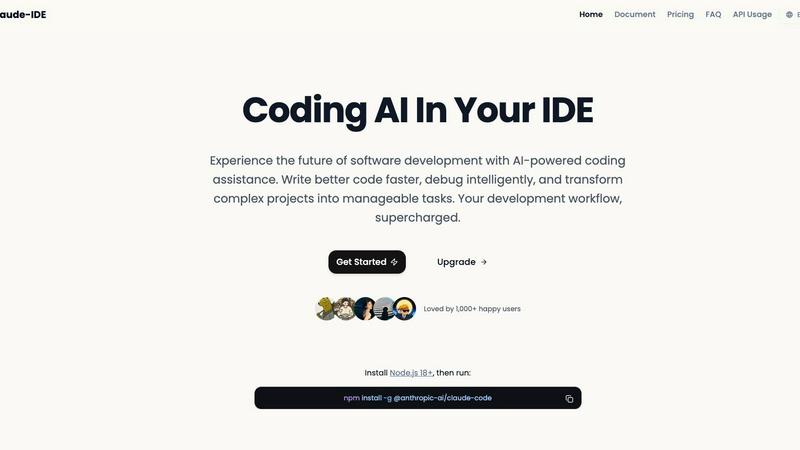
Claude IDE is an AI coding assistant that understands your entire codebase and works in your terminal.
Last updated: March 1, 2026

Movoria AI
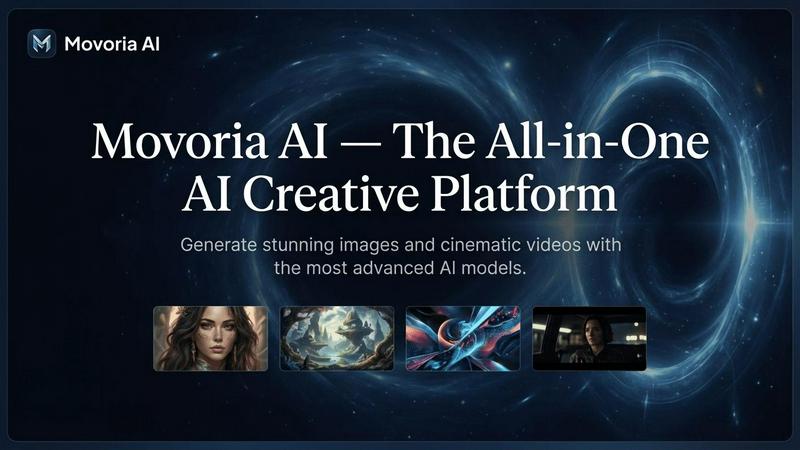
Movoria AI is your all-in-one platform for generating stunning images and cinematic videos with advanced AI models.
Last updated: April 13, 2026
Visual Comparison
claude-ide
Movoria AI
Feature Comparison
claude-ide
Deep Codebase Understanding
Claude IDE goes beyond single-file analysis to understand the full context of your project. It intelligently grasps project architecture, dependencies, and relationships across all files. This allows it to make accurate, coordinated edits and provide suggestions that are coherent with your entire codebase, ensuring functionality and consistency are maintained.
Seamless Terminal & IDE Integration
The tool is deeply embedded where you work, with no need for external browser tabs. It integrates directly into your terminal and popular IDEs like VS Code and JetBrains products. This native integration provides instant AI assistance without disrupting your workflow, allowing you to stay focused and productive within your primary development environment.
Intelligent Multi-File Editing
With its comprehensive understanding of your project, Claude IDE can execute powerful, coordinated edits across multiple files simultaneously. It can refactor code, update dependencies, implement features, and fix bugs that span several parts of your codebase, all while ensuring the changes work correctly together.
Integrated Development Workflow
Claude IDE connects with your entire toolchain. It deeply integrates with GitHub, GitLab, and command-line tools to manage a complete development workflow. You can read issues, write code, execute tests, and submit pull requests directly from your terminal, streamlining the process from task to deployment.
Movoria AI
Advanced AI Image Generation
Access a suite of top-tier image models like Nano Banana Pro, GPT Image 1.5, and Grok Image to create stunning visuals from text. Generate portraits, artwork, logos, and product shots with precise control over style, aspect ratio, and resolution up to 4K. Each model offers unique strengths, from photorealistic detail to fast iteration, ensuring you get the perfect image for your needs.
Cinematic AI Video Creation
Transform text descriptions into dynamic video clips with models like Veo 3.1, Kling 3.0, and Seedance 1.5 Pro. These advanced tools produce videos with features like native audio generation, audio-visual synchronization, and motion control for trajectory-based editing. Create engaging visual stories, promotional clips, and cinematic B-roll footage directly from your ideas.
Multi-Model Platform Access
Choose the best AI model for each specific task without leaving the platform. Movoria AI provides unified access to specialized models for images, video, and upcoming chat, allowing for a seamless workflow from ideation to final asset creation. This flexibility ensures optimal results for every creative requirement.
AI-Powered Photo Editing
Upload existing photos and enhance them using AI-driven instructions. Apply style transfers, perform edits, and improve image quality through simple text commands. This feature allows for quick refinements and creative transformations of your visual content without requiring complex manual editing software.
Use Cases
claude-ide
Rapid Codebase Familiarization
When joining a new project or returning to an old one, Claude IDE can analyze and explain the complete codebase in seconds. It automatically grasps the project's purpose, architecture, and key components, providing a high-level overview and answering specific questions to get you up to speed quickly.
End-to-End Feature Implementation
From a GitHub issue to a pull request, Claude IDE manages the entire feature development cycle. It can read issue descriptions, plan the necessary code changes across relevant files, write the implementation, run tests, and help submit the PR, all within an integrated workflow in your terminal.
Complex Debugging and Problem-Solving
When faced with a tricky bug or a complex problem, Claude IDE can intelligently debug by understanding the error in the context of your entire application. It traces through dependencies and data flow across files to identify the root cause and suggest precise, effective fixes.
Large-Scale Code Refactoring
For tasks like updating a library, renaming a component used throughout the project, or improving code structure, Claude IDE can safely execute widespread changes. It identifies all usages and dependencies across the codebase and performs coordinated multi-file edits to ensure the refactor is complete and functional.
Movoria AI
Social Media Content Creation
Quickly produce eye-catching images and short-form video clips for platforms like Instagram, TikTok, and YouTube. Generate consistent, on-brand visuals for posts, stories, and reels to maintain an engaging and professional social media presence without extensive production resources.
Marketing & Advertising Campaigns
Develop high-quality visual assets for digital ad campaigns, email marketing, and website content. Create photorealistic product images, promotional videos, and concept art that captures audience attention and drives conversion rates for marketing teams and agencies.
E-commerce Product Visualization
Generate professional product photography and lifestyle imagery for online stores. Create multiple angles, scenes, and contexts for products to showcase them effectively, reducing dependency on expensive photoshoots and accelerating catalog development.
Creative Storyboarding & Prototyping
Visualize concepts and narratives quickly by generating images and video sequences from descriptive text. Filmmakers, writers, and designers can use the platform to prototype scenes, explore visual styles, and create compelling pitch materials for creative projects.
Overview
About claude-ide
Claude IDE is a professional-grade AI coding assistant that integrates directly into your development environment, bringing the power of Claude Opus 4.6 to your terminal and VS Code. It is designed for developers who want to write better code faster, debug intelligently, and manage complex projects with seamless AI assistance. Unlike other services with opaque, usage-based pricing, Claude IDE offers a transparent and affordable alternative, making advanced AI support accessible to individual developers, students, and hobbyists. Its core value lies in deep contextual understanding; it analyzes your entire codebase instead of isolated snippets, enabling coordinated changes across multiple files and providing suggestions that truly fit your project's architecture. By living inside your terminal and IDE, it eliminates constant context switching and works seamlessly within your existing workflow, transforming complex development tasks into manageable processes.
About Movoria AI
Movoria AI is an all-in-one creative platform that empowers users to generate high-quality images and cinematic videos using advanced artificial intelligence. It consolidates multiple state-of-the-art AI models into a single, streamlined interface, eliminating the need to switch between different tools. The platform specializes in text-to-image, text-to-video, and image-to-video generation, offering creators unparalleled flexibility. It is designed for a wide range of users, from digital marketers and social media content creators to e-commerce entrepreneurs and professional filmmakers. The core value proposition is providing professional-grade, visually stunning content generation capabilities that are both accessible and efficient, enabling users to transform simple text prompts into compelling visual assets for any project.
Frequently Asked Questions
claude-ide FAQ
How do I install Claude IDE?
Installation is straightforward. First, ensure you have Node.js 18 or higher installed on your system. Then, open your terminal and run the command npm install -g @anthropic-ai/claude-code. This will install the Claude IDE package globally, making it available in your terminal and for integration with your IDE.
What makes Claude IDE different from other AI coding assistants?
Claude IDE distinguishes itself through its deep integration, full codebase context, and transparent pricing. It works directly inside your terminal and IDE without context switching, understands your entire project for more accurate suggestions, and offers a clear, affordable subscription model instead of opaque per-token costs.
Which IDEs and editors does Claude IDE support?
Claude IDE is designed for deep integration with the tools developers use most. It offers full integration with VS Code and JetBrains IDEs (like WebStorm, IntelliJ). Its core functionality is also accessible directly from your command-line terminal, providing flexibility regardless of your preferred editor.
Can Claude IDE work with private repositories and code?
Yes, Claude IDE is built to work with your real development projects. It operates locally within your environment, analyzing the code on your machine. This means it can work with private repositories, local projects, and proprietary code without sending your source code to external servers for processing.
Movoria AI FAQ
What AI models are available on Movoria AI?
Movoria AI offers a curated selection of leading models. For images, you can use Z-Image, Nano Banana Pro, GPT Image 1.5, and Grok Image. For video generation, available models include Veo 3.1, Seedance 1.5 Pro, Kling 3.0, and Grok Video. The platform is regularly updated with new and improved models.
Is there a free tier available?
Yes, Movoria AI offers a free starting point. For example, the Z-Image model provides 2 free uses per day without requiring a login. This allows users to test the platform's core image generation capabilities before committing to a paid plan for more extensive features and higher limits.
What aspect ratios and resolutions are supported?
The platform supports various aspect ratios including 1:1, 16:9, 9:16, 4:3, and 3:4 to fit different platforms and formats. You can generate images in resolutions up to 4K, ensuring high-quality outputs suitable for both digital use and professional print.
Can I create videos with sound using Movoria AI?
Yes, several AI video models on Movoria AI, such as Veo 3.1 and Kling 3.0, feature native audio generation and audio-visual synchronization. This means the AI can create video clips with matching soundtracks or sound effects based on your text description, producing more immersive and complete video content.
Alternatives
claude-ide Alternatives
Claude IDE is an AI coding assistant that integrates directly into your terminal and IDE, offering intelligent codebase understanding and workflow automation. It belongs to the category of AI-powered development tools designed to help developers write, debug, and manage code more efficiently. Users often explore alternatives for various reasons. These can include seeking different pricing models, requiring specific features not available in one tool, needing compatibility with other platforms or IDEs, or simply wanting to compare the value and performance of different solutions in a competitive market. When evaluating alternatives, consider key factors like the depth of codebase understanding, the quality of AI suggestions, integration with your existing tools and workflow, overall cost transparency, and the tool's ability to handle your project's specific complexity without constant context switching.
Movoria AI Alternatives
Movoria AI is an all-in-one AI platform in the AI Assistants category, designed to generate stunning images and cinematic videos. It offers a unified suite of tools for text-to-image, text-to-video, and image-to-video conversion using advanced AI models. Users often explore alternatives for various reasons. These can include seeking different pricing models, requiring specific features not available in the platform, or needing a tool that better integrates with their existing workflow. The search is typically driven by a need to find the best fit for individual creative or business requirements. When evaluating alternatives, consider the core capabilities you need. Key factors include the quality and style of AI-generated outputs, the range of supported media types, ease of use, and the overall value proposition. Prioritizing these elements will help you find a solution that effectively meets your image and video generation goals.