

claude-ide
Claude IDE is an AI coding assistant that understands your entire codebase and works in your terminal.
AI tool Details
Explore More
Alternatives
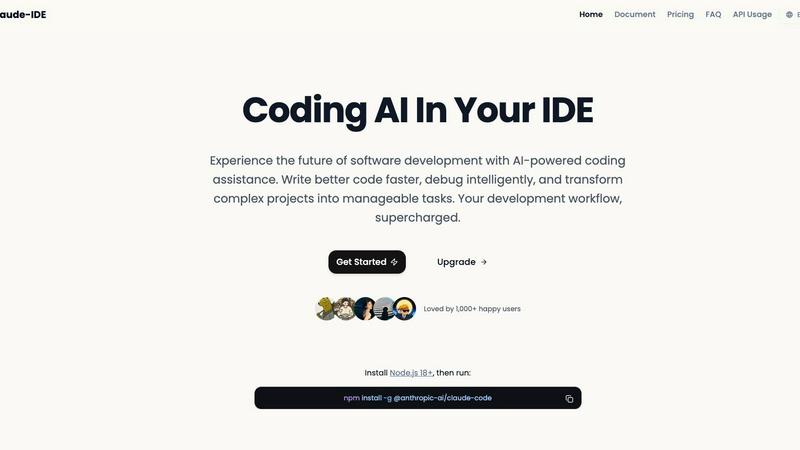
About claude-ide
Claude IDE is a professional-grade AI coding assistant that integrates directly into your development environment, bringing the power of Claude Opus 4.6 to your terminal and VS Code. It is designed for developers who want to write better code faster, debug intelligently, and manage complex projects with seamless AI assistance. Unlike other services with opaque, usage-based pricing, Claude IDE offers a transparent and affordable alternative, making advanced AI support accessible to individual developers, students, and hobbyists. Its core value lies in deep contextual understanding; it analyzes your entire codebase instead of isolated snippets, enabling coordinated changes across multiple files and providing suggestions that truly fit your project's architecture. By living inside your terminal and IDE, it eliminates constant context switching and works seamlessly within your existing workflow, transforming complex development tasks into manageable processes.
Features
Deep Codebase Understanding
Claude IDE goes beyond single-file analysis to understand the full context of your project. It intelligently grasps project architecture, dependencies, and relationships across all files. This allows it to make accurate, coordinated edits and provide suggestions that are coherent with your entire codebase, ensuring functionality and consistency are maintained.
Seamless Terminal & IDE Integration
The tool is deeply embedded where you work, with no need for external browser tabs. It integrates directly into your terminal and popular IDEs like VS Code and JetBrains products. This native integration provides instant AI assistance without disrupting your workflow, allowing you to stay focused and productive within your primary development environment.
Intelligent Multi-File Editing
With its comprehensive understanding of your project, Claude IDE can execute powerful, coordinated edits across multiple files simultaneously. It can refactor code, update dependencies, implement features, and fix bugs that span several parts of your codebase, all while ensuring the changes work correctly together.
Integrated Development Workflow
Claude IDE connects with your entire toolchain. It deeply integrates with GitHub, GitLab, and command-line tools to manage a complete development workflow. You can read issues, write code, execute tests, and submit pull requests directly from your terminal, streamlining the process from task to deployment.
Use Cases
Rapid Codebase Familiarization
When joining a new project or returning to an old one, Claude IDE can analyze and explain the complete codebase in seconds. It automatically grasps the project's purpose, architecture, and key components, providing a high-level overview and answering specific questions to get you up to speed quickly.
End-to-End Feature Implementation
From a GitHub issue to a pull request, Claude IDE manages the entire feature development cycle. It can read issue descriptions, plan the necessary code changes across relevant files, write the implementation, run tests, and help submit the PR, all within an integrated workflow in your terminal.
Complex Debugging and Problem-Solving
When faced with a tricky bug or a complex problem, Claude IDE can intelligently debug by understanding the error in the context of your entire application. It traces through dependencies and data flow across files to identify the root cause and suggest precise, effective fixes.
Large-Scale Code Refactoring
For tasks like updating a library, renaming a component used throughout the project, or improving code structure, Claude IDE can safely execute widespread changes. It identifies all usages and dependencies across the codebase and performs coordinated multi-file edits to ensure the refactor is complete and functional.
Frequently Asked Questions
How do I install Claude IDE?
Installation is straightforward. First, ensure you have Node.js 18 or higher installed on your system. Then, open your terminal and run the command npm install -g @anthropic-ai/claude-code. This will install the Claude IDE package globally, making it available in your terminal and for integration with your IDE.
What makes Claude IDE different from other AI coding assistants?
Claude IDE distinguishes itself through its deep integration, full codebase context, and transparent pricing. It works directly inside your terminal and IDE without context switching, understands your entire project for more accurate suggestions, and offers a clear, affordable subscription model instead of opaque per-token costs.
Which IDEs and editors does Claude IDE support?
Claude IDE is designed for deep integration with the tools developers use most. It offers full integration with VS Code and JetBrains IDEs (like WebStorm, IntelliJ). Its core functionality is also accessible directly from your command-line terminal, providing flexibility regardless of your preferred editor.
Can Claude IDE work with private repositories and code?
Yes, Claude IDE is built to work with your real development projects. It operates locally within your environment, analyzing the code on your machine. This means it can work with private repositories, local projects, and proprietary code without sending your source code to external servers for processing.
Similar to claude-ide


amaze.directory
A directory of AI tools where every listing was opened and used by a person.

Speechyou
AI transcription for voice notes, meetings, and audio files in 1,700 languages, with AI summaries and subtitle export and unlimited chat ai usage.

ProspectHalo
AI sales agent that finds qualified leads, runs outreach, follows up automatically, creates content, and helps book more meetings.

benchmark.directory
146 AI tools, grouped by the job you hire them to do. We paid for every one, used it on real work, and wrote down where it stops.

GROWNX
Real-time downloads, revenue, and reviews across your App Store portfolio, plus an AI copilot.


Tools Network
Tools Network is a curated directory of the best AI tools across 25+ categories — compare ratings, pricing, and features to find the right one fast.