
AI Photo Online vs Seedream 4.5
Side-by-side comparison to help you choose the right AI tool.

AI Photo Online
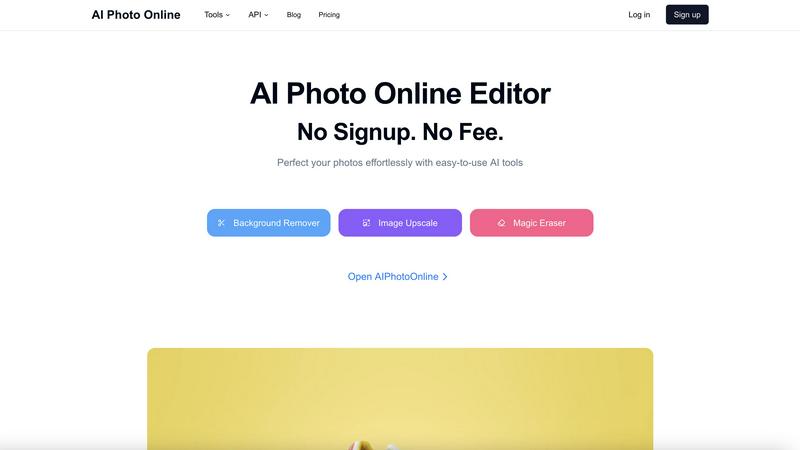
Edit photos instantly with powerful AI tools, no signup or fees required.
Last updated: March 1, 2026

Seedream 4.5
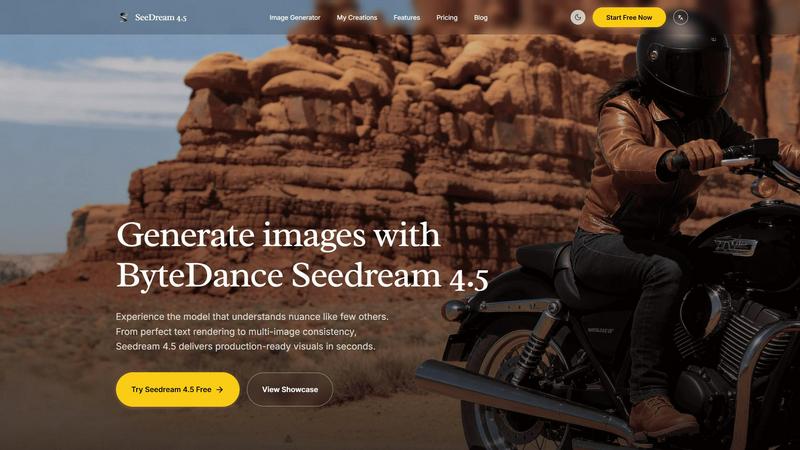
Seedream 4.5 creates high-quality, production-ready images in seconds with exceptional detail and consistency.
Last updated: February 28, 2026
Visual Comparison
AI Photo Online
Seedream 4.5
Feature Comparison
AI Photo Online
AI-Powered Background Remover
Instantly and accurately remove backgrounds from any image with a single click. The AI cleanly separates subjects from their surroundings, delivering a transparent or solid-color background perfect for product listings, profile pictures, and creative composites without manual outlining.
Magic Eraser for Object Removal
Effortlessly remove unwanted objects, people, text, or imperfections from your photos. This intelligent tool analyzes the image and seamlessly fills in the removed areas by generating matching content, leaving no trace of the original distraction.
High-Quality Image Upscaler
Increase the resolution and clarity of your images without losing detail. This AI tool intelligently enlarges photos, making them suitable for print, large displays, or improving the quality of old or low-resolution digital images for professional use.
Virtual Photo Studio
Create professional product photos without a physical studio or photographer. This feature allows you to generate stunning, studio-quality shots by placing your product into various AI-generated scenes and lighting conditions with just a few clicks.
Seedream 4.5
Advanced Image Generation
Seedream 4.5 harnesses innovative algorithms to create stunning visuals quickly. Users can generate images from text prompts with remarkable fidelity, ensuring that even complex ideas are translated into high-quality graphics.
Superior Text Rendering
The tool’s text rendering capability is exceptional, allowing for seamless integration of text into images. This feature ensures that typography is clear, aesthetically pleasing, and consistent across various designs, enhancing the overall professional quality of the visuals.
Surgical Editing Capabilities
With support for over 14 reference images, users can engage in surgical editing, refining specific details of their designs without compromising the overall coherence. This feature is particularly beneficial for users focused on maintaining a specific artistic style while making targeted adjustments.
Native 4K Support
Seedream 4.5 offers native 4K output, making it ideal for commercial projects that require high-resolution images. This feature guarantees that the generated visuals meet industry standards for print and digital media, ensuring that professionals can deliver top-notch results.
Use Cases
AI Photo Online
E-commerce Product Listings
Create clean, consistent, and engaging product photos at scale. Remove backgrounds, upscale image quality, and use the virtual studio to generate multiple lifestyle shots, drastically reducing photoshoot costs and speeding up time to market.
Social Media & Marketing Content
Quickly produce eye-catching graphics for campaigns. Use templates, remove distracting elements from photos, and generate custom backgrounds to create polished content for Instagram, Facebook, ads, and blogs without design expertise.
Professional Photography Enhancement
Assist photographers in post-production by performing tedious tasks instantly. Upscale image resolution for large prints, remove accidental photobombers, or change backgrounds to achieve the perfect shot without hours of manual editing.
Personal Photo Editing & Fun
Perfect personal photos for profiles, invitations, or gifts. Easily remove blemishes or unwanted objects, create fun composites with new backgrounds, and enhance old family photos by upscaling them for better clarity and sharing.
Seedream 4.5
Marketing Campaigns
Marketing professionals can use Seedream 4.5 to create eye-catching visuals for ad campaigns in record time. The ability to generate high-quality images quickly allows teams to keep pace with fast-paced marketing demands and stay ahead of competitors.
Social Media Content Creation
Content creators can leverage Seedream 4.5 to produce stunning graphics for social media platforms. The tool's advanced features facilitate the creation of engaging posts that capture audience attention and enhance brand identity.
Product Visualization
E-commerce businesses can utilize Seedream 4.5 for product visualization, generating realistic images that showcase products effectively. This capability helps in attracting customers and improving conversion rates by providing high-quality representations of merchandise.
Concept Art Development
Artists and designers can use Seedream 4.5 to develop concept art efficiently. The software enables rapid iteration and exploration of ideas, allowing creatives to visualize concepts before diving into more detailed work.
Overview
About AI Photo Online
AI Photo Online is a comprehensive, web-based platform that delivers professional-grade photo editing through the power of artificial intelligence. It eliminates the need for complex software by providing a suite of powerful, user-friendly tools directly in your browser. Operating on a core "No Signup. No Fee." model, it makes advanced editing accessible to everyone. The platform is designed for a wide audience, including social media users, e-commerce entrepreneurs, marketers, photographers, and content creators who require fast, high-quality image modifications. Its main value proposition is delivering effortless, precise control over photo editing. Users can instantly remove backgrounds, erase unwanted objects, upscale image resolution, and even generate new images. Beyond individual tools, AI Photo Online offers a virtual studio to create product photos and thousands of conversion-focused marketing templates, saving significant time and money compared to traditional photography and design processes.
About Seedream 4.5
Seedream 4.5 is a cutting-edge image generation tool designed for professionals in creative industries such as graphic design, marketing, and content creation. It empowers users to produce high-quality visuals in mere seconds, making it an essential asset for those who require rapid turnaround times without sacrificing quality. The software's standout feature is its advanced text rendering capability, which ensures that any text included in the images is not only legible but also stylistically consistent. With support for over 14 reference images, Seedream 4.5 allows for precise editing of specific elements within a design, enabling users to maintain their artistic vision. The inclusion of native 4K support caters to commercial needs, while its intuitive interface and efficient instruction-following capabilities streamline the creative process. Ultimately, Seedream 4.5 brings a new level of creativity and precision to digital artistry, making it an invaluable tool for any creative professional.
Frequently Asked Questions
AI Photo Online FAQ
Is AI Photo Online really free to use?
Yes, the core online AI tools operate on a "No Signup. No Fee." model. You can access features like the Background Remover, Magic Eraser, and Image Upscaler directly in your browser without creating an account or paying. Advanced features, the virtual studio, API access, and high-volume usage may involve premium plans.
What kind of files does AI Photo Online support?
The platform supports all common image file formats, including JPG, PNG, and WebP. You can upload your photos directly from your device, and the processed images can be downloaded in high-quality PNG or JPG formats, depending on the tool used.
Do I need any technical skills to use the tools?
No technical skills are required. AI Photo Online is designed for simplicity. Each tool is built to be user-friendly, typically requiring just an upload and a single click to achieve professional results. The AI handles the complex processing automatically.
How does the Virtual Photo Studio work?
The Virtual Studio uses AI to generate realistic environments and lighting. You upload a product image, and the AI places it into a chosen scene (like a marble tabletop or a lifestyle setting), creating a professional product photo without the need for physical props, travel, or a photographer.
Seedream 4.5 FAQ
What types of images can Seedream 4.5 generate?
Seedream 4.5 can generate a wide variety of images, including illustrations, photorealistic visuals, and stylized designs based on user-generated text prompts.
Is Seedream 4.5 suitable for beginners?
Yes, Seedream 4.5 features an intuitive user interface that makes it accessible for beginners while still offering advanced capabilities for experienced professionals.
Can I edit images after they are generated?
Absolutely. Seedream 4.5 includes surgical editing functionalities that allow users to refine specific details in their images, ensuring that the final output aligns with their vision.
Does Seedream 4.5 support collaboration?
While specific collaboration features are not detailed, the tool's ease of use and rapid output make it a valuable resource for teams working on joint projects, facilitating seamless integration of ideas.
Alternatives
AI Photo Online Alternatives
AI Photo Online is a web-based AI photo editing platform in the Image & Photo category. It offers instant, powerful tools for tasks like background removal and object erasure with a no-signup, no-fee model for its core online features. Users may seek alternatives for various reasons. Some require a downloadable desktop application for offline work, while others might need a different set of specialized tools or advanced control. Pricing models also vary, with some platforms using subscriptions or credits for premium features. When evaluating other options, consider your primary use case, budget, and preferred workflow. Key factors include the specific AI tools offered, output quality, cost structure, and whether you need online convenience or desktop software power.
Seedream 4.5 Alternatives
Seedream 4.5 is an advanced image generation tool designed for professionals in the design and creative industries. It excels in producing high-quality, production-ready visuals in seconds, making it a go-to choice for those seeking precision and creativity in digital artistry. Users often look for alternatives due to various reasons, such as pricing, specific feature sets, and platform compatibility. When selecting an alternative, it’s essential to consider the fidelity of image output, editing capabilities, text rendering quality, and support for high-resolution formats. These factors will help ensure that the chosen tool meets both professional standards and personal project requirements.