
AI Photo Online vs Nano Banana Pro
Side-by-side comparison to help you choose the right AI tool.

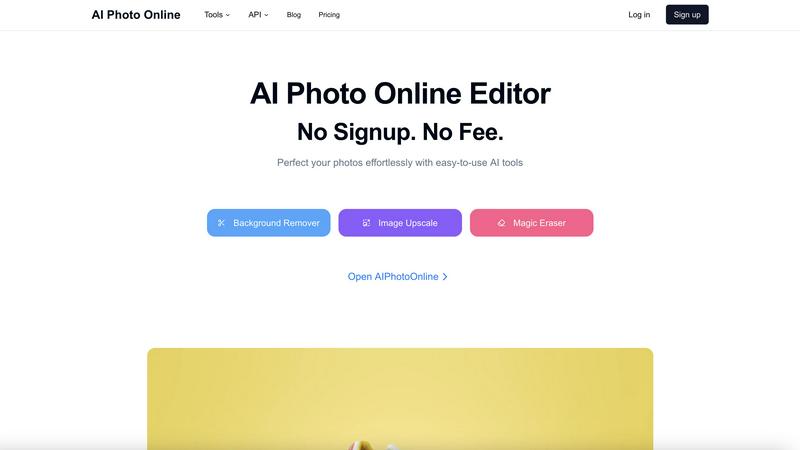
AI Photo Online
Edit photos instantly with powerful AI tools, no signup or fees required.
Last updated: March 1, 2026

Nano Banana Pro
Nano Banana Pro is an AI image generator that creates stunning 4K visuals with advanced editing tools and fast results.
Last updated: February 28, 2026
Visual Comparison
AI Photo Online
Nano Banana Pro

Feature Comparison
AI Photo Online
AI-Powered Background Remover
Instantly and accurately remove backgrounds from any image with a single click. The AI cleanly separates subjects from their surroundings, delivering a transparent or solid-color background perfect for product listings, profile pictures, and creative composites without manual outlining.
Magic Eraser for Object Removal
Effortlessly remove unwanted objects, people, text, or imperfections from your photos. This intelligent tool analyzes the image and seamlessly fills in the removed areas by generating matching content, leaving no trace of the original distraction.
High-Quality Image Upscaler
Increase the resolution and clarity of your images without losing detail. This AI tool intelligently enlarges photos, making them suitable for print, large displays, or improving the quality of old or low-resolution digital images for professional use.
Virtual Photo Studio
Create professional product photos without a physical studio or photographer. This feature allows you to generate stunning, studio-quality shots by placing your product into various AI-generated scenes and lighting conditions with just a few clicks.
Nano Banana Pro
Character Consistency
Nano Banana Pro excels in maintaining character features across multiple images. This is crucial for projects requiring character design, such as animation or comic series, ensuring continuity in visual storytelling.
15% Faster Generation
With the integration of Gemini 3 Pro technology, image generation is 15% quicker than previous models. This speed enhancement allows users to produce high-quality visuals in less time, meeting tight deadlines without sacrificing quality.
Image-to-Image Editing
Users can transform existing images seamlessly with the Nano Banana Edit feature. By uploading up to 10 images, creators can utilize AI prompts to reimagine them, adding new elements or entirely altering scenes while preserving key features.
Enhanced Text Rendering
Nano Banana Pro offers high-fidelity text rendering capabilities, making it ideal for creating posters, logos, and other typographic designs. Users can expect crystal-clear text in their images, eliminating issues with distortion or garbled letters.
Use Cases
AI Photo Online
E-commerce Product Listings
Create clean, consistent, and engaging product photos at scale. Remove backgrounds, upscale image quality, and use the virtual studio to generate multiple lifestyle shots, drastically reducing photoshoot costs and speeding up time to market.
Social Media & Marketing Content
Quickly produce eye-catching graphics for campaigns. Use templates, remove distracting elements from photos, and generate custom backgrounds to create polished content for Instagram, Facebook, ads, and blogs without design expertise.
Professional Photography Enhancement
Assist photographers in post-production by performing tedious tasks instantly. Upscale image resolution for large prints, remove accidental photobombers, or change backgrounds to achieve the perfect shot without hours of manual editing.
Personal Photo Editing & Fun
Perfect personal photos for profiles, invitations, or gifts. Easily remove blemishes or unwanted objects, create fun composites with new backgrounds, and enhance old family photos by upscaling them for better clarity and sharing.
Nano Banana Pro
Marketing Material Creation
Marketers can leverage Nano Banana Pro to generate eye-catching graphics for campaigns. With its rapid image generation and customization options, brands can produce tailored visuals that resonate with their target audience.
Game Character Design
Game developers can use Nano Banana Pro to design unique characters with consistent features across various iterations. The tool’s character consistency ensures that designs remain coherent throughout the game development process.
Social Media Content
Content creators can utilize Nano Banana Pro to craft stunning visuals for social media platforms. With various aspect ratios supported, users can create images optimized for different formats, enhancing their online presence.
Artwork and Illustration
Artists can use this tool for producing original artwork or enhancing existing pieces. The AI's capabilities allow for intricate designs and creative edits, enabling artists to explore new styles and concepts effortlessly.
Overview
About AI Photo Online
AI Photo Online is a comprehensive, web-based platform that delivers professional-grade photo editing through the power of artificial intelligence. It eliminates the need for complex software by providing a suite of powerful, user-friendly tools directly in your browser. Operating on a core "No Signup. No Fee." model, it makes advanced editing accessible to everyone. The platform is designed for a wide audience, including social media users, e-commerce entrepreneurs, marketers, photographers, and content creators who require fast, high-quality image modifications. Its main value proposition is delivering effortless, precise control over photo editing. Users can instantly remove backgrounds, erase unwanted objects, upscale image resolution, and even generate new images. Beyond individual tools, AI Photo Online offers a virtual studio to create product photos and thousands of conversion-focused marketing templates, saving significant time and money compared to traditional photography and design processes.
About Nano Banana Pro
Nano Banana Pro is a state-of-the-art AI image generator tailored for creatives, developers, and designers seeking high-quality visuals efficiently. Utilizing the advanced Gemini 3 Pro image preview technology, it produces striking 4K-ready images with remarkable character consistency. The tool supports both Text-to-Image and Image-to-Image editing, allowing users to generate images from detailed prompts or enhance existing visuals. Its multi-step error correction ensures precision in every output, while the generation speed is accelerated by 15% compared to earlier models. From marketing materials to character design for games, Nano Banana Pro equips users with versatile tools to express their creativity effortlessly, making it an essential asset for any artistic endeavor.
Frequently Asked Questions
AI Photo Online FAQ
Is AI Photo Online really free to use?
Yes, the core online AI tools operate on a "No Signup. No Fee." model. You can access features like the Background Remover, Magic Eraser, and Image Upscaler directly in your browser without creating an account or paying. Advanced features, the virtual studio, API access, and high-volume usage may involve premium plans.
What kind of files does AI Photo Online support?
The platform supports all common image file formats, including JPG, PNG, and WebP. You can upload your photos directly from your device, and the processed images can be downloaded in high-quality PNG or JPG formats, depending on the tool used.
Do I need any technical skills to use the tools?
No technical skills are required. AI Photo Online is designed for simplicity. Each tool is built to be user-friendly, typically requiring just an upload and a single click to achieve professional results. The AI handles the complex processing automatically.
How does the Virtual Photo Studio work?
The Virtual Studio uses AI to generate realistic environments and lighting. You upload a product image, and the AI places it into a chosen scene (like a marble tabletop or a lifestyle setting), creating a professional product photo without the need for physical props, travel, or a photographer.
Nano Banana Pro FAQ
How does Nano Banana Pro maintain character consistency across images?
Nano Banana Pro uses advanced multi-image understanding technology to ensure that character features remain consistent across multiple images, making it perfect for projects with ongoing visual storytelling.
Can I edit existing images with Nano Banana Pro?
Yes, Nano Banana Pro includes an Image-to-Image editing feature that allows users to upload and transform up to 10 images. You can reimagine photos or artwork while retaining essential characteristics.
What types of formats does Nano Banana Pro support?
Nano Banana Pro supports a wide range of aspect ratios, from square (1:1) to ultrawide (21:9). This flexibility allows users to create images tailored for various applications, including social media and presentations.
Is there a free trial available for new users?
New users can take advantage of 8 free credits upon signing up for Nano Banana Pro. This allows them to explore the platform and experience its capabilities before committing to a paid plan.
Alternatives
AI Photo Online Alternatives
AI Photo Online is a web-based AI photo editing platform in the Image & Photo category. It offers instant, powerful tools for tasks like background removal and object erasure with a no-signup, no-fee model for its core online features. Users may seek alternatives for various reasons. Some require a downloadable desktop application for offline work, while others might need a different set of specialized tools or advanced control. Pricing models also vary, with some platforms using subscriptions or credits for premium features. When evaluating other options, consider your primary use case, budget, and preferred workflow. Key factors include the specific AI tools offered, output quality, cost structure, and whether you need online convenience or desktop software power.
Nano Banana Pro Alternatives
Nano Banana Pro is an advanced AI image generator that caters to creatives, developers, and designers seeking high-quality visuals efficiently. It excels in producing stunning 4K images and offers robust editing tools, making it a versatile choice for a wide range of artistic applications. Users often explore alternatives to Nano Banana Pro due to factors such as pricing, specific feature availability, or compatibility with different platforms and workflows. When choosing an alternative, consider aspects like image quality, generation speed, ease of use, and the range of editing features offered. Ensure that the alternative aligns with your unique creative needs and provides the tools necessary for your projects.