
AI Photo Assistant vs TrafficClaw
Side-by-side comparison to help you choose the right AI tool.

AI Photo Assistant
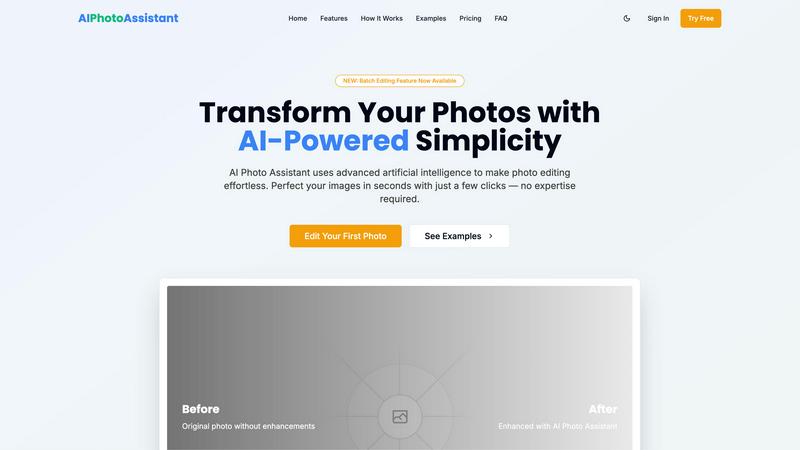
AI Photo Assistant instantly enhances your images with one click, delivering professional quality without any editing.
Last updated: February 28, 2026

TrafficClaw
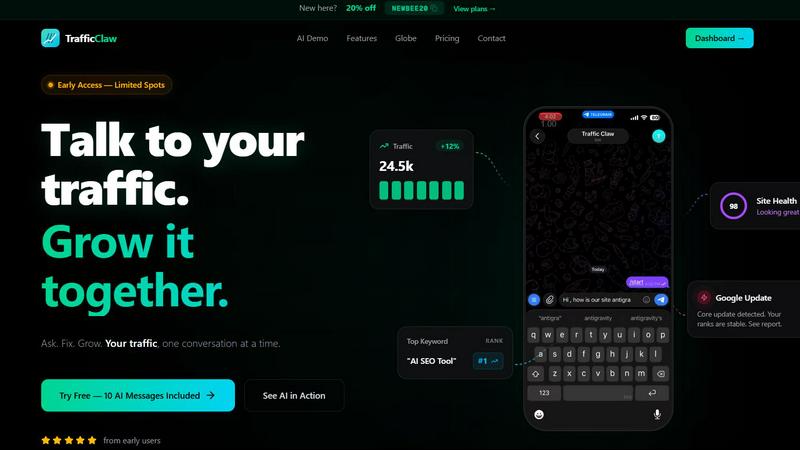
TrafficClaw is an AI analyst that talks to your live SEO data to give you actionable growth insights.
Last updated: April 13, 2026
Visual Comparison
AI Photo Assistant
TrafficClaw
Feature Comparison
AI Photo Assistant
One-Click Enhancement
Experience the power of instant photo improvements with just a single click. Our AI analyzes your images and applies optimal adjustments to lighting, color, and composition, ensuring professional-grade results every time.
Smart Auto-Enhancement
Leverage advanced algorithms designed to automatically enhance your photos. This feature intelligently alters brightness, contrast, saturation, and sharpness, providing a polished look without the need for manual input.
Batch Editing Capabilities
Newly introduced, our batch editing feature allows users to process multiple images at once. Save time by applying the same enhancements across numerous photos simultaneously, perfect for busy professionals and social media managers.
Specialized Editing Tools
Enhance portraits, edit backgrounds, manipulate objects, and apply artistic effects with ease. Our specialized tools cater to various editing needs, making it simple to achieve the desired look for any image.
TrafficClaw
AI Chat Analyst
Ask questions about your traffic and SEO performance in plain English. The AI analyzes your connected Google Analytics and Search Console data to deliver specific verdicts, not generic advice. Get instant answers with supporting charts and actionable recommendations for fixes, all through a conversational interface.
SEO Intelligence Suite
Go beyond basic rankings. This feature proactively identifies keyword gaps you can target, alerts you to content decay, detects internal cannibalization issues between pages, and provides optimization insights for AI search engines. It turns raw search data into a clear growth roadmap.
Integrated Analytics Dashboard
See all your critical metrics in one place. The dashboard provides a real-time overview of visitors, traffic trends, bounce rates, and conversion funnels. It eliminates the need to constantly switch between different analytics tools, saving time and providing immediate context.
Live Visitor Globe
Embed an interactive 3D globe on your website that shows real-time visitor locations and activity, powered by your GA4 data. It requires no additional tracking scripts and serves as both a engaging site widget and a live analytics feed, showing who is on your site and what they're doing.
Use Cases
AI Photo Assistant
Social Media Content Creation
Social media creators can quickly edit and enhance their images, allowing them to maintain a consistent and professional online presence without spending hours on edits.
Small Business Product Photography
Small business owners can produce high-quality product images for their online stores without needing a professional photographer. AI Photo Assistant helps elevate product visibility and appeal, driving sales.
Bulk Photo Editing for Professionals
Busy professionals who handle numerous photos can utilize our batch editing feature to streamline their workflow. This saves valuable time and maintains high-quality standards for all images.
Personal Photo Enhancement
Individuals looking to improve their personal photos for events, vacations, or memories can easily enhance their images. AI Photo Assistant enables anyone to achieve stunning results without complex software.
TrafficClaw
Diagnosing Sudden Traffic Drops
When your analytics show a concerning dip, instead of manually cross-referencing data, ask the AI "Why did my traffic drop?" It will analyze your connected data, identify causes like a Google algorithm update, lost rankings for key terms, or technical issues, and provide a direct verdict with evidence.
Uncovering New Keyword Opportunities
Discover untapped search demand relevant to your site. The SEO intelligence tools analyze your current rankings and competitor gaps to surface high-potential keywords you should create content for, helping you expand your organic reach systematically.
Monitoring Real-Time Site Engagement
Use the live dashboard and embeddable globe to see visitor activity as it happens. This is ideal for monitoring campaign launches, product releases, or live event traffic, allowing for immediate engagement and understanding of user behavior.
Automating Technical SEO Audits
Run deep, page-level site health checks without manual tools. TrafficClaw audits Core Web Vitals, performance scores, and on-page SEO factors, then generates auto-fix suggestions. This ensures your site maintains a strong technical foundation for rankings.
Overview
About AI Photo Assistant
AI Photo Assistant is an innovative, AI-driven photo editing platform that simplifies photo enhancement for everyone. Designed for individuals and businesses alike, it leverages advanced artificial intelligence, neural networks, and machine learning to provide professional-quality results in seconds. The core value proposition is user-friendly simplicity; achieve stunning edits without any technical skills or prior experience. With one-click optimization, the platform automatically enhances critical elements such as brightness, contrast, saturation, and composition. It caters to social media creators looking for quick, polished content, small business owners needing affordable product photography, busy professionals handling bulk edits, and anyone wishing to elevate their photos effortlessly. By transforming hours of tedious editing into mere seconds, AI Photo Assistant democratizes high-quality visual content, making it accessible to a broad audience.
About TrafficClaw
TrafficClaw is an AI-powered analytics and SEO command center that transforms how you understand and grow your website traffic. It solves the core frustration of modern web analytics: having data but no clear answers. Instead of staring at confusing graphs in Google Analytics or Search Console, you simply ask questions in natural language. TrafficClaw's AI Analyst connects directly to your live GA4 and Search Console data to provide specific, actionable verdicts. It's built for website owners, marketers, and developers who need to move faster—offering instant insights into traffic drops, keyword opportunities, and site health. The platform consolidates analytics dashboards, SEO intelligence, site audits, and content tools into one intelligent interface. With features like a real-time visitor globe and a 30-second setup, TrafficClaw cuts through the noise, delivering evidence-based fixes so you can stop guessing and start growing.
Frequently Asked Questions
AI Photo Assistant FAQ
How does AI Photo Assistant work?
AI Photo Assistant uses advanced artificial intelligence and machine learning to analyze your photos. It automatically applies optimal enhancements based on the unique characteristics of each image, simplifying the editing process.
Is technical skill required to use AI Photo Assistant?
No, technical skills are not necessary. The platform is designed for users of all experience levels, providing professional results without the complexity of traditional photo editing software.
What formats are supported for photo uploads?
AI Photo Assistant supports all popular image formats, including JPEG, PNG, and TIFF. You can easily upload photos from your device or cloud storage for editing.
Can I try AI Photo Assistant for free?
Yes, AI Photo Assistant offers a free trial option. You can explore basic editing features with a limit of 5 photos per month, allowing you to experience the platform before committing to a subscription plan.
TrafficClaw FAQ
How does TrafficClaw access my data?
TrafficClaw uses secure, read-only Google OAuth to connect to your Google Analytics 4 and Search Console accounts. We never store your raw data on our servers. Your data remains yours, and the connection can be revoked at any time directly through your Google account.
What is included in the free trial?
The free trial includes 10 AI messages to ask questions and get verdicts from the AI Analyst. This allows you to fully test the core functionality by connecting your own data and experiencing the insights firsthand before committing to a paid plan.
Can I use the Live Visitor Globe on any website?
Yes. The globe is a simple iframe embed code that works with any website, CMS (like WordPress), or web framework. It pulls data directly from your connected GA4 property, so no additional tracking scripts are needed on your site.
How does the AI provide specific answers?
The AI Analyst is powered by advanced models and is specifically prompted to analyze the live data from your connected accounts. It cross-references metrics, trends, and events from GA4 and Search Console to form conclusions based on your unique situation, not general principles.
Alternatives
AI Photo Assistant Alternatives
AI Photo Assistant is an AI-powered photo editing platform that enables users to transform their images into professional-quality photos with just one click. As part of the AI Assistants category, it leverages advanced technologies like machine learning and neural networks to streamline the photo enhancement process. Users often seek alternatives due to factors such as pricing, specific feature sets, or compatibility with various platforms. When choosing an alternative, it's essential to consider ease of use, the range of features offered, and how well the tool meets your individual photo editing needs.
TrafficClaw Alternatives
TrafficClaw is an AI assistant for SEO and analytics data. It connects to platforms like Google Analytics and Search Console, allowing you to ask direct questions about your traffic and performance to get actionable answers. Users may seek alternatives for various reasons. These can include budget constraints, a need for different feature sets, or a requirement to integrate with additional data sources beyond the core offerings. Some may also prefer a different user interface or reporting style. When evaluating alternatives, consider the core AI's ability to interpret your specific data, the platforms it can connect with, and the clarity of the insights it provides. The ideal tool should save you time by turning complex data into straightforward, executable fixes.