AI Photo Assistant
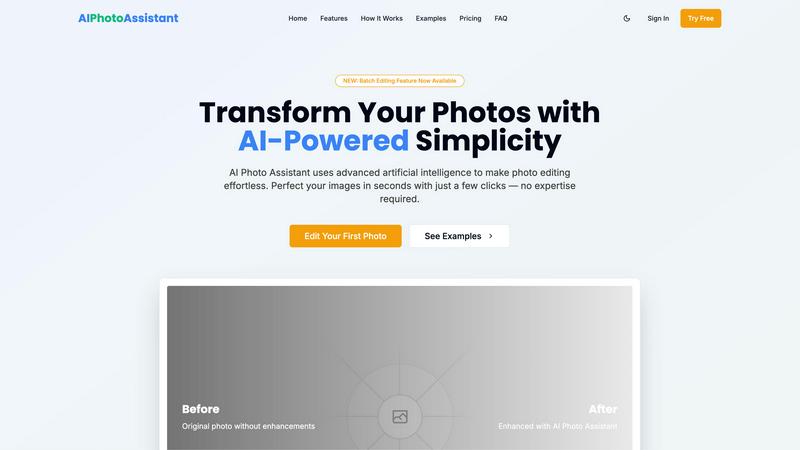
AI Photo Assistant instantly enhances your images with one click, delivering professional quality without any editing.
About AI Photo Assistant
AI Photo Assistant is an innovative, AI-driven photo editing platform that simplifies photo enhancement for everyone. Designed for individuals and businesses alike, it leverages advanced artificial intelligence, neural networks, and machine learning to provide professional-quality results in seconds. The core value proposition is user-friendly simplicity; achieve stunning edits without any technical skills or prior experience. With one-click optimization, the platform automatically enhances critical elements such as brightness, contrast, saturation, and composition. It caters to social media creators looking for quick, polished content, small business owners needing affordable product photography, busy professionals handling bulk edits, and anyone wishing to elevate their photos effortlessly. By transforming hours of tedious editing into mere seconds, AI Photo Assistant democratizes high-quality visual content, making it accessible to a broad audience.
Features
One-Click Enhancement
Experience the power of instant photo improvements with just a single click. Our AI analyzes your images and applies optimal adjustments to lighting, color, and composition, ensuring professional-grade results every time.
Smart Auto-Enhancement
Leverage advanced algorithms designed to automatically enhance your photos. This feature intelligently alters brightness, contrast, saturation, and sharpness, providing a polished look without the need for manual input.
Batch Editing Capabilities
Newly introduced, our batch editing feature allows users to process multiple images at once. Save time by applying the same enhancements across numerous photos simultaneously, perfect for busy professionals and social media managers.
Specialized Editing Tools
Enhance portraits, edit backgrounds, manipulate objects, and apply artistic effects with ease. Our specialized tools cater to various editing needs, making it simple to achieve the desired look for any image.
Use Cases
Social Media Content Creation
Social media creators can quickly edit and enhance their images, allowing them to maintain a consistent and professional online presence without spending hours on edits.
Small Business Product Photography
Small business owners can produce high-quality product images for their online stores without needing a professional photographer. AI Photo Assistant helps elevate product visibility and appeal, driving sales.
Bulk Photo Editing for Professionals
Busy professionals who handle numerous photos can utilize our batch editing feature to streamline their workflow. This saves valuable time and maintains high-quality standards for all images.
Personal Photo Enhancement
Individuals looking to improve their personal photos for events, vacations, or memories can easily enhance their images. AI Photo Assistant enables anyone to achieve stunning results without complex software.
Frequently Asked Questions
How does AI Photo Assistant work?
AI Photo Assistant uses advanced artificial intelligence and machine learning to analyze your photos. It automatically applies optimal enhancements based on the unique characteristics of each image, simplifying the editing process.
Is technical skill required to use AI Photo Assistant?
No, technical skills are not necessary. The platform is designed for users of all experience levels, providing professional results without the complexity of traditional photo editing software.
What formats are supported for photo uploads?
AI Photo Assistant supports all popular image formats, including JPEG, PNG, and TIFF. You can easily upload photos from your device or cloud storage for editing.
Can I try AI Photo Assistant for free?
Yes, AI Photo Assistant offers a free trial option. You can explore basic editing features with a limit of 5 photos per month, allowing you to experience the platform before committing to a subscription plan.