
AI Photo Assistant vs PhotoWeather
Side-by-side comparison to help you choose the right AI tool.

AI Photo Assistant
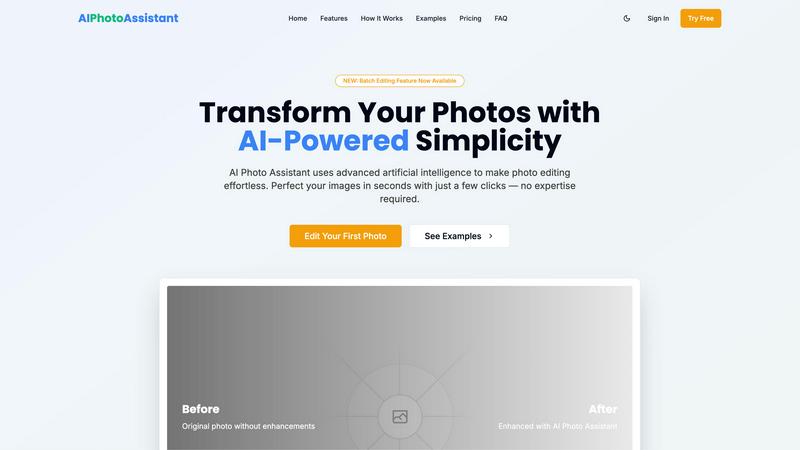
AI Photo Assistant instantly enhances your images with one click, delivering professional quality without any editing.
Last updated: February 28, 2026

PhotoWeather
Get real-time alerts for ideal photo conditions tailored to your favorite locations and shooting styles.
Last updated: February 26, 2026
Visual Comparison
AI Photo Assistant
PhotoWeather

Feature Comparison
AI Photo Assistant
One-Click Enhancement
Experience the power of instant photo improvements with just a single click. Our AI analyzes your images and applies optimal adjustments to lighting, color, and composition, ensuring professional-grade results every time.
Smart Auto-Enhancement
Leverage advanced algorithms designed to automatically enhance your photos. This feature intelligently alters brightness, contrast, saturation, and sharpness, providing a polished look without the need for manual input.
Batch Editing Capabilities
Newly introduced, our batch editing feature allows users to process multiple images at once. Save time by applying the same enhancements across numerous photos simultaneously, perfect for busy professionals and social media managers.
Specialized Editing Tools
Enhance portraits, edit backgrounds, manipulate objects, and apply artistic effects with ease. Our specialized tools cater to various editing needs, making it simple to achieve the desired look for any image.
PhotoWeather
Ready-Made Templates
PhotoWeather offers a selection of ready-made templates tailored for photographers. These templates cover various conditions such as fog and mist, golden hour, aurora visibility, and storm intensity. Users can quickly select their desired conditions, ensuring they are alerted when the perfect opportunities arise.
Powerful Rule Builder
The rule builder within PhotoWeather is a powerful feature that allows users to create highly specific alerts. With over 80 parameters, including clouds, visibility, and wind speed, photographers can customize alerts to fit their unique requirements. This flexibility ensures that users only receive notifications for conditions that matter to them.
Smart Notifications
PhotoWeather's smart notifications provide daily digests, reminders before opportunities start, and alerts when forecasts change. This feature allows photographers to stay informed without being overwhelmed, ensuring they are aware of the best times to shoot without constant checking.
Trusted Forecast Sources
PhotoWeather sources its data from reputable weather services, including ECMWF, DWD, NOAA, and more. This reliability ensures that users can trust the alerts they receive, making it easier to plan their photography sessions around accurate forecasts.
Use Cases
AI Photo Assistant
Social Media Content Creation
Social media creators can quickly edit and enhance their images, allowing them to maintain a consistent and professional online presence without spending hours on edits.
Small Business Product Photography
Small business owners can produce high-quality product images for their online stores without needing a professional photographer. AI Photo Assistant helps elevate product visibility and appeal, driving sales.
Bulk Photo Editing for Professionals
Busy professionals who handle numerous photos can utilize our batch editing feature to streamline their workflow. This saves valuable time and maintains high-quality standards for all images.
Personal Photo Enhancement
Individuals looking to improve their personal photos for events, vacations, or memories can easily enhance their images. AI Photo Assistant enables anyone to achieve stunning results without complex software.
PhotoWeather
Landscape Photography
Landscape photographers can use PhotoWeather to set alerts for specific conditions like fog or dramatic cloud formations. This allows them to capture breathtaking landscapes at the right moment, enhancing the quality of their work.
Astrophotography
For astrophotographers, PhotoWeather provides alerts for astronomical events, such as moon phases and milky way visibility. This ensures that users are aware of the best nights to capture celestial images, taking the guesswork out of planning.
Wildlife Photography
Wildlife photographers can set conditions based on weather patterns that influence animal behavior. For instance, alerts for changes in temperature or rainfall can indicate optimal times for capturing wildlife activity.
Event Photography
Event photographers can benefit from PhotoWeather by setting alerts for specific weather conditions relevant to outdoor events. Whether it's a wedding or a festival, photographers can ensure they are ready for the best lighting and weather scenarios.
Overview
About AI Photo Assistant
AI Photo Assistant is an innovative, AI-driven photo editing platform that simplifies photo enhancement for everyone. Designed for individuals and businesses alike, it leverages advanced artificial intelligence, neural networks, and machine learning to provide professional-quality results in seconds. The core value proposition is user-friendly simplicity; achieve stunning edits without any technical skills or prior experience. With one-click optimization, the platform automatically enhances critical elements such as brightness, contrast, saturation, and composition. It caters to social media creators looking for quick, polished content, small business owners needing affordable product photography, busy professionals handling bulk edits, and anyone wishing to elevate their photos effortlessly. By transforming hours of tedious editing into mere seconds, AI Photo Assistant democratizes high-quality visual content, making it accessible to a broad audience.
About PhotoWeather
PhotoWeather is an innovative weather alerting tool designed specifically for outdoor photographers. It continuously monitors weather forecasts and notifies users only when conditions align with their photography goals. With PhotoWeather, photographers can optimize their shooting opportunities without the hassle of checking weather apps constantly. The app is ideal for landscape, astro, and wildlife photographers who need precise weather conditions to capture stunning images. By allowing users to set custom rules based on over 80 weather parameters, PhotoWeather ensures that photographers receive timely alerts about events like fog, dramatic storms, or golden-hour light. With real-time notifications and calendar integration, photographers can focus on their craft without missing out on the perfect moment.
Frequently Asked Questions
AI Photo Assistant FAQ
How does AI Photo Assistant work?
AI Photo Assistant uses advanced artificial intelligence and machine learning to analyze your photos. It automatically applies optimal enhancements based on the unique characteristics of each image, simplifying the editing process.
Is technical skill required to use AI Photo Assistant?
No, technical skills are not necessary. The platform is designed for users of all experience levels, providing professional results without the complexity of traditional photo editing software.
What formats are supported for photo uploads?
AI Photo Assistant supports all popular image formats, including JPEG, PNG, and TIFF. You can easily upload photos from your device or cloud storage for editing.
Can I try AI Photo Assistant for free?
Yes, AI Photo Assistant offers a free trial option. You can explore basic editing features with a limit of 5 photos per month, allowing you to experience the platform before committing to a subscription plan.
PhotoWeather FAQ
How do I get started?
To get started with PhotoWeather, simply sign up for a free account. After creating your account, you can add your favorite shooting locations and set up alerts based on your preferred weather conditions.
How accurate are the forecasts?
PhotoWeather uses data from top weather services like NOAA and ECMWF, ensuring high accuracy in its forecasts. Users can rely on these forecasts to plan their photography sessions effectively.
Can I create my own rules?
Yes, PhotoWeather allows users to create custom rules based on over 80 weather parameters. This flexibility means you can tailor alerts to your specific photography needs and preferences.
Do you support calendar sync?
Absolutely! PhotoWeather integrates with your calendar, allowing you to receive real-time alerts and plan your photography sessions seamlessly. You can view upcoming opportunities directly on your calendar.
Alternatives
AI Photo Assistant Alternatives
AI Photo Assistant is an AI-powered photo editing platform that enables users to transform their images into professional-quality photos with just one click. As part of the AI Assistants category, it leverages advanced technologies like machine learning and neural networks to streamline the photo enhancement process. Users often seek alternatives due to factors such as pricing, specific feature sets, or compatibility with various platforms. When choosing an alternative, it's essential to consider ease of use, the range of features offered, and how well the tool meets your individual photo editing needs.
PhotoWeather Alternatives
PhotoWeather is a specialized weather alert service designed for photographers, providing timely notifications about ideal conditions for capturing stunning images. By monitoring forecasts around the clock, it ensures that users are informed about opportunities such as golden hour lighting, dramatic weather changes, and other atmospheric phenomena. Users often seek alternatives to PhotoWeather for various reasons, including pricing, specific feature sets, or compatibility with their preferred platforms. When looking for an alternative, consider factors such as the comprehensiveness of weather parameters, ease of use, and the ability to customize alerts based on personal photography needs.