
3D AI Maker vs Image to Music AI
Side-by-side comparison to help you choose the right AI tool.

3D AI Maker
Instantly create 3D models from text or images for free, with seamless Blender integration and no signup required.
Last updated: February 28, 2026

Image to Music AI
Transform any photo into a unique AI-generated soundtrack that captures its mood and emotion with just a simple upload.
Last updated: April 13, 2026
Visual Comparison
3D AI Maker
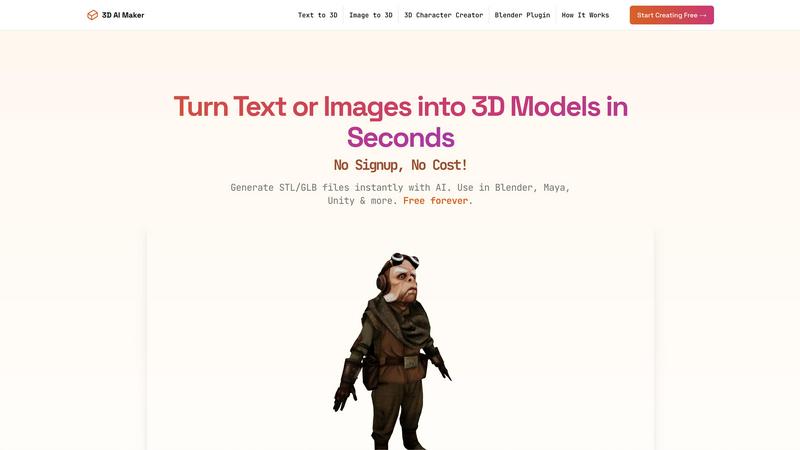
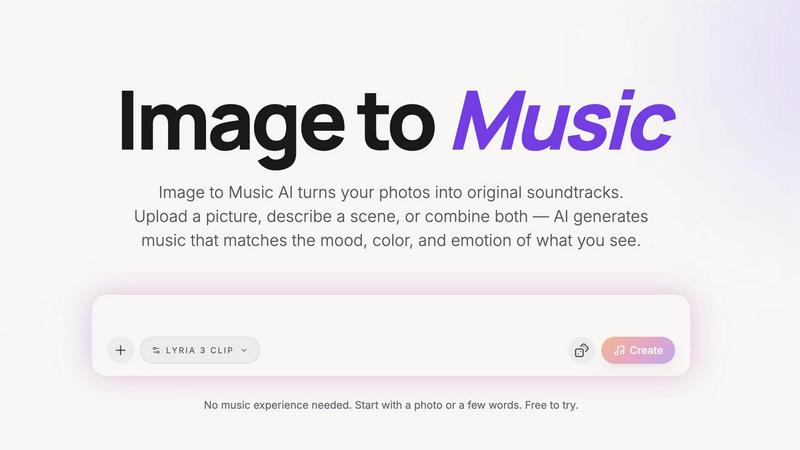
Image to Music AI
Feature Comparison
3D AI Maker
AI-Powered 3D Generation
3D AI Maker leverages advanced AI technology to transform text prompts or 2D images into fully textured 3D models. Users can quickly create unique and high-quality 3D assets without needing extensive modeling skills or software expertise.
Direct Blender Integration
With the 3D AI Maker Blender plugin, users can generate 3D models directly within Blender. This seamless integration enhances workflows for Blender users by allowing one-click model generation, making it an ideal alternative for those looking for free options.
Export Options for Various Formats
Users can easily download their generated models in GLB format for use in animations or as STL files for 3D printing. The platform supports popular software like Maya and ZBrush, ensuring compatibility across various applications.
No Cost, No Strings Attached
3D AI Maker is completely free to use, with no hidden fees or registration required. This commitment to accessibility empowers users to create professional-grade 3D characters and assets without financial constraints.
Image to Music AI
Photo-to-Music and Text-to-Music Generation Modes
Image to Music AI offers dual modes for music generation. Users can either upload a photo to create music based on its visual traits or provide a text description to guide the composition. This flexibility allows for diverse creative possibilities and personalized soundtracks.
Powered by Google Lyria (Advanced AI Music Model)
The platform utilizes the advanced Google Lyria AI music model, ensuring high-quality music generation. This sophisticated technology interprets visual data accurately, translating the essence of images into captivating soundscapes that evoke emotion and atmosphere.
Generate Multiple Versions and Compare Side by Side
Users can generate several unique audio tracks from the same image. This feature allows for side-by-side comparisons of different musical interpretations, making it easy to choose the version that best fits the intended mood or project.
Download Finished Tracks as Audio Files
Once satisfied with the generated soundtrack, users can easily download their audio files for offline use. This feature streamlines the process of integrating music into various projects, whether for personal use or professional applications.
Use Cases
3D AI Maker
Custom 3D Character Creation
Developers and artists can design unique 3D characters for games, virtual reality experiences, or animations. The tool's intuitive input methods make character design accessible to all skill levels.
3D Printing Models
Hobbyists and professionals alike can convert JPG images into STL files for 3D printing. This feature allows users to bring their ideas to life, from prototypes to personalized keepsakes.
Rapid Prototyping
Entrepreneurs and designers can quickly prototype 3D models for products or projects. The speed of generation allows for faster iterations and testing, saving time and resources in the design process.
Educational Tool for Learning 3D Design
Teachers and students can use 3D AI Maker as an educational resource to explore 3D design concepts. The platform's ease of use makes it suitable for teaching the fundamentals of 3D modeling and design.
Image to Music AI
Travel & Photography
Travel enthusiasts and photographers can enhance their visual storytelling by turning stunning landscape shots and travel photos into personalized soundtracks. Each journey can be accompanied by a unique audio experience that captures the essence of the moment.
Short Videos & Vlogs
Content creators can quickly convert still frames from their videos into dynamic music tracks. This capability allows for seamless integration of AI-generated soundscapes into video projects, adding depth and emotional resonance to their storytelling.
Creative Projects & Moodboards
Artists and designers can transform conceptual art and moodboards into original music. By using visuals as a springboard for sound, creators can evoke specific feelings and themes that align with their artistic vision.
Social Media Content
Influencers and social media users can elevate their posts by incorporating AI-generated music that complements their images. This feature enables users to stand out in crowded feeds, making their content more engaging and memorable.
Overview
About 3D AI Maker
3D AI Maker is a revolutionary, AI-driven platform designed to simplify 3D content creation for everyone. It enables users to generate fully textured and production-ready 3D models from simple text prompts or by uploading 2D images in JPG or PNG formats. The entire process takes approximately 20 seconds and requires no sign-up, subscription, or payment, making it a truly accessible tool for all. The platform is suitable for a diverse audience, from novices with no prior 3D modeling experience to seasoned professionals such as game developers, 3D artists, and enthusiasts in 3D printing. Its primary value proposition lies in its speed, simplicity, and cost-effectiveness, effectively eliminating technical and financial barriers to 3D model generation. Users can export their creations in standard GLB format for use in software like Blender, Maya, or Unity, as well as STL files ready for 3D printing. Additionally, the inclusion of a dedicated Blender plugin allows for direct generation within this popular 3D software, streamlining professional workflows even further.
About Image to Music AI
Image to Music AI is an innovative, AI-powered music generator that transforms your photos into unique soundtracks. Leveraging advanced algorithms, this tool interprets the mood, colors, and visual elements of any uploaded image—be it a serene landscape, a vibrant portrait, or imaginative concept art. Users can also enhance their experience by adding text prompts that specify the desired genre, tempo, and instrumentation, providing a richer layer of creative control. The platform is designed for a diverse audience, including photographers, video creators, travel bloggers, and anyone seeking to add an auditory dimension to their visuals. With no prior music experience required, the intuitive interface allows users to generate multiple audio versions, compare them side by side, and download the track that resonates most. This fusion of visual and auditory artistry makes Image to Music AI a game-changer in multimedia creativity.
Frequently Asked Questions
3D AI Maker FAQ
Is 3D AI Maker really free?
Yes, 3D AI Maker is completely free to use. There are no hidden costs or subscription fees, allowing users to create 3D models without any financial commitment.
How does this compare to Meshy or other tools?
3D AI Maker offers a zero-cost alternative to paid services like Meshy, providing similar functionalities without requiring sign-ups or payments. It is designed for ease of use and fast model generation.
Can I use models commercially?
Yes, users can utilize the generated models for commercial purposes. However, it is advisable to review any specific usage guidelines on the platform to ensure compliance.
How do I install the Blender plugin?
The Blender plugin can be easily downloaded from the 3D AI Maker website. Once downloaded, follow the installation instructions provided on the site to integrate it with your Blender software seamlessly.
Image to Music AI FAQ
How does Image to Music AI generate music from images?
The AI analyzes the uploaded image's mood, colors, and visual energy to compose a matching music track. Users can also add text prompts to refine the genre, tempo, and instruments.
Do I need musical experience to use Image to Music AI?
No musical experience is required. The platform is designed for all users, allowing anyone to create unique soundtracks simply by uploading a photo or describing a scene.
How long does it take to generate a music track?
The generation time for music tracks typically ranges from 2 to 5 minutes, providing users with quick access to their AI-generated soundscapes.
Is there a free version of Image to Music AI?
Yes, there is a free tier available that allows new users to start with 15 credits, enabling them to upload an image and experience the Pro features without any initial cost.
Alternatives
3D AI Maker Alternatives
3D AI Maker is an innovative, AI-powered platform that allows users to create 3D models from text or images instantly. This tool belongs to the AI Assistants category, making it accessible for both novices and professionals in the 3D modeling space. Users often seek alternatives to 3D AI Maker for various reasons, including the search for additional features, platform compatibility, or pricing structures that better fit their budget or project needs. When choosing an alternative, it's crucial to consider factors such as ease of use, output quality, supported file formats, and integration capabilities with existing workflows. --- [{"question": "What is 3D AI Maker?", "answer": "3D AI Maker is a free, AI-driven platform that instantly generates fully textured 3D models from text prompts or 2D image uploads."}, {"question": "Who is 3D AI Maker for?", "answer": "It caters to a wide audience, including beginners, professional game developers, 3D artists, and 3D printing enthusiasts."}, {"question": "Is 3D AI Maker free?", "answer": "Yes, 3D AI Maker is completely free to use, with no sign-up, subscription, or payment required."}, {"question": "What are the main features of 3D AI Maker?", "answer": "Main features include instant text-to-3D generation, direct image-to-3D conversion, and a seamless Blender plugin for integration into professional workflows."}]
Image to Music AI Alternatives
Image to Music AI is an innovative tool that falls under the category of audio and music generation, allowing users to transform photos into original soundtracks. By analyzing the visual elements of an image, this AI-powered platform composes music that aligns with the mood and energy of the visual content. Users often seek alternatives due to various factors such as pricing, specific features, or compatibility with their preferred platforms. When choosing an alternative, it’s essential to consider the quality of music generation, ease of use, customization options, and the range of supported file formats. Additionally, examining whether the service offers a free tier or credits-based pricing can help users find a solution that best fits their creative needs and budget.