3D AI Maker
Instantly create 3D models from text or images for free, with seamless Blender integration and no signup required.
About 3D AI Maker
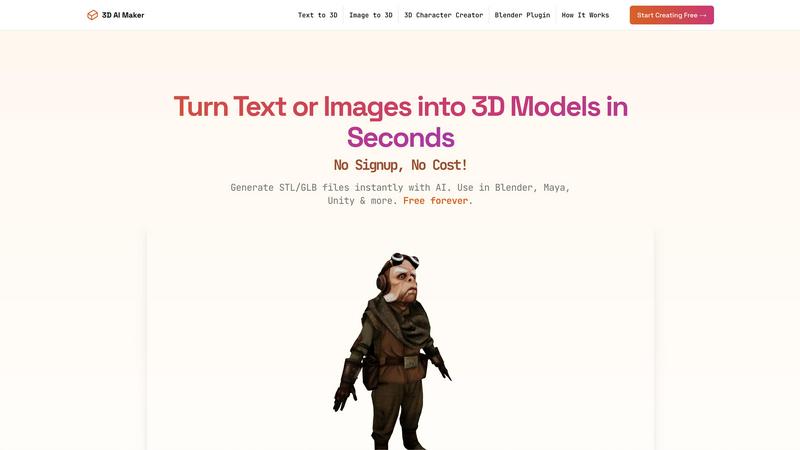
3D AI Maker is a revolutionary, AI-driven platform designed to simplify 3D content creation for everyone. It enables users to generate fully textured and production-ready 3D models from simple text prompts or by uploading 2D images in JPG or PNG formats. The entire process takes approximately 20 seconds and requires no sign-up, subscription, or payment, making it a truly accessible tool for all. The platform is suitable for a diverse audience, from novices with no prior 3D modeling experience to seasoned professionals such as game developers, 3D artists, and enthusiasts in 3D printing. Its primary value proposition lies in its speed, simplicity, and cost-effectiveness, effectively eliminating technical and financial barriers to 3D model generation. Users can export their creations in standard GLB format for use in software like Blender, Maya, or Unity, as well as STL files ready for 3D printing. Additionally, the inclusion of a dedicated Blender plugin allows for direct generation within this popular 3D software, streamlining professional workflows even further.
Features
AI-Powered 3D Generation
3D AI Maker leverages advanced AI technology to transform text prompts or 2D images into fully textured 3D models. Users can quickly create unique and high-quality 3D assets without needing extensive modeling skills or software expertise.
Direct Blender Integration
With the 3D AI Maker Blender plugin, users can generate 3D models directly within Blender. This seamless integration enhances workflows for Blender users by allowing one-click model generation, making it an ideal alternative for those looking for free options.
Export Options for Various Formats
Users can easily download their generated models in GLB format for use in animations or as STL files for 3D printing. The platform supports popular software like Maya and ZBrush, ensuring compatibility across various applications.
No Cost, No Strings Attached
3D AI Maker is completely free to use, with no hidden fees or registration required. This commitment to accessibility empowers users to create professional-grade 3D characters and assets without financial constraints.
Use Cases
Custom 3D Character Creation
Developers and artists can design unique 3D characters for games, virtual reality experiences, or animations. The tool's intuitive input methods make character design accessible to all skill levels.
3D Printing Models
Hobbyists and professionals alike can convert JPG images into STL files for 3D printing. This feature allows users to bring their ideas to life, from prototypes to personalized keepsakes.
Rapid Prototyping
Entrepreneurs and designers can quickly prototype 3D models for products or projects. The speed of generation allows for faster iterations and testing, saving time and resources in the design process.
Educational Tool for Learning 3D Design
Teachers and students can use 3D AI Maker as an educational resource to explore 3D design concepts. The platform's ease of use makes it suitable for teaching the fundamentals of 3D modeling and design.
Frequently Asked Questions
Is 3D AI Maker really free?
Yes, 3D AI Maker is completely free to use. There are no hidden costs or subscription fees, allowing users to create 3D models without any financial commitment.
How does this compare to Meshy or other tools?
3D AI Maker offers a zero-cost alternative to paid services like Meshy, providing similar functionalities without requiring sign-ups or payments. It is designed for ease of use and fast model generation.
Can I use models commercially?
Yes, users can utilize the generated models for commercial purposes. However, it is advisable to review any specific usage guidelines on the platform to ensure compliance.
How do I install the Blender plugin?
The Blender plugin can be easily downloaded from the 3D AI Maker website. Once downloaded, follow the installation instructions provided on the site to integrate it with your Blender software seamlessly.