

Alternatives to Vivideo
Vivideo turns text or images into high-quality videos using any top AI model, free forever without a watermark.
Explore 20 alternatives to Vivideo. Compare features, pricing, and find the best fit for your needs.
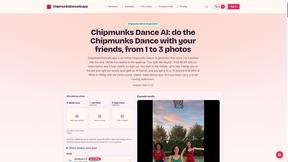


Bicep Heart
Turn one photo into a 7-second bicep heart video with outdoor, standing or seated scenes and a silent vertical MP4.

Goshortsai
Turn photos into AI videos for free with Goshortsai. Sign in daily for free credits, upload an image, describe the motion, and generate your video.

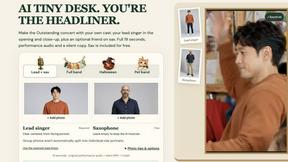
AI Tiny Desk
Make a 19-second desk-concert video with lead and sax, full band, Halloween or pet-band modes; audio and silent MP4.

ScaleReach
Paste a link, get ready-to-post TikTok, Reels and Shorts clips with auto captions. 100 free minutes, no credit card.

Vikas Editor AI
AI photo and video creative studio for cinematic portraits, fashion edits, festival greetings, and photo-to-video concepts.
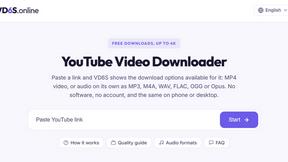
VD6S
VD6S is a free online YouTube video downloader that supports HD, 4K and up to 8K downloads. Save videos in MP4 or audio in multiple formats.

Outstanding Tiny Desk AI
Upload photos of you and up to 4 friends and get a 15-second Outstanding Tiny Desk AI video with AI-generated sound, in 9:16 for TikTok and Reels.

Tip Toeing in My Jordans
Put your photo in the viral Rumpelstiltskin tip toe meme and get a 12-second AI video. Free 2-second preview, no sign-up.

Rhinobird
AI video ads, UGC-style videos, and product visuals for cross-border sellers and e-commerce brands.
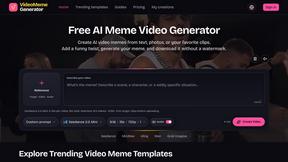
AI Video Meme Maker
Make AI video memes from text, photos or clips, or use a trending template. Free credits to start.

Crazy Frog AI
Turn 1–2 photos into the viral Crazy Frog invisible-moped chase video in seconds.
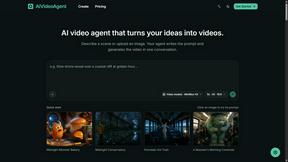
AIVideoAgent
Turn text ideas or reference images into videos through conversation, with agent-assisted prompts and a choice of video models.
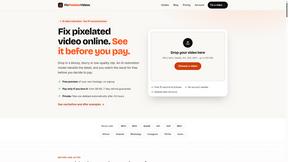
Fix Pixelated Videos
AI that fixes pixelated, blocky and blurry videos by rebuilding detail in low-quality clips.

AI Rap
AI rap generator that turns two portraits or one photo of two people into a short English duet rap video with original lyrics, vocals, and music.
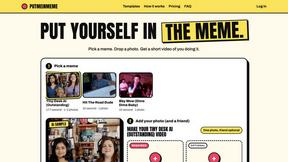
PutMeInMeme
Pick a trending meme, upload one photo, and get a short AI video of you in it. Credits, no subscription; failed videos give the credits back.
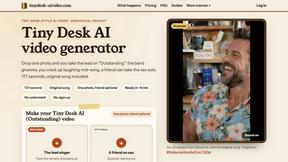
Tiny Desk AI Video
One photo makes an 18-second Tiny Desk-style "Outstanding" video of you cracking up as lead singer, original song included. Add a friend on sax.

About Vivideo Alternatives
Vivideo is an AI-powered video generation platform that falls under the video creation and editing category. It allows users to transform text prompts, scripts, or images into fully produced videos, complete with AI voiceovers, subtitles, music, and transitions. While it streamlines production for social media clips, marketing ads, and tutorials, users often seek alternatives due to factors like subscription pricing structures, limitations on export resolution or video length, or a need for more granular manual editing controls. Some may find the AI-generated output too generic for brand-specific needs, while others require integration with specific third-party tools or a larger library of stock assets. When evaluating an alternative, focus on the core output quality and the specific AI models used for video generation. Consider whether the platform supports your required aspect ratios and export formats, especially if you need 4K quality. Assess the breadth of the voiceover language library and the accuracy of automatic captioning. Finally, examine the editing workflow: a good alternative should balance automation with the ability to customize scenes, replace stock footage, and fine-tune timing without requiring a steep learning curve.
FAQs about Vivideo Alternatives
What is Vivideo?
Vivideo is an advanced AI video generator that converts text, scripts, articles, product descriptions, or images into engaging videos. It automates the creation of visuals, voiceovers, subtitles, music, and transitions, allowing users to produce professional-quality content quickly without manual editing.
Who is Vivideo for?
Vivideo is designed for creators, marketers, businesses, and educators who need to produce high-quality videos at scale. It is particularly useful for generating content for platforms like TikTok, Instagram Reels, YouTube Shorts, marketing campaigns, product promotions, and tutorials, making professional video creation accessible to non-designers.
Is Vivideo free?
Based on the provided product description, the pricing model for Vivideo is not explicitly stated. However, as a professional AI video generation platform, it is likely offered under a subscription or credit-based model. Users should check the official Vivideo website for the most current information on free tiers, trial periods, or paid plans.
What are the main features of Vivideo?
Key features include text-to-video and image-to-video generation, multilingual AI voiceovers, automatic captions and subtitles, customizable aspect ratios, and HD/4K export capabilities. The platform is powered by multiple AI video models and integrates millions of stock assets, along with an intuitive editing workflow for seamless production.