

Alternatives to Seedream AI Studio
Generate images with Seedream 5.0 and turn selected results into short videos in one browser workflow.
Explore 20 alternatives to Seedream AI Studio. Compare features, pricing, and find the best fit for your needs.
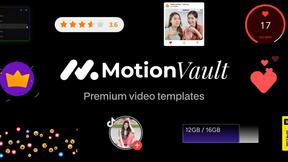
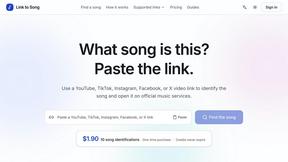
Link to Song
Paste a TikTok, YouTube, Instagram, Facebook or X video link and get the song name, artist and official listening links.

RunwayAI
Independent Runway AI video generator for text and image-to-video workflows, with task tracking, previews, downloads, and API access.
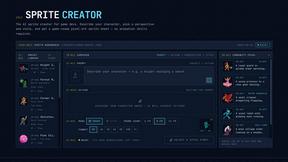
Sprite Sheet Maker
Create pixel-art sprite sheets from text with AI, preview animations, and export PNG assets for game prototypes.


Happy Horse AI
Create videos from text, images, or references with Happy Horse AI using flexible 720P/1080P output and API workflows.
Reelslaunch
AI-driven workflow for faceless Instagram Reels & YouTube Shorts: H3 Max text-to-video with native audio plus automated batch publishing.
Hailuo AI
Create high-quality videos from text or images with guided prompts, motion and camera controls, flexible settings, task tracking, and downloadable res
GPT Image 2 API
Generate and edit production-ready images with GPT Image 2 API, prompts, reference images, clear text, and developer workflows.
Vynzo
AI image and video studio. Generate from a prompt, animate stills, swap faces, restyle clips and edit — one credit pool, no subscription.
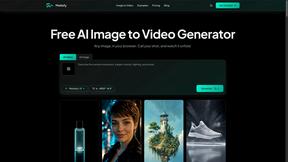
Motiofy
Motiofy is an AI creative workspace that helps creators and teams turn ideas into polished visual stories.
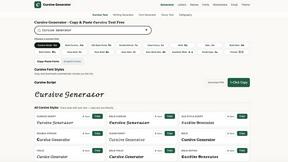
cursive generator
Free cursive text generator to create stylish cursive fonts instantly. Type your text, choose a style, then copy and paste it anywhere.
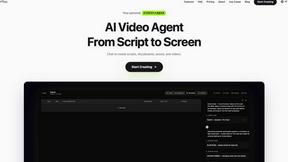
Pixo
Pixo is an AI video director that turns a prompt or script into a storyboard, consistent scenes, voiceover, and an edited final cut.
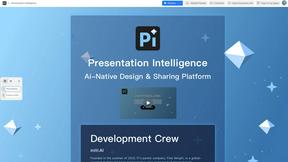
Presentation Intelligence
AI-native presentation and visual content platform that turns prompts, documents, images, videos, and data into polished, shareable decks.
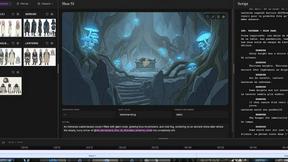
ScreenWeaver
AI storyboard and script tool that turns a screenplay into structured scenes, shot lists and boards in the browser.

ProfileLoom
ProfileLoom turns one photo into platform-ready AI portraits for professional, social, and creator profiles, with presets and built-in editing.

Punchylime
Punchylime is an AI ad-creative generator for small teams and DTC/ecommerce marketers.
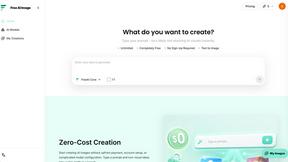
Free AI Image
Free AI Image is a free text-to-image AI generator for creating clean visual drafts from prompts with no sign-up required.

About Seedream AI Studio Alternatives
Seedream AI Studio is a browser-based creative tool that sits at the intersection of content creation, design tools, and video generation. It allows users to generate images using Seedream 5.0, 5.0 Lite, 4.5, and 4.0 models, compare outputs across versions, and then turn selected results into short videos—all within a single workflow. This places it squarely in the image generation and video production category, offering a streamlined pipeline from prompt to final animation. Users commonly seek alternatives to Seedream AI Studio for a few key reasons. Some need more advanced video editing capabilities beyond short clips, while others require higher resolution outputs or different artistic styles not covered by the Seedream model family. Pricing is another frequent driver, as the free tier may feel limited for heavy users, or the paid plans might not align with a specific budget. Platform needs also matter—some creators prefer mobile-first tools, offline capabilities, or integration with larger ecosystems like Adobe or Canva. When evaluating alternatives, look for tools that offer transparent pricing, model variety, output resolution, and the specific video length or customization features your workflow demands.
FAQs about Seedream AI Studio Alternatives
What is Seedream AI Studio?
Seedream AI Studio is an independent browser-based creative tool designed for generating images using Seedream models and turning selected results into short videos. It supports models including Seedream 5.0, 5.0 Lite, 4.5, and 4.0, allowing users to compare outputs across versions in one place. The tool streamlines the creative process from prompt to image to animation without requiring external software.
Who is Seedream AI Studio for?
Seedream AI Studio is built for content creators, designers, and video producers who need a fast, browser-based workflow for generating images and short-form videos. It is ideal for users who want to experiment with multiple Seedream model versions and quickly turn their best image results into animated clips. The tool suits both hobbyists exploring AI art and professionals needing rapid prototyping for social media or presentations.
Is Seedream AI Studio free?
Yes, Seedream AI Studio offers a free tier that provides access to image generation and video creation with Seedream models. The free tier allows users to test the tool's core functionality, including comparing outputs across model versions and turning images into short videos. For higher usage limits or advanced features, users may need to explore paid plans, though specific pricing details depend on the current offering.
What are the main features of Seedream AI Studio?
Seedream AI Studio's main features include image generation with Seedream 5.0, 5.0 Lite, 4.5, and 4.0, the ability to compare outputs across these versions side by side, and a built-in tool to turn selected images into short videos. All of this is accessible in a single browser workflow, eliminating the need to switch between separate applications. The tool also provides a free tier for initial exploration and prototyping.