

Alternatives to Seedream 4.5
Seedream 4.5 creates high-quality, production-ready images in seconds with exceptional detail and consistency.
Explore 20 alternatives to Seedream 4.5. Compare features, pricing, and find the best fit for your needs.
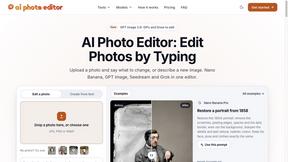
AI Photo Editor
An online AI photo editor where you type what you want. Remove objects, swap backgrounds, restore old photos and restyle portraits.
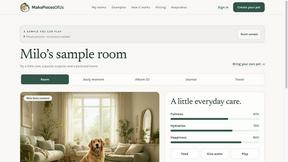
MakePiecesOfUs
Turn your pet's photos into a private virtual room, daily care, albums and dated memories.
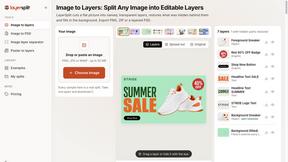
LayerSplit
Split a flat image into named, transparent layers with the background filled in. Export PNG files, a ZIP or a layered PSD. Your first split is free.

Design Previewer
Design Previewer displays thumbnails of professional design files directly in Windows File Explorer, without opening other applications.
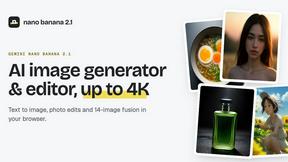
nanobanana 2.1
AI image generation and editing with realistic visuals, consistent characters, readable text, and up to 4K output.

Vikas Editor AI
AI photo and video creative studio for cinematic portraits, fashion edits, festival greetings, and photo-to-video concepts.
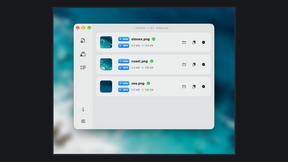
Zipic
Native image compression for Mac and Windows (Windows beta), with a local CLI and AI skill for automated image workflows.
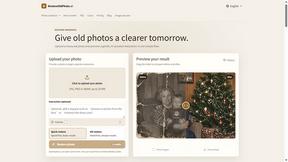
RestoreOldPhoto
Restore old photos with RestoreOldPhoto.ai: repair scratches, creases and fading, sharpen faces and details, and optionally colorize family memories.

Enhance My Photo
Online AI photo enhancer that sharpens portraits, products, scenery, pets and text images and exports them as JPEG, PNG or WebP without watermarks.

AI Room Makeover
Turn room photos into AI design concepts. Explore furniture, colors, styles and layouts with text requests and optional reference images.
AiAgeFilter
Free AI age filter: upload an adult portrait, add 10-40 years, meet your older self. No app needed.

AppIconGenerator
Generate iOS and Android app icons from any image and export all platform sizes for free.
Nano AI
Create and edit AI images, generate videos, and compare models in one creative workbench.
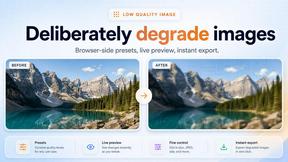
Low Quality Image
Make an image low quality on purpose: add blur, compression and pixelation to any picture right in your browser. No uploads, no accounts, no server.

Tip Toe AI
Upload a Dancer photo and a Partner photo and get your own AI Tip Toe barn-dance video. Free 5s preview, 12s HD from $4.90. No subscription.

FreeVideoGenerator
Free AI video generator: turn text prompts and photos into video clips with Sora 2, Veo 3.1, Wan and more. Free starter credits, no watermark download
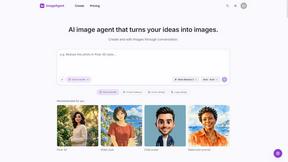
ImageAgent
Create and edit AI images through conversation, using text or reference images and refining results in chat.
About Seedream 4.5 Alternatives
Seedream 4.5 is an advanced image generation tool designed for professionals in the design and creative industries. It excels in producing high-quality, production-ready visuals in seconds, making it a go-to choice for those seeking precision and creativity in digital artistry. Users often look for alternatives due to various reasons, such as pricing, specific feature sets, and platform compatibility. When selecting an alternative, it’s essential to consider the fidelity of image output, editing capabilities, text rendering quality, and support for high-resolution formats. These factors will help ensure that the chosen tool meets both professional standards and personal project requirements.
FAQs about Seedream 4.5 Alternatives
What is Seedream 4.5?
Seedream 4.5 is an advanced image generation tool that creates high-quality visuals quickly and efficiently, tailored for professionals in design and creative industries.
Who is Seedream 4.5 for?
It is designed for creative professionals, including graphic designers, marketers, and artists, who need to generate production-ready images.
Is Seedream 4.5 free?
No, Seedream 4.5 is a premium software solution that requires a purchase or subscription for access.
What are the main features of Seedream 4.5?
Key features include enhanced fidelity, surgical editing capabilities, excellent text rendering, and native 4K support for high-resolution images.