

Low Quality Image
Make an image low quality on purpose: add blur, compression and pixelation to any picture right in your browser. No uploads, no accounts, no server.
AI tool Details
Explore More
Alternatives
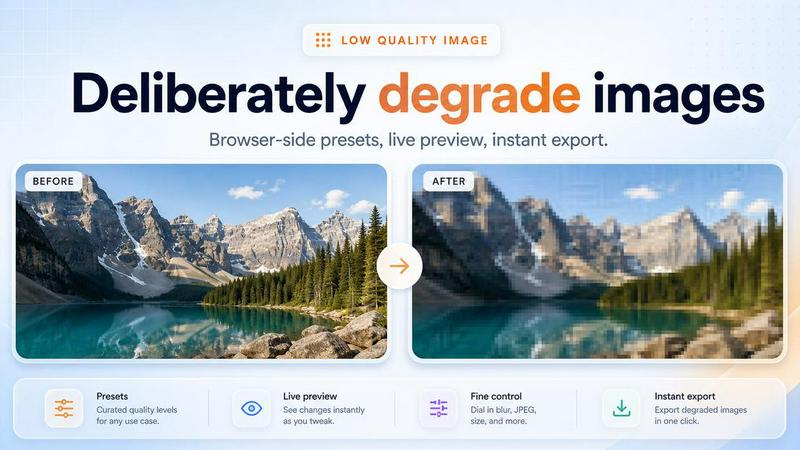
About Low Quality Image
Low Quality Image is a focused browser tool for making images look intentionally worse. Upload or paste a picture and apply deliberate blur, JPEG-style compression, pixelation and color shifts, then compare before and after and export the degraded result. Everything runs locally in the browser tab: no upload queues, no accounts and no server-side processing, so originals never leave your device. It is useful for testing how graphics look on low-bandwidth screens, creating retro or lo-fi artwork, mocking up poor-quality thumbnails and memes, or demonstrating image compression artefacts.
Similar to Low Quality Image
Nano AI
Create and edit AI images, generate videos, and compare models in one creative workbench.

Tip Toe AI
Upload a Dancer photo and a Partner photo and get your own AI Tip Toe barn-dance video. Free 5s preview, 12s HD from $4.90. No subscription.

FreeVideoGenerator
Free AI video generator: turn text prompts and photos into video clips with Sora 2, Veo 3.1, Wan and more. Free starter credits, no watermark download
ImageAgent
Create and edit AI images through conversation, using text or reference images and refining results in chat.
sakuttoAI
A free suite of online tools for everyday tasks like PDF compression, image conversion, text diff and CSV to Excel.
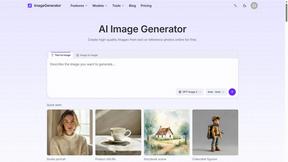
ImageGenerator
Create and edit AI images online with multiple models, text-to-image, image-to-image, background removal, and upscaling.
SightRadar
Face recognition API, a drop-in replacement for AWS Rekognition. Index, search, compare and detect faces, billed per photo with no subscription.
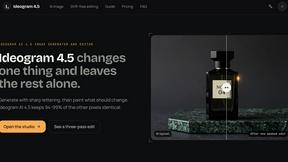
Ideogram 4.5
Advanced AI image generation and editing: sharp typography, native 2K output, localized edits that preserve the rest of your image.