

Alternatives to RecordFlow
RecordFlow automatically saves Zoom cloud recordings to Google Drive and can delete them from Zoom to free storage.
Explore 20 alternatives to RecordFlow. Compare features, pricing, and find the best fit for your needs.
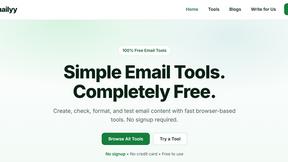
Emailyy
Free email tools for signatures, subject lines, HTML previews, word counts, and email headers. Browser-based, simple to use, and no signup required.

Uniclip
Clip pages, take full-page screenshots and batch-capture list data to Notion, Feishu, Obsidian, Markdown, CSV or JSON.
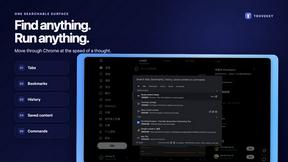
TroveKey
Search tabs, Chrome bookmarks and history, run browser commands, and save webpages and social posts locally—no account.

LightScreen
Free light screen tool online. Turn any display into a flashlight, ambient light, or solid-color screen. No download or sign-up.
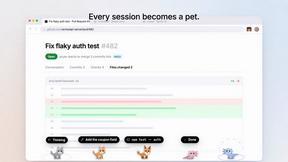
Agent Pets
Your Claude Code & Codex sessions as pets in Chrome. Approve, deny and reply to your coding agents from any tab.
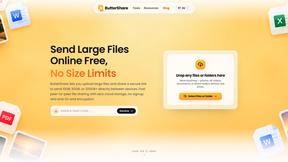
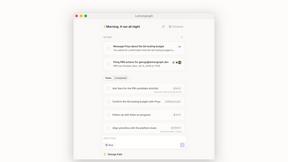
Lemongraph
Almost every conversation ends with a promise. Lemongraph keeps track of them for you and lines up your day the way you would.
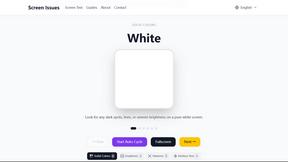
Screen Issues
Free Online Screen Test Tool - Instantly diagnose dead pixels, lines, color issues, and flickering. Multiple test modes, no download needed.
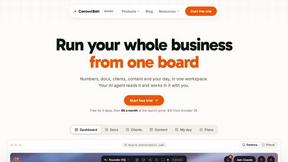
Context Board
Context Board brings your numbers, docs, clients, content and day into one workspace that Claude and Codex can read and update.
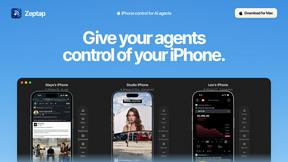
Zeptap
Zeptap lets AI use your real iPhone like you do: open apps, read the screen, tap, swipe and type. Reply to DMs, post Stories, book rides, test apps.

@fuck.it - email with attitude
Private email. Pure. Secure. Exclusive. No ads, no tracking, no data selling. GDPR compliant, EU-hosted.
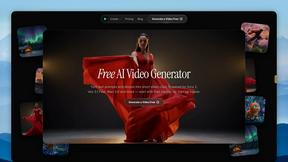
FreeVideoGenerator
Free AI video generator: turn text prompts and photos into video clips with Sora 2, Veo 3.1, Wan and more. Free starter credits, no watermark download
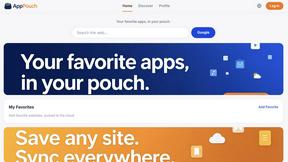
AppPouch
A multilingual PWA directory to discover, bookmark, and organize the best web apps in 9 languages; free tier plus Pro.
sakuttoAI
A free suite of online tools for everyday tasks like PDF compression, image conversion, text diff and CSV to Excel.
MD to Text
Convert Markdown to clean, readable plain text in your browser. Strip formatting, keep the content, and copy clean output for AI prompts and docs.

Panzoe
Panzoe is an all-in-one AI platform for personal productivity, business automation, AI assistants, content creation, and custom AI solutions.

AI Email Filter
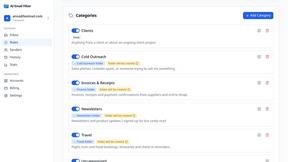
AI Email Filter sorts incoming mail into folders using plain-language prompts you write. Works with any IMAP mailbox; bring your own LLM if you want.

About RecordFlow Alternatives
RecordFlow is a productivity tool that automates the transfer of Zoom cloud recordings to Google Drive. It belongs to the cloud workflow and data management category, solving a specific pain point for users who generate frequent video content. Many users begin looking for alternatives when they encounter pricing changes from Zoom, need support for additional cloud storage platforms beyond Google Drive, or require more granular control over file organization and deletion schedules. Platform limitations, such as the need for local network storage or enterprise-grade compliance, also drive the search for other solutions. When evaluating an alternative, prioritize tools that offer reliable, automated transfer without manual intervention. Look for features like chunked uploads for large files, support for all Zoom file types including transcripts and chat logs, and robust error handling with automatic retries. Security is non-negotiable, so confirm the use of OAuth 2.0 and encryption standards. Finally, assess the setup complexity and whether the tool provides a backfill option for historical recordings, as these factors directly impact long-term usability and storage cost savings.
FAQs about RecordFlow Alternatives
What is RecordFlow?
RecordFlow is a cloud automation tool that automatically backs up Zoom cloud recordings to Google Drive. It transfers video, audio, transcripts, and chat logs the moment a meeting ends, and can backfill recordings from the past two years. Setup takes 60 seconds, and once connected, it runs silently and indefinitely without manual downloads.
Who is RecordFlow for?
RecordFlow is designed for coaches, consultants, therapists, professors, and small teams who rely on Zoom recordings and cannot afford to lose them. It is ideal for professionals who want to free up paid Zoom storage space without risking file loss. Anyone who needs a set-and-forget solution for archiving recordings to Google Drive will benefit from this tool.
Is RecordFlow free?
The provided content does not specify whether RecordFlow is free or paid. However, it emphasizes value by eliminating the need for paid Zoom storage upgrades. Users should check the official RecordFlow website for current pricing details, as the tool focuses on saving money by automating file transfers to free cloud storage.
What are the main features of RecordFlow?
Key features include automatic transfer of MP4, M4A, VTT transcripts, and chat logs to Google Drive, organized by year and date. It offers optional auto-delete from Zoom once the Drive copy is verified, freeing storage. The tool uses chunked transfers for large files, smart deduplication, automatic retries, and streams recordings directly to Drive without storing them. Security is handled via OAuth 2.0 and AES-256 encryption.