

RecordFlow
RecordFlow automatically saves Zoom cloud recordings to Google Drive and can delete them from Zoom to free storage.
AI tool Details
Explore More
Alternatives

About RecordFlow
RecordFlow is a secure integration that automatically archives every Zoom cloud recording to your Google Drive the moment a meeting ends. It eliminates manual downloads, forgotten files, and unnecessary Zoom storage costs. The product backfills recordings from the past two years and syncs new recordings within minutes, forever.
Setup takes 60 seconds: sign in with Zoom, connect your Google Drive, and pick a destination folder. From that point, everything runs automatically. RecordFlow transfers every file Zoom produces: video (MP4), audio (M4A), transcripts (VTT plus a formatted Google Doc), and chat logs. Files are organized by year and date in your Drive.
The product is designed for reliability. Chunked transfers handle large files without timeouts. Smart deduplication makes it safe to re-run. Automatic retries ensure nothing gets lost. Recordings stream directly to your Drive, and RecordFlow never stores them on its servers. Security uses OAuth 2.0 and AES-256 encryption.
An optional auto-delete feature clears recordings from Zoom on a safe delay once the Drive copy is verified. This frees up Zoom storage automatically. RecordFlow works for individual users and entire Zoom teams. Admins can install it once, opt members in, and every selected member's recordings land in one Drive folder.
RecordFlow is built for coaches, consultants, therapists, professors, and small teams who cannot afford to lose a recording. It is recognized by the International Association of Coaches, Therapists and Mentors. The product is available on both the Zoom App Marketplace and Google Workspace Marketplace, having passed security reviews for both platforms.
Features
Automatic Sync
New Zoom cloud recordings transfer to your Google Drive within minutes of each meeting ending. The system watches for new recordings continuously and moves them without any manual intervention. Backfill brings in recordings from the past two years, so your archive is complete from day one.
Auto-Delete from Zoom
Once a recording is safely verified in Google Drive, RecordFlow can automatically delete the copy from Zoom. This frees up your Zoom storage without risk. The deletion happens on a safe delay, so you always have a confirmed Drive copy before Zoom removes anything.
Complete File Transfer
Every file Zoom produces is captured and organized. Video in MP4 format, audio in M4A, transcripts as VTT files plus a formatted Google Doc, and full chat logs. Files are arranged by year and date in your Google Drive, making them easy to find and share.
Secure by Design
RecordFlow uses OAuth 2.0 for authentication, so it never sees your passwords. All data is encrypted in transit and at rest with AES-256. Recordings stream directly to your Drive, and RecordFlow stores nothing on its own servers. The product has passed security reviews for both the Zoom and Google Workspace marketplaces.
Use Cases
Coaches and Consultants
You record five or more client sessions every week. Zoom storage fills up in days, and every recording is a deliverable your clients need. RecordFlow automatically archives each session to Google Drive, organized by date, so you never miss sending a client their recording or run out of Zoom space.
Education Teams
Lectures and class recordings need a permanent home that students can access long after the semester ends. RecordFlow moves recordings from Zoom to Google Drive automatically, giving students lasting access. Shared Drive support means the entire department can find and use archived lectures.
Business Teams
Your team records meetings, demos, and training sessions constantly. Keeping everything organized in Google Drive should not be a full-time job. RecordFlow syncs every team member's recordings into one organized folder structure, with automatic naming and date sorting for easy retrieval.
IT and Ops Admins
You are responsible for the entire Zoom account and its storage limits. Install RecordFlow once as an admin, opt members in, and every selected member's recordings land in one root Drive folder you control. Auto-delete frees up Zoom storage account-wide, preventing the dreaded storage full message.
Frequently Asked Questions
How long does setup take and what do I need?
Setup takes about 60 seconds. You need a Zoom account on any paid plan and a Google Drive account. Sign in with Zoom, connect your Drive, pick a folder, and you are done. No credit card is required to start.
Does RecordFlow store my recordings on its servers?
No. Recordings stream directly from Zoom to your Google Drive. RecordFlow never stores the files on its own servers. The product uses OAuth 2.0 for authentication and AES-256 encryption for all data in transit and at rest.
Can I use RecordFlow for my entire Zoom team?
Yes. Admins can install RecordFlow once for the entire Zoom account. You can then opt individual members in or out. Each member's recordings land in their own sub-folder within one root Drive folder that you control.
What happens if a recording is very large or the transfer fails?
RecordFlow uses chunked transfers that handle large files without timeouts. If a transfer fails for any reason, the system automatically retries. Smart deduplication ensures it is safe to re-run the sync without creating duplicate files in your Drive.
Similar to RecordFlow
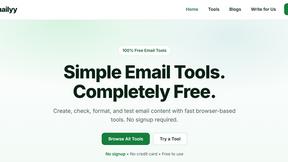
Emailyy
Free email tools for signatures, subject lines, HTML previews, word counts, and email headers. Browser-based, simple to use, and no signup required.
Uniclip
Clip pages, take full-page screenshots and batch-capture list data to Notion, Feishu, Obsidian, Markdown, CSV or JSON.
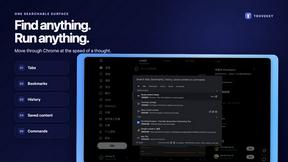
TroveKey
Search tabs, Chrome bookmarks and history, run browser commands, and save webpages and social posts locally—no account.

LightScreen
Free light screen tool online. Turn any display into a flashlight, ambient light, or solid-color screen. No download or sign-up.
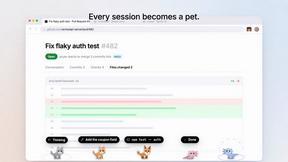
Agent Pets
Your Claude Code & Codex sessions as pets in Chrome. Approve, deny and reply to your coding agents from any tab.
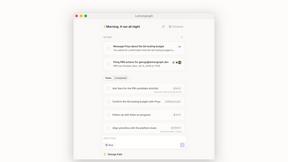
Lemongraph
Almost every conversation ends with a promise. Lemongraph keeps track of them for you and lines up your day the way you would.
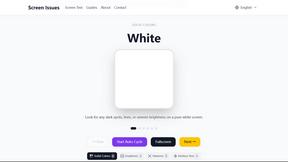
Screen Issues
Free Online Screen Test Tool - Instantly diagnose dead pixels, lines, color issues, and flickering. Multiple test modes, no download needed.