

Alternatives to QUVIAI
QUVIAI generates photorealistic architectural renders, videos, 3D scenes, and music from simple text prompts.
Explore 20 alternatives to QUVIAI. Compare features, pricing, and find the best fit for your needs.

Vikas Editor AI
AI photo and video creative studio for cinematic portraits, fashion edits, festival greetings, and photo-to-video concepts.
Rhinobird
AI video ads, UGC-style videos, and product visuals for cross-border sellers and e-commerce brands.

Enhance My Photo
Online AI photo enhancer that sharpens portraits, products, scenery, pets and text images and exports them as JPEG, PNG or WebP without watermarks.
3D House Planner
Free 2D/3D home design in your browser: draw a floor plan, see it live in 3D, furnish it and get AI renders.
GenX
All-in-one AI workspace to generate images, videos, and audio with multiple leading AI models.
AiAgeFilter
Free AI age filter: upload an adult portrait, add 10-40 years, meet your older self. No app needed.
AppIconGenerator
Generate iOS and Android app icons from any image and export all platform sizes for free.

Design.com AI Image Generator
Turn text prompts into polished, copyright-safe visuals that plug directly into branded templates
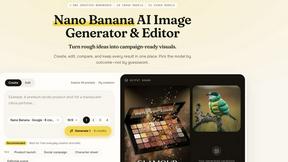
Nano AI
Create and edit AI images, generate videos, and compare models in one creative workbench.
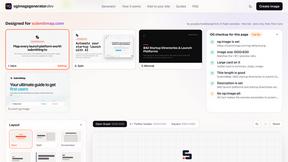
OG Image Generator
Paste a URL and AI designs on-brand Open Graph images from your page's colours, fonts and logo. Free, no sign-up.
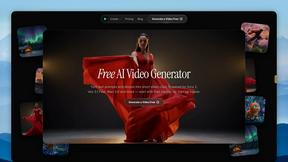
FreeVideoGenerator
Free AI video generator: turn text prompts and photos into video clips with Sora 2, Veo 3.1, Wan and more. Free starter credits, no watermark download
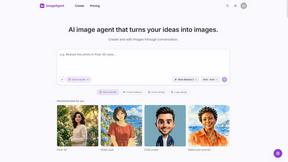
ImageAgent
Create and edit AI images through conversation, using text or reference images and refining results in chat.
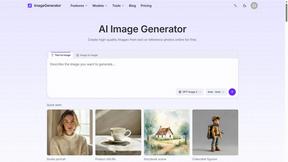
ImageGenerator
Create and edit AI images online with multiple models, text-to-image, image-to-image, background removal, and upscaling.
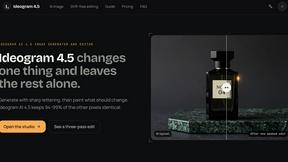
Ideogram 4.5
Advanced AI image generation and editing: sharp typography, native 2K output, localized edits that preserve the rest of your image.
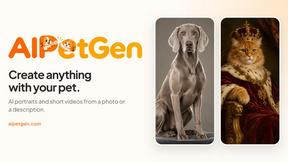
AIPetGen
AIPetGen turns a photo of your dog, cat, or other pet, or a written description, into a new picture or a short animation.

ZombieTrend AI
ZombieTrend AI turns two photos into a cinematic zombie love story video for TikTok, Reels and Shorts.
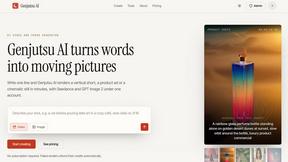
Genjutsu AI
Create cinematic AI videos, product ads, social shorts, and high-quality images from a prompt.
ImageGPT
ImageGPT is an all-in-one AI creative platform for generating, editing and transforming images and videos using AI.
AI Album Cover Maker
Create release-ready album covers from a prompt or photo. Generate, refine, and export art for singles, EPs, mixtapes, and playlists.
About QUVIAI Alternatives
QUVIAI is an all-in-one creative platform powered by artificial intelligence, primarily used for generating photo visuals, 3D models, and original music from simple inputs like sketches, images, or 3D objects. It falls under the image generation and 3D design category, offering a unified workspace for architects, designers, and creators to produce photorealistic renders, cinematic videos, and floor plans without switching between multiple tools. Users commonly look for alternatives to QUVIAI due to factors such as pricing tiers that may not fit smaller budgets, a desire for more specialized features in a single area like pure 3D modeling or music composition, or platform compatibility needs beyond its current web, iOS, and Android support. When choosing an alternative, focus on your primary workflow needs: if you require advanced 3D modeling without integrated music generation, look for tools with robust geometry editing and rendering engines. For those prioritizing speed and simplicity, evaluate platforms that offer seamless text-to-visual generation with fewer manual controls. Consider pricing models that scale with your usage, whether subscription-based or pay-per-render, and ensure the alternative supports your preferred operating system and export formats. The best choice will align with your specific creative output, whether that is architectural visualization, product design, or multimedia content creation.
FAQs about QUVIAI Alternatives
What is QUVIAI?
QUVIAI is an all-in-one AI-powered creative platform designed for architects, designers, and creators. It allows users to upload a sketch, image, or 3D model and transform it into photorealistic renders, cinematic videos, multi-angle views, floor plan renders, 3D objects, and original music, all within a single workspace. The platform features a built-in 3D workspace for modeling, rendering, and iterating without switching between tools, and it is available on web, iOS, and Android.
Who is QUVIAI for?
QUVIAI is specifically built for architects, designers, and creators who need to generate high-quality visuals and 3D content from various inputs. It caters to professionals who want to produce photorealistic renders, cinematic walkthroughs, and floor plans quickly, as well as those who need to stage furniture and decorative objects in a 3D scene. The platform is also suitable for anyone looking to combine visual generation with original music creation in a single workflow.
Is QUVIAI free?
QUVIAI offers a free trial that allows users to explore its features before committing to a paid plan. The specific details of the free tier, such as usage limits or output resolution, are not provided in the product content, but users can try it at quvi.ai. For full access to all tools and higher quality outputs, a subscription is typically required.
What are the main features of QUVIAI?
The main features of QUVIAI include the ability to generate photorealistic renders, cinematic videos, multi-angle views, floor plan renders, and 3D objects from sketches, images, or 3D models. It also offers a built-in 3D workspace for modeling and editing scenes using text prompts, and it can generate original music to accompany visuals. The platform supports staging furniture and decorative objects exactly where desired, and it can produce cinematic walkthroughs from start and end frames.