

QUVIAI
QUVIAI generates photorealistic architectural renders, videos, 3D scenes, and music from simple text prompts.
AI tool Details
Explore More
Alternatives
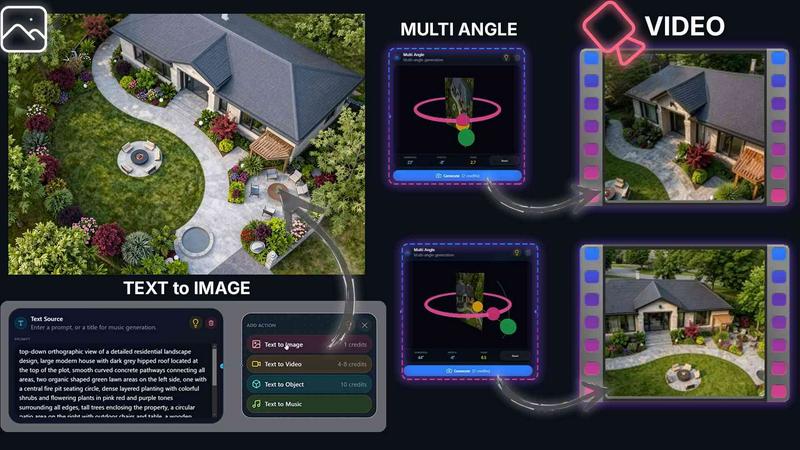
About QUVIAI
QUVIAI is an all-in-one AI-powered creative platform built specifically for architects, designers, and creators who need to move fast without switching between multiple tools. Instead of juggling separate software for rendering, modeling, video, and music, you upload a single sketch, image, or 3D model and let QUVIAI transform it into photorealistic renders, cinematic videos, multi-angle views, floor plan renders, 3D objects, and original music — all in one place. The platform is designed to eliminate friction in the creative workflow. Its built-in 3D workspace lets you model, render, and iterate without ever leaving the environment. You can edit scenes using simple text prompts, generate furniture and decorative objects from scratch, stage them exactly where you want, and produce cinematic walkthroughs from just start and end frames. QUVIAI is available on web, iOS, and Android, making it accessible whether you are in the studio, on site, or working remotely. The core value proposition is speed and unification: one platform replaces a stack of expensive, complex tools. You get production-ready outputs in minutes, not hours. From concept sketches to polished architectural presentations, QUVIAI handles the heavy lifting so you can focus on design decisions. Try it free at quvi.ai with free credits included at sign up.
Features
AI Image Generation
Turn any text prompt or reference into stunning photorealistic architectural renders in seconds. This feature supports both text-only and image-prompted generation, giving you full control over style, materials, lighting, and composition. Whether you start with a rough sketch or a detailed description, the AI produces high-quality visuals suitable for client presentations, concept boards, or design iterations. The image generation suite is optimized for architectural workflows, ensuring accurate geometry, realistic textures, and consistent lighting across all outputs.
AI Video Creation
Animate still images, generate walkthroughs, or create cinematic sequences from a single text prompt or image input. You can define start and end frames, and the AI fills in the motion to produce smooth, professional-grade video content. This is ideal for architectural presentations, marketing materials, or client walkthroughs. The video generation suite handles complex camera movements, lighting transitions, and scene dynamics, allowing you to produce compelling visual narratives without any video editing experience.
Multi Angle Suite
Generate multiple architectural viewpoints from one source image to create richer, presentation-ready perspective sets. Instead of manually setting up multiple camera angles in a 3D environment, you provide a single reference, and QUVIAI produces a variety of consistent views — including front, side, top, and interior perspectives. This feature is invaluable for real estate listings, design reviews, and portfolio presentations where showing a space from every angle is critical.
Object Staging
Stage generated 3D objects into scene backgrounds and produce polished compositions with consistent lighting. You can generate furniture, decorative items, or architectural elements directly in the platform, then place them precisely within your scene. The AI ensures that lighting, shadows, and reflections match the background, creating a seamless composite. This eliminates the need for manual 3D modeling and rendering of individual objects, saving hours of work while maintaining professional quality.
Use Cases
Architectural Concept Visualization
Architects can upload a hand-drawn sketch or a basic 3D model and instantly generate photorealistic renders for client presentations. The AI interprets the design intent, applies realistic materials, and produces multiple views in minutes. This accelerates the concept development phase, allowing architects to explore more design options and get faster client feedback without waiting for traditional rendering.
Real Estate Marketing
Real estate professionals can transform property photos or floor plans into cinematic video walkthroughs and multi-angle renders. With QUVIAI, you can create compelling marketing materials that showcase a property from every perspective, including staged interiors with generated furniture. The platform handles both still images and video, making it a single-source solution for listing presentations, virtual tours, and social media content.
Interior Design Staging
Interior designers can use QUVIAI to generate furniture and decorative objects, then stage them into existing room photos or 3D scenes. The object staging feature ensures consistent lighting and shadows, so the final composition looks natural. Designers can experiment with different styles, layouts, and color schemes quickly, presenting multiple options to clients in a single session.
Game and Film Previsualization
Creators in game design and film production can use QUVIAI to generate concept art, environment renders, and cinematic sequences from simple prompts or reference images. The platform supports text-to-image, image-to-video, and 3D object generation, making it a versatile previsualization tool. Rapid iteration on visual concepts helps teams align on artistic direction before committing to full production.
Pricing
Pricing information is not available in the provided content.
Frequently Asked Questions
What file formats can I upload to QUVIAI?
You can upload sketches, images (JPEG, PNG, TIFF), and 3D model files (OBJ, FBX, GLTF) directly into the platform. The AI processes these inputs to generate renders, videos, and multi-angle views. For best results, use high-resolution images and clean 3D geometry. The platform also accepts text prompts for generating content from scratch.
Is QUVIAI available on mobile devices?
Yes, QUVIAI is available on web, iOS, and Android. You can access the full platform from any modern browser on desktop, or download the native apps from the App Store and Google Play. All your projects and settings sync across devices, so you can start work on a desktop and continue on a tablet or phone.
How does the AI 3D workspace work?
The built-in 3D workspace allows you to model, render, and iterate without switching between separate tools. You can edit scenes using text prompts, generate furniture and decorative objects, stage them precisely, and produce cinematic walkthroughs from start and end frames. The workspace supports real-time previews and non-destructive editing, so you can experiment freely.
Are there free credits available for new users?
Yes, you can try QUVIAI for free at quvi.ai. New accounts include free credits that allow you to generate renders, videos, and 3D objects without any upfront payment. No credit card is required to sign up. Once you exhaust your free credits, you can choose from flexible paid plans based on your usage needs.
Similar to QUVIAI
RunwayAI
Independent Runway AI video generator for text and image-to-video workflows, with task tracking, previews, downloads, and API access.
Sprite Sheet Maker
Create pixel-art sprite sheets from text with AI, preview animations, and export PNG assets for game prototypes.
AIEnhancer
AI photo, image and video creation in one connected workspace.
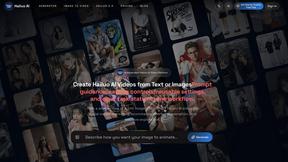
Hailuo AI
Create high-quality videos from text or images with guided prompts, motion and camera controls, flexible settings, task tracking, and downloadable res
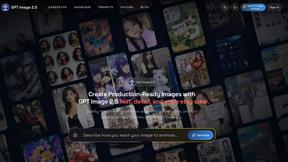
GPT Image 2 API
Generate and edit production-ready images with GPT Image 2 API, prompts, reference images, clear text, and developer workflows.
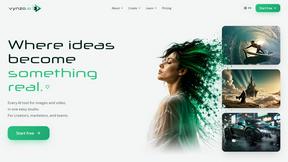
Vynzo
AI image and video studio. Generate from a prompt, animate stills, swap faces, restyle clips and edit — one credit pool, no subscription.

ProfileLoom
ProfileLoom turns one photo into platform-ready AI portraits for professional, social, and creator profiles, with presets and built-in editing.
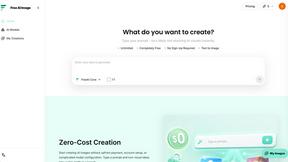
Free AI Image
Free AI Image is a free text-to-image AI generator for creating clean visual drafts from prompts with no sign-up required.