

Alternatives to Picture Enhancer
Picture Enhancer uses AI to deblur, upscale, and restore photos instantly in your browser with no software install.
Explore 20 alternatives to Picture Enhancer. Compare features, pricing, and find the best fit for your needs.

FreeVideoGenerator
Free AI video generator: turn text prompts and photos into video clips with Sora 2, Veo 3.1, Wan and more. Free starter credits, no watermark download
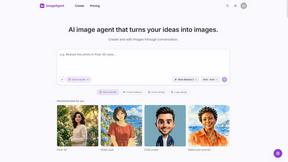
ImageAgent
Create and edit AI images through conversation, using text or reference images and refining results in chat.
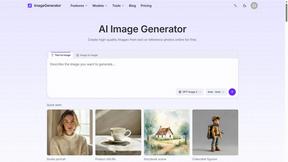
ImageGenerator
Create and edit AI images online with multiple models, text-to-image, image-to-image, background removal, and upscaling.
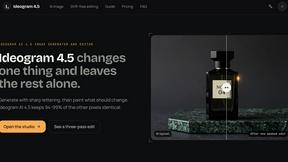
Ideogram 4.5
Advanced AI image generation and editing: sharp typography, native 2K output, localized edits that preserve the rest of your image.
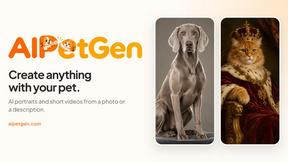
AIPetGen
AIPetGen turns a photo of your dog, cat, or other pet, or a written description, into a new picture or a short animation.

ZombieTrend AI
ZombieTrend AI turns two photos into a cinematic zombie love story video for TikTok, Reels and Shorts.

Genjutsu AI
Create cinematic AI videos, product ads, social shorts, and high-quality images from a prompt.

ImageGPT
ImageGPT is an all-in-one AI creative platform for generating, editing and transforming images and videos using AI.

AI Album Cover Maker
Create release-ready album covers from a prompt or photo. Generate, refine, and export art for singles, EPs, mixtapes, and playlists.

RunwayAI
Independent Runway AI video generator for text and image-to-video workflows, with task tracking, previews, downloads, and API access.
Sprite Sheet Maker
Create pixel-art sprite sheets from text with AI, preview animations, and export PNG assets for game prototypes.


Hailuo AI
Create high-quality videos from text or images with guided prompts, motion and camera controls, flexible settings, task tracking, and downloadable res
GPT Image 2 API
Generate and edit production-ready images with GPT Image 2 API, prompts, reference images, clear text, and developer workflows.

Vynzo
AI image and video studio. Generate from a prompt, animate stills, swap faces, restyle clips and edit — one credit pool, no subscription.

ProfileLoom
ProfileLoom turns one photo into platform-ready AI portraits for professional, social, and creator profiles, with presets and built-in editing.

Free AI Image
Free AI Image is a free text-to-image AI generator for creating clean visual drafts from prompts with no sign-up required.

About Picture Enhancer Alternatives
Picture Enhancer is a free, browser-based AI tool that sharpens, upscales, and restores images without requiring any software downloads. It falls under the image generation and enhancement category, specifically focused on fixing photo quality issues like blur, low resolution, and damage. Users often look for alternatives when they need more processing credits, batch editing capabilities, or different pricing models since Picture Enhancer charges credits per successful enhancement and limits guests to three free tries. Others may seek platforms that offer additional editing controls, support for different file formats, or integration with their existing workflow. When choosing an alternative, evaluate the credit or subscription system carefully to ensure it aligns with your usage volume. Look for tools that offer a transparent free tier or trial, support the file types you use most, and provide the enhancement intensities you need, such as deblurring or upscaling. Consider whether you require batch processing, watermark-free downloads, and the ability to preview results before committing credits. The best alternative will balance cost with the specific features that matter most for your projects, whether for social media, e-commerce, or personal photo restoration.
FAQs about Picture Enhancer Alternatives
What is Picture Enhancer?
Picture Enhancer is a free online AI photo enhancer that allows users to deblur, upscale, and restore images directly in their browser without installing any software. It supports JPG, PNG, and WebP file formats and offers three intensity levels: Standard, Strong, and Super. Users can preview before and after results and download watermark-free images when the enhancement succeeds.
Who is Picture Enhancer for?
Picture Enhancer is designed for creators, sellers, and everyday users who need sharper images quickly. It is ideal for social media posts, e-commerce product listings, screenshots, and family photos. The tool is accessible to both casual users who want a quick fix and professionals who require batch processing for multiple images.
Is Picture Enhancer free?
Yes, Picture Enhancer offers free access for guests, who receive three lifetime tries per IP address without needing to sign up. Signed-in users receive starter credits and can earn or purchase more. Credits are charged only on successful enhancements, with Standard using 2 credits, Strong using 4, and Super using 6. Paid users unlock Super tier and batch enhance up to 10 images at once.
What are the main features of Picture Enhancer?
Key features include AI-powered deblurring, upscaling, and restoration of photos. Users can choose from three intensity levels: Standard, Strong, and Super. The tool provides a before and after preview, watermark-free downloads, and batch enhancement for up to 10 images on paid plans. Monthly subscriptions grant credits each cycle, while permanent credit packs never expire.