

Alternatives to Paperchat - AI customer support
PaperChat trains AI agents on your business data to automate customer support, capture leads, and sync with your CRM.
Explore 20 alternatives to Paperchat - AI customer support. Compare features, pricing, and find the best fit for your needs.
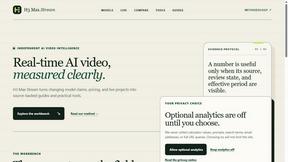
screenRIG
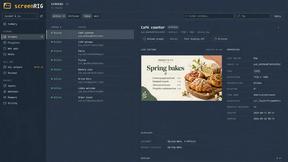
Signage and kiosk infrastructure for AI agents. Your agent publishes images, video, streams, web pages and apps to screens via one plugin.screenRIG is

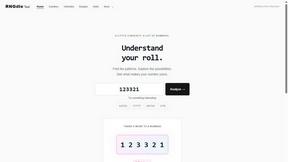




Speechyou
AI transcription for voice notes, meetings, and audio files in 1,700 languages, with AI summaries and subtitle export and unlimited chat ai usage.
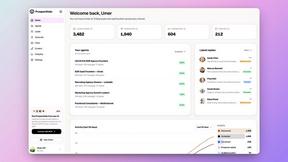
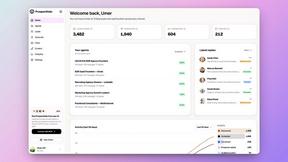
ProspectHalo
AI sales agent that finds qualified leads, runs outreach, follows up automatically, creates content, and helps book more meetings.
benchmark.directory
146 AI tools, grouped by the job you hire them to do. We paid for every one, used it on real work, and wrote down where it stops.

GROWNX
Real-time downloads, revenue, and reviews across your App Store portfolio, plus an AI copilot.


Tools Network
Tools Network is a curated directory of the best AI tools across 25+ categories — compare ratings, pricing, and features to find the right one fast.



About Paperchat - AI customer support Alternatives
Paperchat - AI customer support is a tool that combines AI-powered chatbots with human assistance, falling under the AI Assistants category. It enables businesses to build custom chatbots and document assistants trained on uploaded files, websites, and knowledge bases, allowing the system to read, search, summarize, and answer questions conversationally using large language models. Users often seek alternatives due to specific pricing constraints, a need for more advanced platform integrations, or a desire for different feature sets like deeper analytics or specialized multilingual support. When evaluating alternatives, focus on the core capabilities that matter most for your workflow. Look for platforms that offer seamless no-code integration with your existing CRM and support tools, as well as robust analytics to track customer interactions and lead generation. Consider the ease of training the AI on your specific documents and the quality of sourced responses, especially if you require precise, citation-backed answers. Additionally, assess the flexibility of human handover options and the range of supported file types, ensuring the solution scales with your business needs without requiring extensive coding.
FAQs about Paperchat - AI customer support Alternatives
What is Paperchat - AI customer support?
Paperchat - AI customer support is an AI-powered chat platform that builds custom chatbots and document assistants trained on your files, website, and knowledge base. It uses large language models to read, search, summarize, and answer questions conversationally, delivering sourced, multilingual responses. The platform includes analytics, no-code integrations, and a human handover feature, making it suitable for automating customer support and research tasks.
Who is Paperchat - AI customer support for?
Paperchat - AI customer support is designed for businesses and individuals who need to speed up research, automate customer support, collect leads, and gain instant insights from documents without coding. It is particularly useful for teams that rely on extensive documentation, such as knowledge bases, PDFs, and webpages, and require a blend of AI automation with the option for human-assisted interactions.
What are the main features of Paperchat - AI customer support?
The main features include custom chatbot and document assistant creation trained on your files, websites, and knowledge bases, with capabilities to read, search, summarize, and answer questions conversationally. It offers sourced, multilingual responses, analytics for tracking interactions, no-code integrations with existing tools, and a human handover option for complex queries. These features help businesses automate support and streamline lead collection.
Is Paperchat - AI customer support secure?
Paperchat - AI customer support prioritizes security by processing your documents and data within a controlled environment, but specific security certifications or protocols are not detailed in the provided content. For accurate information on data encryption, compliance standards, and privacy measures, users should review the platform’s official security documentation or contact their support team directly.