
Alternatives to Kaizen OCR
Kaizen OCR extracts text from images and PDFs completely offline with 100% privacy.
Explore 20 alternatives to Kaizen OCR. Compare features, pricing, and find the best fit for your needs.

Panzoe
Panzoe is an all-in-one AI platform for personal productivity, business automation, AI assistants, content creation, and custom AI solutions.

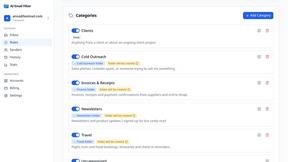
AI Email Filter
AI Email Filter sorts incoming mail into folders using plain-language prompts you write. Works with any IMAP mailbox; bring your own LLM if you want.

Partly
Snap the receipt, let AI read the items, and see who owes whom in your flat, trip or dinner group.

Product Launch Checklist
A free launch checklist for SaaS, apps, AI tools and more. Every step says why it matters and when you can skip it.
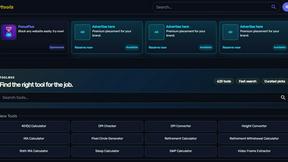
Kody Tools
Free collection of online developer utilities, code formatters, and digital converters designed to streamline your daily workflow.

SnitchFeed
SnitchFeed is an agentic social listening tool that surfaces high-intent conversations on LinkedIn, X, Hackernews, and more for GTM and product teams.


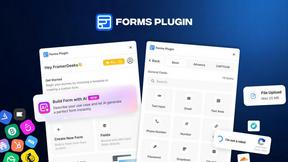
Forms Plugin
The #1 Native Form Builder Plugin for Framer - No Code, No Embeds, No External Platforms.

RunwayAI
Independent Runway AI video generator for text and image-to-video workflows, with task tracking, previews, downloads, and API access.

HomeAnswerBook
Practical, independent guides to home repairs, maintenance, costs, troubleshooting, and everyday fixes.
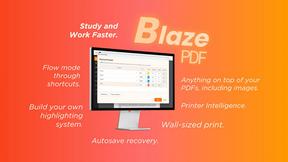
BlazePDF
Highlight faster. Study in flow with custom shortcuts and a workflow built around you. Print smarter, or turn any page into a tiled poster.


Happy Horse AI
Create videos from text, images, or references with Happy Horse AI using flexible 720P/1080P output and API workflows.

Build Mode for Mac
Build Mode is a Mac app that turns focused sessions into visible progress, so you can see the work adding up before the results arrive.
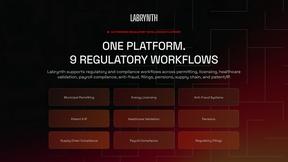
Labrynth AI
AI regulatory intelligence platform that turns complex requirements into cited, audit-ready outputs.



About Kaizen OCR Alternatives
Kaizen OCR is a desktop software for Windows that falls into the productivity category. It specializes in extracting text from images, screenshots, and PDFs using powerful, fully offline OCR engines. This ensures all data processing happens locally on your computer for maximum privacy and security. Users may explore alternatives for various reasons. Some might seek different pricing models, such as free online tools or subscription-based services. Others may require specific features, like integration with cloud storage, or need software that runs on macOS or Linux. The search often centers on balancing cost, platform compatibility, and specific workflow needs. When evaluating an alternative, key considerations include privacy policies, offline functionality, and accuracy. Determine if the tool processes data online or locally. Check its supported languages, batch processing capabilities, and whether it includes additional utilities like PDF editing. The goal is to find a solution that matches your specific requirements for security, convenience, and power.
FAQs about Kaizen OCR Alternatives
What is Kaizen OCR?
Kaizen OCR is a privacy-first desktop software for Windows that extracts text from images and PDFs using fully offline AI and Tesseract OCR engines.
Who is Kaizen OCR for?
It is designed for professionals, students, and researchers who need fast, accurate, and secure text conversion from documents, images, or PDFs without an internet connection.
Is Kaizen OCR free?
The provided content does not specify pricing. It is a comprehensive desktop software, so users should check the official website for current licensing details.
Why choose Kaizen OCR?
It offers high-accuracy, AI-powered text recognition from over 100 languages entirely offline, ensuring complete data privacy and combining OCR with PDF utilities in one tool.