

Alternatives to JustPDF
JustPDF is a privacy-first, browser-based toolkit with 17 free tools to edit and convert your PDFs completely offline.
Explore 20 alternatives to JustPDF. Compare features, pricing, and find the best fit for your needs.

MD to Text
Convert Markdown to clean, readable plain text in your browser. Strip formatting, keep the content, and copy clean output for AI prompts and docs.

Panzoe
Panzoe is an all-in-one AI platform for personal productivity, business automation, AI assistants, content creation, and custom AI solutions.
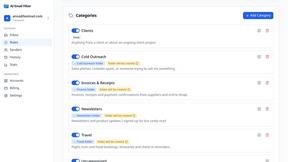
AI Email Filter
AI Email Filter sorts incoming mail into folders using plain-language prompts you write. Works with any IMAP mailbox; bring your own LLM if you want.

Partly
Snap the receipt, let AI read the items, and see who owes whom in your flat, trip or dinner group.
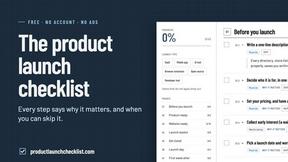
Product Launch Checklist
A free launch checklist for SaaS, apps, AI tools and more. Every step says why it matters and when you can skip it.
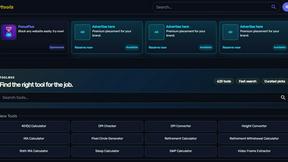
Kody Tools
Free collection of online developer utilities, code formatters, and digital converters designed to streamline your daily workflow.

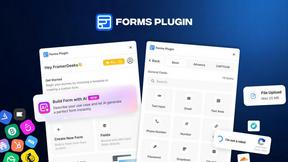
Forms Plugin
The #1 Native Form Builder Plugin for Framer - No Code, No Embeds, No External Platforms.

HomeAnswerBook
Practical, independent guides to home repairs, maintenance, costs, troubleshooting, and everyday fixes.
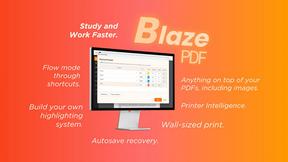
BlazePDF
Highlight faster. Study in flow with custom shortcuts and a workflow built around you. Print smarter, or turn any page into a tiled poster.

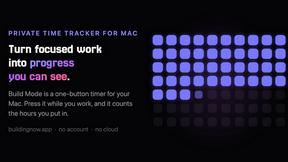
Build Mode for Mac
Build Mode is a Mac app that turns focused sessions into visible progress, so you can see the work adding up before the results arrive.


GROWNX
Real-time downloads, revenue, and reviews across your App Store portfolio, plus an AI copilot.


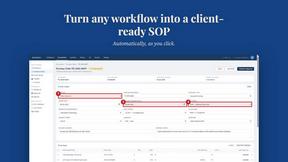
MySOP.guru
Capture any workflow in your browser and export a branded, step-by-step SOP with screenshots. €5 per document, no subscription.
PerPageFax
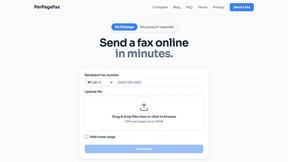
PerPageFax lets you send a fax online from any browser for a flat $0.50 per page — no account, no subscription, no fax machine.

About JustPDF Alternatives
JustPDF is a privacy-first PDF toolkit that falls into the productivity and document management software category. It provides a suite of 17 essential tools for editing, converting, and managing PDF files directly within a web browser. The platform distinguishes itself by processing all files locally on the user's device, ensuring that sensitive documents never leave the computer or are uploaded to external servers. Users often explore alternatives to any software for a variety of reasons. Common motivations include seeking different pricing models, such as a one-time purchase versus a subscription, or needing access to specific features not offered in their current tool. Others may require software that works on a different platform, like a dedicated desktop application or a mobile app, or they might simply prefer a different user interface or workflow. When evaluating alternatives, key considerations should include the tool's security and privacy model, the total cost of ownership, the range and quality of features offered, and compatibility with your operating system and other software.
FAQs about JustPDF Alternatives
What is JustPDF?
JustPDF is a privacy-first, web-based PDF toolkit offering 17 professional-grade tools for managing PDF documents. It operates entirely within your web browser using JavaScript and WebAssembly, meaning all file processing happens locally on your device. This approach ensures that your documents are never uploaded to a remote server, providing a unique layer of security and privacy for sensitive files.
Who is JustPDF for?
JustPDF is ideal for students, professionals, and anyone handling sensitive or confidential PDF documents who prioritizes data privacy. Its FERPA compliance makes it particularly suitable for educational use. It's also perfect for users who need quick, no-fuss access to common PDF tools without creating an account, as the free tier allows for 3 operations per day with no sign-up required.
Is JustPDF free?
Yes, JustPDF offers a robust free tier that requires no account creation and provides access to all 17 tools for up to 3 operations per day. For users with higher volume needs, a Pro subscription is available starting at $4 per month, which grants unlimited access to all tools and features.
Why choose JustPDF over other online PDF tools?
The primary reason to choose JustPDF is its uncompromising commitment to privacy. Unlike many competitors that upload your files to their servers, JustPDF processes everything locally in your browser. You can verify this by checking the Network tab in your browser's developer tools and seeing no file uploads. This local processing guarantees that your confidential documents, from contracts to academic papers, never leave your control.