

JustPDF
JustPDF is a privacy-first, browser-based toolkit with 17 free tools to edit and convert your PDFs completely offline.
AI tool Details
Explore More
Alternatives
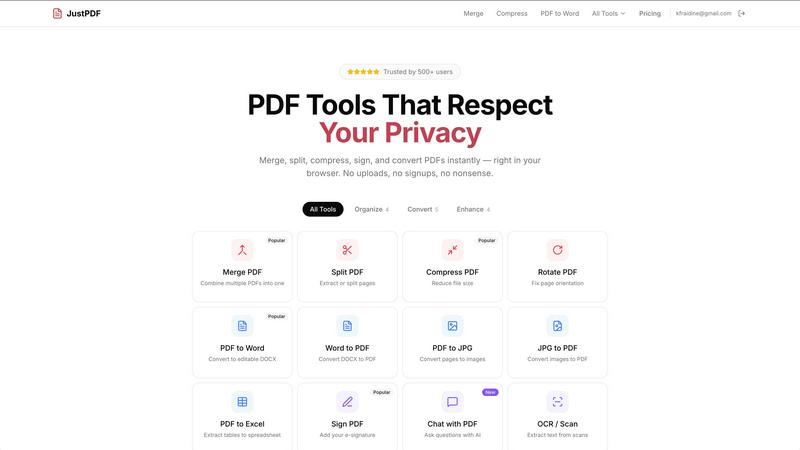
About JustPDF
JustPDF is a comprehensive, privacy-first suite of PDF tools that operates entirely within your web browser. It provides 17 professional-grade utilities for managing, converting, and editing PDF documents. The core value proposition is absolute data privacy: unlike competitors like Smallpdf or iLovePDF, JustPDF processes all files locally on your device using JavaScript and WebAssembly. Your documents are never uploaded to a remote server, a fact you can verify by checking your browser's Network tab. This makes it ideal for students, professionals, and businesses handling sensitive information. The toolkit includes essential functions like merging, splitting, compressing, and rotating PDFs, alongside advanced conversions (PDF to Word, Excel, JPG), e-signing, and innovative AI features like Chat with PDF. With a generous free tier and FERPA-compliant security, JustPDF delivers powerful, accessible, and trustworthy document processing for everyone.
Features
100% Browser-Based Processing
Every PDF operation is executed locally on your device using client-side JavaScript and WebAssembly. This means your files never leave your computer or phone to be processed on a remote server. You maintain complete control and privacy from start to finish, with no risk of external data breaches or unauthorized access to your documents.
Comprehensive PDF Tool Suite
JustPDF offers a full set of 17 tools for all common and advanced PDF tasks. This includes organizing tools (Merge, Split, Compress, Rotate), conversion tools (to and from Word, Excel, JPG), specialized tools (Unlock, Flatten, Sign, PDF to Grayscale), and modern features like AI-powered Chat with PDF and OCR/Scan functionality for text recognition.
No-Account Free Tier
You can start using JustPDF immediately without creating an account. The free tier allows for 3 operations per day with no watermarks on outputs. This provides ample functionality for casual users to handle urgent PDF tasks securely and conveniently, with no commitment or personal data required.
Advanced AI & Conversion Tools
Beyond standard utilities, JustPDF includes cutting-edge features. Chat with PDF lets you ask questions of your document's content using AI. It also supports modern image format conversions, turning WebP and HEIC files directly into PDFs, and includes OCR to make scanned documents searchable and editable.
Use Cases
Handling Sensitive Business Documents
Professionals dealing with confidential contracts, financial reports, or HR materials can use JustPDF to merge, compress, or sign files without ever exposing the data to a third-party cloud service. This ensures compliance with internal data security policies and protects client confidentiality.
Student and Academic Work
Students and researchers can safely edit, compress, and convert research papers, theses, and assignment submissions. The tool's FERPA compliance makes it suitable for educational institutions, allowing secure handling of student records and academic work without privacy concerns.
Quick Personal Document Management
For everyday needs like combining travel itineraries, converting a recipe image to PDF, or signing a rental agreement, users can quickly drag and drop files. The no-signup, browser-based access makes it perfect for fast, one-off tasks with guaranteed privacy.
Preparing Accessible Digital Content
Content creators and administrators can use the OCR/Scan feature to convert physical documents or image-based PDFs into searchable, accessible digital text. The PDF to Grayscale and compress tools help optimize documents for digital archiving and efficient online distribution.
Pricing
JustPDF operates on a freemium model. The free plan allows for 3 operations per day with no account needed and no watermarks on output files. The Pro subscription starts at $4 per month (billed annually) and provides unlimited access to all 17 tools, removing the daily operation limit for power users and professionals.
Frequently Asked Questions
Is JustPDF really free?
Yes, JustPDF offers a completely free tier that requires no account sign-up. You get 3 free operations per day across all tools. For unlimited use, a Pro subscription is available starting at $4 per month, which removes the daily limit.
How does JustPDF protect my privacy?
JustPDF processes all files directly within your browser window using your device's own computing power. No file data is transmitted over the internet to external servers. You can confirm this by opening your browser's Developer Tools (F12) and observing no network activity during file processing.
What is the "Chat with PDF" feature?
This is an AI-powered tool that allows you to interact with your PDF document. You can upload a PDF and ask the AI questions about its content, such as requesting summaries, finding specific information, or extracting key points, making document review and research faster.
Do I need to install any software?
No installation is required. JustPDF is a web application that runs entirely in your modern web browser (like Chrome, Firefox, or Edge). It also has offline capabilities for many core functions, so you can use it without an internet connection once the page is loaded.
Similar to JustPDF
Novastart
Infinite canvas whiteboard OS where apps, files, teams and AI agents work together.
MD to Text
Convert Markdown to clean, readable plain text in your browser. Strip formatting, keep the content, and copy clean output for AI prompts and docs.

Panzoe
Panzoe is an all-in-one AI platform for personal productivity, business automation, AI assistants, content creation, and custom AI solutions.
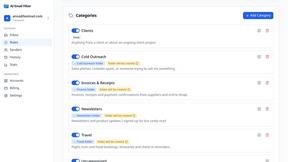
AI Email Filter
AI Email Filter sorts incoming mail into folders using plain-language prompts you write. Works with any IMAP mailbox; bring your own LLM if you want.

Partly
Snap the receipt, let AI read the items, and see who owes whom in your flat, trip or dinner group.
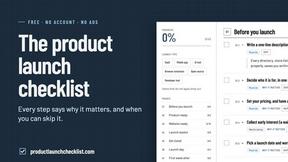
Product Launch Checklist
A free launch checklist for SaaS, apps, AI tools and more. Every step says why it matters and when you can skip it.
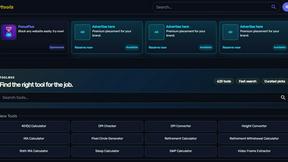
Kody Tools
Free collection of online developer utilities, code formatters, and digital converters designed to streamline your daily workflow.

What's on the menu
Smart translate any restaurant menu